The cPanel hosting landscape has transformed significantly, with providers offering increasingly sophisticated cPanel hosting solutions. Whether you’re managing a single cPanel hosting account or multiple hosting accounts, the right web hosting provider can make a substantial difference in your operations.
What Makes an Excellent cPanel Web Hosting Service?
Before diving into specific cPanel hosting providers, let’s examine what distinguishes premium cPanel web hosting services from basic hosting offerings. A quality cPanel hosting account should provide:
- Advanced server management through the cPanel interface
- Optimized hosting account settings for different workloads
- Integrated web host manager capabilities
- Comprehensive cPanel account management tools
Top cPanel Hosting Providers Analysis
1. Advanced Internet Technologies (AIT)

- Starting Price: $2.74/month
- Best For: Enterprise-level hosting with full infrastructure control
AIT stands out in the cPanel hosting market by owning and operating their own 93,000 sq ft datacenter. This level of infrastructure control allows them to provide exceptional customization and security for their hosting accounts. Their experience since 1995 has shaped their understanding of enterprise hosting needs.
Standard Features
- Infrastructure
- Private datacenter ownership
- Enterprise-grade hardware
- Custom security protocols
- US-based facility
- Performance Metrics
- 99.9% uptime guarantee
- SSD storage
- Unmetered bandwidth
- Resource isolation
- Management Tools
- Full cPanel access
- Advanced hosting controls
- Custom security settings
- Professional backup systems
- Support Options
- 24/7/365 US-based support
- Phone, email, and ticket system
- Technical expert access
- On-site support team
2. Hostinger

- Starting Price: $4.99/month
- Best For: High-performance hosting with modern infrastructure
Hostinger has revolutionized the cPanel hosting market with their implementation of cutting-edge NVMe storage and AI-powered optimizations. Their modern infrastructure provides exceptional performance for data-intensive applications.
Standard Features
- Infrastructure
- NVMe SSD storage
- AI-assisted optimization
- Cloud-based architecture
- Global server network
- Performance Metrics
- Up to 3,000 MB/s read speeds
- 99.9% uptime guarantee
- 1 Gbps network connection
- Automated performance optimization
- Management Tools
- User-friendly control panel
- Advanced cache management
- Git integration
- One-click installers
- Support Options
- 24/7 live chat
- Knowledge base
- Video tutorials
- Multi-language support
3. FastComet

- Starting Price: $46.16/month
- Best For: Security-conscious enterprises requiring advanced protection and performance optimization
FastComet has established itself as a premium cPanel hosting provider with a particular focus on security and performance. Their sophisticated approach to hosting infrastructure makes them especially suitable for businesses handling sensitive data or running resource-intensive applications. The higher price point reflects their enterprise-grade security implementations and comprehensive feature set.
Standard Features
- Infrastructure
- RAID-10 SSD storage configuration
- BitNinja security system integration
- CloudFlare CDN with 200+ global points of presence
- Load-balanced server architecture
- Isolated account containers
- Multiple data center locations
- Performance Metrics
- 99.99% uptime guarantee
- 45-day money-back guarantee
- Instant activation
- Free domain for life
- Full SSD storage
- Unmetered traffic
- Server response time under 0.5s
- Management Tools
- Advanced cPanel interface
- Web host manager access
- Real-time security monitoring
- Daily/weekly backup systems
- Advanced firewall configurations
- Resource monitoring dashboard
- Performance optimization tools
- One-click application installer
- Support Options
- 24/7/365 technical support
- Average response time under 10 minutes
- Multi-channel support (chat, ticket, phone)
- Free site migration assistance
- Comprehensive knowledge base
- Video tutorials and guides
- Priority support system
- Expert security consultation
4. LiquidWeb
- Starting Price: $19.99/month
- Best For: Enterprise-level managed hosting with premium support and performance
LiquidWeb distinguishes itself in the cPanel hosting market through their fully managed hosting approach and enterprise-focused infrastructure. Their comprehensive management of server environments, combined with their premium support services, makes them particularly suitable for businesses requiring high-performance, managed hosting solutions. Their extensive experience in enterprise hosting has shaped their service offerings to meet demanding business requirements.
Standard Features
- Infrastructure
- Multiple owned data centers
- Enterprise Intel hardware
- N+1 redundant systems
- Proactive monitoring systems
- Performance Metrics
- 100% uptime guarantee
- NVMe storage options
- High-performance networks
- Dedicated resource allocation
- Management Tools
- Enhanced cPanel interface
- Server clustering options
- Advanced security tools
- Enterprise backup solutions
- Support Options
- 24/7/365 managed support
- 59-second initial response
- Level 3 Linux administrators
- Proactive monitoring team
5. HostGator

- Starting Price: $2.75/month
- Best For: Comprehensive cPanel hosting with extensive educational resources
HostGator has established itself as a leading authority in cPanel hosting through their refined implementation and user-friendly approach. Their focus on providing extensive educational resources and optimized cPanel environments makes them particularly appealing for users ranging from beginners to advanced developers. Their long-standing expertise in cPanel hosting has resulted in a highly optimized hosting environment.
Standard Features
- Infrastructure
- Multiple data center locations
- Optimized server configurations
- DDoS protection
- Global CDN integration
- Performance Metrics
- 99.9% uptime guarantee
- Unlimited storage
- Unmetered bandwidth
- Free SSL certificates
- Management Tools
- Streamlined cPanel interface
- One-click installers
- Website builder tools
- Automated backup systems
- Support Options
- 24/7/365 technical support
- Live chat availability
- Comprehensive knowledge base
- Video tutorial library
6. HostArmada

- Starting Price: $29.95/month
- Best For: Performance-optimized hosting with advanced storage solutions
HostArmada excels in providing optimized storage solutions and comprehensive management tools. Their multi-tiered storage architecture delivers exceptional performance for data-intensive applications.
Standard Features
- Infrastructure
- Multi-tiered SSD storage
- Cloud-powered platform
- Global CDN integration
- Advanced security systems
- Performance Metrics
- 99.9% uptime guarantee
- SSD-powered servers
- Optimized server configs
- Smart caching system
- Management Tools
- Advanced hosting panel
- Resource monitoring
- Backup management
- Security tools suite
- Support Options
- 24/7 priority support
- Technical guidance
- Speed optimization team
- Knowledge base access
7. SiteGround

- Starting Price: $3.99/month
- Best For: Technology-forward cPanel hosting with innovative security features
SiteGround leads the market in implementing cutting-edge technologies within their cPanel hosting environment. Their development of proprietary security and performance optimizations sets them apart in the hosting industry. Their commitment to staying ahead of technological trends has resulted in a hosting platform that combines traditional cPanel reliability with modern innovations.
Standard Features
- Infrastructure
- Google Cloud infrastructure
- Custom AI security system
- Dynamic caching technology
- Distributed SSD storage
- Performance Metrics
- 99.99% uptime guarantee
- Server-level caching
- NGINX direct delivery
- PHP optimization
- Management Tools
- Site tools integration
- Git integration
- Staging environments
- Collaboration tools
- Support Options
- 24/7 expert support
- Custom solution engineers
- Advanced troubleshooting
- Development guidance
8. A2 Hosting

- Starting Price: $1.75/month
- Best For: High-speed hosting with Turbo Server technology
A2 Hosting’s Turbo Server technology sets them apart in the market, delivering exceptional speed for web applications. Their focus on performance optimization makes them ideal for speed-critical applications.
Standard Features
- Infrastructure
- Turbo Server platform
- SwiftServer architecture
- SSD storage
- Developer-friendly setup
- Performance Metrics
- 99.9% uptime guarantee
- Up to 20X faster servers
- Free site migration
- Unlimited resources
- Management Tools
- Server rewind backups
- Developer tools suite
- Version control systems
- Performance optimization
- Support Options
- Guru crew support
- 24/7/365 assistance
- Developer assistance
- Migration help
9. Bluehost

- Starting Price: $1.99/month
- Best For: User-friendly hosting with comprehensive tools
Bluehost provides a well-rounded hosting solution with particular emphasis on user experience and integration capabilities. Their platform is especially suitable for businesses requiring straightforward management and reliable performance.
Standard Features
- Infrastructure
- Modern server hardware
- Resource isolation
- CDN integration
- Advanced caching
- Performance Metrics
- 99.98% uptime guarantee
- SSD storage standard
- Unlimited bandwidth
- Resource protection
- Management Tools
- Enhanced cPanel
- Domain management
- Site builders
- Marketing tools
- Support Options
- 24/7 expert support
- Training resources
- Video tutorials
- Extensive knowledge base
10. InMotion Hosting

- Starting Price: $1.99/month
- Best For: Business-class hosting with comprehensive support
InMotion Hosting focuses on delivering business-class hosting solutions with enterprise-grade hardware and comprehensive support services. Their platform is particularly well-suited for businesses requiring reliable performance and expert assistance.
Standard Features
- Infrastructure
- Business-class hardware
- Multiple data centers
- SSD storage
- Security-focused setup
- Performance Metrics
- 99.99% uptime guarantee
- 40x faster performance
- Smart routing technology
- Unlimited bandwidth
- Management Tools
- Advanced hosting toolkit
- Security suite
- Backup manager
- Resource monitoring
- Support Options
- US-based support team
- Launch assist
- Free site migration
- Educational resources
Choosing the Right cPanel Hosting Account
When selecting a cPanel web hosting service, your decision will significantly impact your website’s performance, security, and manageability. Understanding the key components will help you make an informed choice that supports your business growth.
Technical Infrastructure
A robust technical infrastructure serves as the foundation of reliable cPanel hosting. Think of it as the engine that powers your website. Professional hosting providers invest in sophisticated server architecture that includes:
Server Optimization: Advanced server configurations specifically designed for cPanel hosting ensure your website runs efficiently. This includes fine-tuned Apache settings, optimized MySQL databases, and properly configured PHP settings that work together seamlessly.
Web Host Manager (WHM) Integration: WHM provides powerful server management capabilities that complement cPanel’s user interface. This integration allows for better resource allocation, security management, and account isolation, ensuring your website operates in a protected environment.
Account Management Systems: Modern cPanel hosting providers implement sophisticated account management systems that automate routine tasks, monitor resource usage, and provide detailed analytics about your website’s performance. This automation reduces human error and ensures consistent service delivery.
Professional Support Infrastructure: Leading providers maintain dedicated support teams trained specifically in cPanel-related issues, offering multiple support channels and rapid response times to technical issues.
Performance Optimization
Performance optimization directly affects your website’s speed, reliability, and user experience. Quality cPanel hosting providers implement:
Resource Allocation: Each hosting account receives dedicated resources, including CPU cores, RAM, and disk I/O. This resource isolation prevents other customers’ websites from affecting your site’s performance, similar to having your own lane on a highway.
Enhanced Hosting Architecture: Modern hosting providers use solid-state drives (SSDs), content delivery networks (CDNs), and advanced caching systems to deliver faster page load times and better overall performance. This technology stack ensures your website responds quickly to visitor requests.
Interface Optimization: The cPanel interface itself is optimized for quick response times, allowing you to manage your website efficiently. This includes features like quick-access toolbars, streamlined navigation, and fast-loading control panels that save you valuable management time.
Comprehensive Monitoring: Advanced monitoring systems track server health, resource usage, and potential performance issues in real-time. This proactive approach helps identify and resolve problems before they affect your website’s performance, ensuring consistent uptime and reliability.
By understanding these technical aspects and their practical implications, you can select a cPanel hosting provider that not only meets your current needs but also supports your business’s future growth and success.
Advanced cPanel Hosting Features
Modern cPanel hosting services have evolved to meet increasingly sophisticated business needs. Understanding these advanced features helps you make informed decisions about your hosting infrastructure and ensures your online presence remains secure and scalable.
Security Implementation
Security in cPanel hosting operates like a multi-layered fortress protecting your digital assets. Professional hosting providers implement several sophisticated security measures:
Account-Level Protection
Modern cPanel hosting employs multiple security layers at the account level. This includes advanced password policies, two-factor authentication, and IP-based access restrictions. Think of this as having both a sophisticated lock system and a security guard for your digital property. The system actively monitors login attempts, automatically blocks suspicious activities, and provides detailed security logs to track any potential threats.
Secure Hosting Environment
The hosting environment itself incorporates enterprise-grade security protocols. This includes ModSecurity web application firewall, real-time malware scanning, and automated vulnerability assessments. These tools work together like an immune system, constantly checking for and neutralizing potential threats before they can affect your website.
Infrastructure Protection
At the infrastructure level, providers implement multiple security layers including:
- DDoS protection that acts like a traffic controller, filtering out malicious traffic while allowing legitimate visitors through
- SSL/TLS encryption that creates secure tunnels for data transmission, similar to an armored car protecting valuable cargo
- Regular security audits that function like periodic health check-ups, identifying and addressing potential vulnerabilities
- Automated backup systems that create secure, encrypted copies of your data, protecting against both hardware failure and cyber threats
Security Update Management
Professional hosting providers maintain rigorous update schedules for all security components. This includes:
- Regular cPanel updates to patch security vulnerabilities
- Operating system security patches
- Web server software updates
- Database security improvements
Scaling Capabilities
Modern cPanel hosting is designed to grow with your business, offering flexible scaling options that adapt to your changing needs:
Resource Expansion
The hosting infrastructure allows for seamless resource allocation, similar to having an elastic container that can expand as needed. This includes:
- Dynamic CPU allocation that adjusts to traffic spikes
- Expandable RAM resources for improved performance
- Scalable storage capacity that grows with your content
- Adjustable bandwidth limits to handle increasing visitor numbers
Upgrade Management
Professional hosting providers offer smooth upgrade paths that minimize disruption to your business:
- One-click resource upgrades that take effect immediately
- Zero-downtime transitions between hosting plans
- Automated data migration during upgrades
- Preservation of all settings and configurations during scaling
Advanced Management Tools
Modern cPanel installations include sophisticated management tools that provide:
- Real-time resource monitoring dashboards
- Automated performance optimization tools
- Advanced backup and restore capabilities
- Integrated development and staging environments
Flexible Configuration Options
The system allows for customized configurations to meet specific business needs:
- Custom PHP configurations for specialized applications
- Advanced database optimization options
- Tailored email server settings
- Customizable security rules and policies
This comprehensive approach to hosting ensures your website remains secure while having the flexibility to grow alongside your business. The combination of robust security measures and scalable infrastructure provides a solid foundation for your online presence, allowing you to focus on business growth rather than technical management.
Expert Tips for cPanel Hosting Management
As an experienced user of various cPanel hosting services, here are my recommendations:
- When setting up a new cPanel hosting account, thoroughly evaluate the web hosting provider’s resource allocation
- Regularly monitor your cPanel web hosting service performance metrics
- Utilize the web host manager tools provided by your hosting provider
- Maintain optimal cPanel account settings for your specific needs
Conclusion: Selecting Your Ideal cPanel Hosting Provider
Choosing the right cPanel web hosting service requires careful consideration of your specific needs. The best web hosting providers offer comprehensive cPanel hosting solutions that balance performance, security, and management capabilities. Whether you’re managing a single cPanel hosting account or multiple hosting accounts, selecting the right web hosting provider is crucial for long-term success.
Remember that the most effective cPanel hosting solution depends on your specific requirements. Consider factors like:
- Overall cPanel hosting service quality
- Web host manager functionality
- Hosting account resource allocation
- cPanel account management tools
By carefully evaluating these aspects of cPanel web hosting services, you can select a provider like AIT that best meets your needs while ensuring optimal performance and reliability for your hosting account.
Let me create a comprehensive FAQ about cPanel that addresses common questions while providing detailed, educational explanations:
cPanel Hosting: Frequently Asked Questions
- What exactly is cPanel and why do I need it?
cPanel is a control panel interface that simplifies website and hosting management. Think of it as a sophisticated dashboard for your website – similar to how your car’s dashboard gives you control over various vehicle functions without requiring you to understand the complex mechanics underneath. With cPanel, you can manage email accounts, databases, domain settings, and file storage through an intuitive interface, even if you don’t have technical expertise. This means you can focus on running your business instead of learning complex server commands.
- How secure is cPanel hosting?
cPanel incorporates multiple layers of security protections. The system includes built-in features like password-protected directories, IP access controls, SSL/TLS management, and automated backup systems. Additionally, cPanel regularly releases security updates to protect against new threats. It’s similar to having a building with security cameras, alarm systems, and security guards all working together to protect your assets.
- What happens if my website grows?
Can cPanel handle increased traffic? cPanel is designed to scale with your business growth. When your website needs more resources, cPanel makes it easy to upgrade your hosting plan without complicated migrations or downtime. The system allows for seamless resource allocation, meaning you can add more storage space, bandwidth, or processing power as needed. This scalability ensures your website can handle increasing visitor numbers without performance issues.
- How does cPanel help with email management?
cPanel provides comprehensive email management capabilities. You can create unlimited email accounts, set up autoresponders, manage spam filters, and configure email forwarding – all from one interface. The system also includes webmail access, allowing you to check your email from any browser. Think of it as having a complete mail room with all the tools and services you need to manage business communications efficiently.
- What kind of technical support can I expect with cPanel hosting?
Professional cPanel hosting providers typically offer 24/7 technical support through multiple channels including phone, email, and live chat. Support teams are specifically trained in cPanel operations and can assist with everything from basic configuration questions to complex technical issues. This ensures you’re never left struggling with technical problems that could affect your business operations.
]]>1. AIT
AIT offers a variety of cPanel hosting plans, providing tailored solutions for diverse needs. The Basic, Pro, and Ultimate plans come with unique features, ranging from SSD storage to unmetered bandwidth. Each plan includes a free domain registration or transfer, making it ideal for growing businesses.
With AIT’s Pro and Ultimate plans, users can host multiple domains and unlimited subdomains. These plans also include features like free SSL certificates and secure daily backups. AIT’s robust security and storage capabilities ensure a reliable platform for businesses of all sizes.
Customers benefit from essential features like free site transfer, app installs, and customer support. AIT’s cPanel hosting integrates various applications, such as Joomla and Drupal, ensuring a versatile setup. This flexibility supports both beginner and advanced users in achieving optimal site performance.
2. Bluehost
Bluehost provides a user-friendly cPanel experience, catering to new and experienced users alike. Its platform simplifies hosting management with an intuitive interface and essential website tools. This setup enhances productivity, making it a top choice among website owners.
The service includes robust security features, ensuring reliable protection for customer data and website content. Alongside security, Bluehost offers unmetered bandwidth and dependable performance for steady online presence. This blend of tools and security forms a reliable foundation for website management.
Bluehost’s 24/7 customer support assists users in troubleshooting and optimizing their websites as needed. With a dedicated support team, users receive timely solutions for technical issues and general guidance. This strong support structure helps website owners maintain stability and grow their online presence.
3. HostGator
HostGator is a reputable provider, well-regarded for its dependable cPanel hosting solutions. Its services are designed to support diverse website needs, whether for beginners or growing businesses. Offering a variety of features, HostGator creates a dependable platform for efficient website management.
With unmetered bandwidth and a 45-day money-back guarantee, HostGator prioritizes customer satisfaction. The cPanel interface provides a simplified way to control your website’s essential functions. Users benefit from free site migration, making transitions smoother for new customers.
HostGator’s customer support is accessible around the clock, enhancing users’ hosting experience. Known for its reliable uptime, it ensures that websites remain consistently accessible. This, combined with extensive resources, makes HostGator a solid choice for hosting needs.
4. InMotion Hosting
InMotion Hosting provides a reliable cPanel experience, ideal for users seeking robust performance. The hosting includes features like free SSL and unlimited bandwidth, enhancing site security and usability. Users benefit from SSD storage, which helps maintain high speeds across a range of site activities.
The platform supports various needs with its free domain and data backup features, ensuring efficient data management. InMotion’s extended 90-day money-back guarantee reflects confidence in its reliability. With an active support team, users can resolve issues quickly, keeping sites running smoothly.
InMotion Hosting prioritizes security with strong measures to protect users’ data and digital assets. It also offers compatibility with multiple applications, ensuring adaptability to diverse business needs. Overall, InMotion’s cPanel platform provides a secure, high-performance environment suitable for various website requirements.
5. A2 Hosting
A2 Hosting emphasizes performance and reliability for users who value seamless website experiences. Known for its high-speed Turbo servers, it provides a responsive environment for cPanel hosting. These servers help websites load quickly, supporting better user engagement and reduced bounce rates.
Security is a priority at A2 Hosting, as it includes robust features to protect sites from threats. Its hosting plans come with free SSL certificates, boosting website security for sensitive data. Customers also benefit from regular backups, which add another layer of data protection.
A2 Hosting caters to developers with tools like PHP version control, Git integration, and SSH access. These features make it a good fit for projects that demand technical customization. Its hosting environment supports various applications, enhancing adaptability across multiple platforms.
6. Hostinger
Hostinger offers a cPanel hosting solution ideal for individuals and small businesses. It combines a user-friendly interface with essential features to support seamless website management. The hosting environment provides an intuitive dashboard that simplifies managing multiple domains and websites.
With Hostinger, users get weekly backups and free SSL, adding crucial layers of security. The hosting service is optimized to deliver reliable uptime, helping to maintain a consistent online presence. Its support team, available in various languages, ensures clear and helpful assistance.
Hostinger’s custom hPanel interface allows quick access to all necessary hosting tools. This setup enhances usability, especially for beginners, enabling efficient website control. Hostinger’s multilingual support and regular updates make it a solid choice for global users.
7. SiteGround
SiteGround stands out for its customer support and consistent performance, making it a trusted option. Its hosting plans include cPanel, a user-friendly interface that simplifies site management. Users find SiteGround’s reliability a key feature for maintaining smooth website functionality.
SiteGround offers a range of features to ensure data protection and site efficiency. With daily backups and a free CDN, users benefit from secure, optimized experiences. These features are essential for businesses seeking consistent site speed and safety for their users.
Beyond performance, SiteGround prioritizes proactive security to meet user expectations. Their focus on security adds peace of mind, knowing risks are minimized. This commitment supports businesses aiming for secure, high-quality hosting environments.
8. GoDaddy
GoDaddy is a trusted provider, known for its user-friendly cPanel hosting solutions. With a range of services beyond hosting, it serves various business needs. Its global data centers help deliver reliable and fast connections for customers worldwide.
The cPanel interface on GoDaddy offers an organized layout for easy site management. Users can handle domains, emails, and databases efficiently from a single dashboard. This approach simplifies technical tasks, supporting website performance and streamlined operations.
With 24/7 customer support, GoDaddy ensures users get assistance when needed. Its support team is available for troubleshooting, helping with setup, and providing general guidance. This commitment to support helps customers keep their sites running smoothly and securely.
9. GreenGeeks
GreenGeeks stands out as an environmentally responsible web hosting provider that integrates cPanel functionality. By prioritizing eco-friendly operations, they aim to reduce environmental impact while offering reliable services. This focus makes them a preferred choice for sustainability-conscious businesses.
In addition to green initiatives, GreenGeeks provides a secure hosting experience supported by comprehensive features. Their cPanel includes free SSL, automated nightly backups, and seamless CDN integration for efficient content delivery. These features enhance website performance and safeguard data, supporting smooth online operations.
GreenGeeks’ commitment to quality hosting extends to excellent customer support and scalable solutions. With accessible support and options to grow with your business, they cater to diverse needs. Their eco-conscious approach combined with robust features makes GreenGeeks an impactful hosting partner.
10. InterServer
InterServer is known for its affordable cPanel hosting, providing reliable service with extensive resources. Users benefit from unlimited storage, bandwidth, and email accounts, making it ideal for diverse needs. With these resources, InterServer allows businesses to scale without restriction, supporting growing demands.
InterServer prioritizes security, offering robust measures to keep data protected across its infrastructure. Their cPanel hosting includes advanced security features to safeguard websites and user information. This attention to security ensures clients feel confident in the platform’s reliability.
Customers appreciate InterServer’s migration support, which makes switching seamless for new users. The company offers free site migration with its hosting, simplifying transitions from other providers. This service reflects InterServer’s commitment to smooth onboarding for each new client.
Get The Best cPanel Hosting With AIT!
Get reliable cPanel hosting with AIT for optimal site performance. Enjoy unlimited traffic, free backups, and top-notch support every day. Secure your domain and hosting in one seamless package today!
FAQs
What are the best hosting providers for cPanel hosting accounts?
The top hosting providers offer reliable cPanel hosting accounts. These accounts simplify website management with user-friendly interfaces. Choose from providers like AIT, Bluehost, and HostGator.
How does a cPanel hosting service benefit your website?
A cPanel hosting service makes website control easy and efficient. With features like SSL certificates and secure backups, your site stays protected. This service helps improve performance and security for all users.
What features does a cPanel web hosting service offer?
A cPanel web hosting service includes free SSL, backups, and security. It simplifies website management and enhances your site’s online presence. Hosting providers ensure user-friendly access to essential website functions.
Can I upgrade my cPanel account to dedicated servers?
Yes, upgrading from a cPanel account to dedicated servers is possible. Dedicated servers provide enhanced resources for growing website needs. Many hosting services offer seamless upgrades to support website scaling.
Why choose a web hosting solution with cPanel integration?
A web hosting solution with cPanel integration enhances control and security. It includes tools for SSL, backups, and domain management. This solution supports smooth website operations and reliable performance.
What makes dedicated hosting plans a good choice for businesses?
Dedicated hosting plans offer robust resources and enhanced security. They are ideal for businesses needing scalable solutions and custom options. These plans ensure reliable performance even during high-traffic periods.
Which web hosting providers offer reliable cPanel hosting services?
Providers like AIT, HostGator, and SiteGround offer dependable cPanel hosting. These services provide SSL, secure backups, and unmetered bandwidth. Web hosting providers prioritize uptime, security, and user-friendly features.
In this blog, you will read about:
- What is cPanel?
- What is cPanel hosting?
- What are the key features of cPanel hosting?
- How to use cPanel?
- Is cPanel free to use?
- How Do I Install WordPress on cPanel?
- What is cPanel in Managed WordPress Hosting?
- Where can I find cPanel in VPS hosting?
- Is there any difference between cPanel and Web Host Manager (WHM)?
What is cPanel?
cPanel is a Linux-based control panel that you can use to manage different tasks for your web hosting. Through cPanel, you can complete complex actions in a simple interface instead of writing complex code or hiring a developer.
What is cPanel hosting?
cPanel hosting is a Linux-based web hosting solution that comes with cPanel installed. It provides users with a cPanel account to manage different elements of their hosting. This type of hosting is widely used due to its user-friendly interface and simplicity.
Various hosting types, such as shared, dedicated, and managed WordPress hosting, can include cPanel. Users can control files, databases, and email accounts through a centralized platform. This makes managing websites easier for both beginners and experienced users alike.
While cPanel hosting is convenient, it has both benefits and drawbacks, like other control panels.
Pros of cPanel hosting:
- Simple Interface: The cPanel interface organizes features into clear and manageable modules for easy access. Users can find what they need quickly with categorized menus and simple graphics. This design makes cPanel ideal for users seeking a smooth control panel experience.
- Extensive Features: With cPanel, users can perform tasks like managing databases or creating subdomains. No advanced technical skills are required to handle these complex operations. Additionally, users can generate site backups to maintain their data securely.
- Easily Compatible: cPanel works well with popular web browsers like Chrome, Safari, and Firefox. It supports many third-party tools, such as site builders and SEO applications. This compatibility ensures smooth operation across different platforms.
- Easy Software Installation: cPanel integrates with Softaculous, providing access to over 400 applications. Users can install and manage popular CMS platforms without technical challenges. Softaculous handles updates and maintenance for each application automatically.
Cons of cPanel hosting:
- Security Issues: cPanel’s two-factor authentication can be vulnerable to brute force attacks. Keeping your cPanel version updated helps reduce the risk of such threats. Regularly monitor your account security to ensure additional protection.
- Data Loss: During major updates, cPanel can occasionally overwrite server settings, leading to data loss. This can result from hardware failures, like a crashed hard drive. Performing regular backups and full disaster recovery can restore lost data.
- High Cost: Compared to its competitors, cPanel’s licensing fees are notably higher. This makes it a costly option for individual users or small businesses. Using a web host’s cPanel license can be a more affordable alternative.
What are the key features of cPanel?
With the help of cPanel, you can manage your website without any technical knowledge or without hiring a developer. Some of the tasks you could do in cPanel are:
- Manage domain names and subdomains
- Install popular apps such as WordPress
- Create and manage email accounts
- Create new FTP accounts
- Monitor web server resources such as bandwidth
- Manage databases
- Manage your DNS records
- Manage website files
- Access to phpMyAdmin and MySQL database
How to use cPanel?
The first step is to log into cPanel. Start by checking your web host’s welcome email for a direct link. If no link is provided, use your browser’s address bar to access the login page. Depending on your site’s URL, add :2082 for HTTP or :2083 for HTTPS.
For example, you would enter http://example.com:2082 or https://example.com:2083. This will take you to the cPanel login page where you can proceed. Ensure you input your cPanel username and password to gain access.
Once logged in, you’ll see the cPanel dashboard filled with different features and modules. These options help you manage your hosting services easily. Now, we will explore each of the features and options of cPanel in detail.
Files
The Files section in cPanel offers features for direct management of your website files. You can upload files, adjust privacy settings, and use a backup wizard easily.
The File Manager tool functions like a desktop file explorer. You can easily edit, add or move files and create folders. For example, here is how you can move a file:
- Click on the “File Manager” button to view your website’s files.
- Select a file, then click “Move” to relocate it to a new path.
- Be cautious when modifying files to avoid causing errors on your website.
Databases
The Databases section in cPanel allows you to manage your website’s databases. This section supports tasks like creating databases and managing MySQL users through MySQL Databases and phpMyAdmin. Proper database management ensures that your website runs smoothly and stores data securely.
Here is how you can create databases and manage MySQL users:
- Click on MySQL Databases to open the database management screen.
- In the New Database section, enter the database name and click Create Database.
- The new database will appear in the Current Databases list.
- Scroll to the MySQL Users section to add a new user by entering the username and password.
- Click Create User to confirm the addition of the new MySQL user.
- To grant access, go to Add User To Database and select the user and database from the dropdown.
- Use phpMyAdmin to import files and optimize the database for better performance.
Preferences
The Preferences section in cPanel allows you to customize your dashboard settings. You can adjust the language, theme, and user information to match your needs. Additionally, you can add a new account and manage your password easily.
One of the most important things in preference is that you can use your contact information. Here is how you can do it:
- Open the Contact Information application in the Preferences section of cPanel.
- Enter your email address in the provided field to receive important account notifications.
- Scroll down and select your preferred contact preferences by checking the relevant boxes.
- Click save and then you are good to go!
Softaculous Apps Installer
Softaculous Apps Installer is a script library integrated with cPanel for easy software installation. It automates the process of installing popular applications like WordPress, Joomla, and Drupal. This tool makes it simple to set up various software directly from the cPanel dashboard.
Here is how to install software with Softaculous:
- Open Softaculous from your cPanel dashboard.
- Choose the software you want to install from the Script section.
- If not listed, browse through categories to find the desired software.
- Click on the application icon (e.g., WordPress) to begin installation.
- Review the software requirements to ensure your hosting plan supports it.
- Click Install Now to proceed to the setup configuration.
- Choose your installation URL and adjust the site settings as needed.
- Create an admin account, choose a theme, and pre-install plugins if desired.
- Once all settings are configured, click Install to complete the process.
Software
The Software section in cPanel includes the Softaculous Apps Installer, an easy-to-use tool for installing applications. It also features scripts and programming languages like PHP, Ruby, and Perl. Additionally, you can set up Cloudflare directly from this section if you have an account.
Here is how to set up Cloudflare:
- Click on the Cloudflare icon in the Software section of cPanel.
- Log in using your Cloudflare credentials to access your account.
- Click on the Domains option to view your active websites.
- Locate the domain you wish to enable and check its DNS details.
- Use CNAME Setup to point a subdomain to your main domain.
- Click Provision Domain with CNAME Setup to activate Cloudflare for your website.
Domains
The Domains section in cPanel allows you to manage multiple domain-related tasks with ease. You can set up addon domains for new websites or create parked domains. It also provides access to the DNS Zone Editor for configuring domain settings and managing DNS records.
Here is how to use the DNS Zone Editor:
- Open the DNS Zone Editor from the Domains section in cPanel.
- To create an MX record, click on the Add MX Record button.
- Enter the priority value in the Priority field.
- Input the fully qualified domain name in the Destination field.
- Click Add An MX Record to save your changes.
Security
Security is a critical concern for any website, especially when handling sensitive information. cPanel provides several tools to help safeguard your hosting account. Features like SSH Access and SSL/TLS certificates ensure secure connections and encryption.
Hotlink Protection is another valuable security feature that prevents other sites from using your files. By enabling it, you can preserve bandwidth and prevent resource theft. You can customize which sites and file types have access through easy-to-use settings.
Here is how you can configure hotlink protection:
- Open the Hotlink Protection feature in your cPanel dashboard.
- List allowed websites in the URLs to allow access section.
- Specify restricted file types under Block direct access for the following extensions.
- Redirect specific content requests by entering URLs in the provided field.
- Click Submit to save your settings and apply the changes.
Metrics
The Metrics module in cPanel helps track website statistics. It monitors visitor counts, resource usage, and overall website performance. These metrics assist in making informed decisions to improve your site.
One of the key tools in this module is AWStats, which tracks traffic statistics. AWStats provides detailed reports on an hourly, daily, or monthly basis. This allows you to monitor visitor patterns and adapt your strategy accordingly.
The software also captures data about visitors, including their browser type and location. This information helps you analyze visitor behavior for better site optimization. By understanding user actions, you can enhance overall website performance.
To view specific metrics, navigate the options in the left sidebar of AWStats. You can change the reported period to view statistics for a particular time frame. This makes it easy to review performance and track long-term trends.
The Email section in cPanel allows you to manage all email-related tasks easily. From creating new email accounts to setting up auto-responders, everything can be done through the dashboard. If your hosting plan includes email, this is where you’ll configure your email settings.
Here is how you can create an email account:
- Go to the Email Account feature in the cPanel dashboard.
- Click the Create button to start adding a new email account.
- Fill in the requested information, including username and password.
- Once completed, click Create to finalize the new email account.
- Repeat the process to add more accounts as needed.
Advanced
The Advanced section in cPanel is designed for users who want more control over their website. This section includes features for managing server settings, tracking network data, and clearing WordPress cache using LiteSpeed. It is ideal for those who need deeper access to manage and optimize their web hosting environment.
One essential feature here is Cron Jobs, which automates repetitive tasks for your site. You can schedule backups, delete old files, or run specific scripts at set times. Cron Jobs make site management more efficient by automating these time-consuming tasks.
Here is how you can create a cron job:
- Click on the Cron Jobs icon in the Advanced section.
- Enter your Cron Email to receive notifications when the job runs.
- Click Update Email to save your email settings.
- Choose the type of cron job you want to schedule.
- Enter the command in the Command box that you wish to automate.
- Click Add New Cron Job to finalize the process.
Is cPanel free to use?
cPanel is not free to use when installing it on your own server. It is a closed-source and proprietary platform that requires a paid license. However, many web hosting providers include it as a paid feature or add-on.
How Do I Install WordPress on cPanel?
To install WordPress on cPanel, you can use one-click installers like Softaculous or Quickinstall. These tools make the installation process quick and easy with just a few steps. After installation, you can start building your WordPress site immediately.
Where can I find cPanel in Managed WordPress Hosting?
You will not find cPanel in a Managed WordPress Hosting account because basic tasks are handled by the host. Managed hosts like WP Engine use their own control panels instead of cPanel. These custom panels manage updates, caching, and backups automatically for your WordPress site.
Where can I find cPanel in VPS hosting?
In VPS hosting, cPanel may not come pre-installed, depending on your provider. Some VPS hosting providers offer it as an optional service during or after setup. If cPanel is not included by default, you can still install it manually or request it from your provider.
Many VPS providers allow you to install cPanel during the initial setup process. If you missed this option, reconfiguring your VPS or contacting support can resolve the issue. Alternatively, you can perform a manual installation of cPanel directly on your server.
How to install or find cPanel on VPS hosting:
- Contact your provider to check if cPanel is available for your plan.
- If cPanel was an option during setup, reconfigure your VPS or ask for assistance.
- Download the cPanel installation script from the official website if manual installation is supported.
- Run the installation script on your VPS to set up cPanel manually.
Is there any difference between cPanel and Web Host Manager (WHM)?
cPanel and Web Host Manager (WHM) serve different purposes despite being closely linked.
Here are the key differences:
- Access Level: cPanel is used to manage individual domains, while WHM provides root access to the server. WHM offers backend control of cPanel, ensuring users can’t alter server settings. This makes WHM more suitable for advanced web administrators.
- User Type: cPanel is user-friendly and accessible for all skill levels. WHM, on the other hand, is designed for experienced administrators. It requires more system resources and time to install.
- Functionality: cPanel offers basic website management features like file management and email setup. WHM provides advanced features, including server customization and resource allocation. WHM also enables more control over multiple cPanel accounts.
Final Thoughts
We hope this guide has clarified what cPanel is and how it can be used. Managing website hosting tasks becomes easier with cPanel’s user-friendly interface and features. Whether you’re a beginner or advanced user, cPanel simplifies essential functions for smooth hosting management.
Get our cPanel Basic plan today! Enjoy 150GB SSD storage, free domain registration, and unmetered bandwidth for just $4.99/month.
FAQs
What is cPanel web hosting?
cPanel web hosting is a type of Linux-based hosting service. It comes with cPanel, a control panel to manage hosting tasks. You can easily manage domains, databases, and emails through cPanel. This makes cPanel web hosting user-friendly for beginners and professionals alike.
What can you do with cPanel web hosting?
With cPanel web hosting, you can manage domains, files, and emails. The hosting service also allows you to install popular applications like WordPress. You can back up your site data and track performance. This ensures smooth management of your web hosting service.
Does a web hosting provider offer cPanel?
Most web hosting providers include cPanel with their web hosting plans. It allows you to manage domains, databases, and other hosting tasks. The web hosting provider typically bundles it with shared, VPS, or dedicated hosting. This makes managing your hosting service straightforward and efficient.
What are the benefits of using cPanel in web hosting service?
cPanel simplifies website management with a clear, user-friendly interface. You can manage domains, create databases, and monitor site performance. The hosting service is compatible with various browsers and supports third-party tools. It’s an essential tool for seamless web hosting service management.
What should you look for in the best web hosting providers?
The best web hosting providers offer reliable cPanel web hosting plans. They provide features like unmetered bandwidth, free backups, and easy domain management. A good web hosting provider ensures you can manage domains and hosting tasks effortlessly. Look for hosting services that include free domain registration and secure SSL certificates.
]]>Tip 1: Optimize Website Performance with cPanel’s Resource Usage Tools
Using cPanel’s resource usage tools, you can monitor your website’s performance closely. These tools allow you to track CPU, memory, and bandwidth usage in real-time. By analyzing this data, you can identify areas that need optimization.
Adjusting your website’s settings based on resource usage can improve overall performance. For instance, reducing memory-intensive processes can prevent slowdowns during peak traffic times. Consistently monitoring these metrics helps maintain a smooth and responsive website.
Additionally, cPanel provides notifications when resource limits are nearing capacity. This early warning system gives you the chance to make necessary adjustments. By staying proactive, you can prevent potential performance issues before they affect users.
Tip 2: Enhance Security with cPanel’s SSL/TLS Manager
Securing your website with SSL/TLS is crucial for protecting user data and privacy. cPanel’s SSL/TLS Manager simplifies the process of installing SSL certificates. By enabling HTTPS, you ensure encrypted communication between your website and its visitors.
Installing an SSL certificate through cPanel involves just a few simple steps. First, obtain an SSL certificate from a trusted provider. Then, use the SSL/TLS Manager in cPanel to install the certificate on your server.
Once installed, the SSL certificate activates HTTPS, enhancing your website’s security and trustworthiness. Visitors will see the padlock icon in their browser, indicating a secure connection. This can improve user confidence and potentially boost search engine rankings.
Tip 3: Improve Website Speed with cPanel’s Caching Options
Enabling caching in cPanel can greatly improve your website’s loading speed. Caching stores frequently accessed data, reducing the time required to load pages. This leads to a smoother browsing experience for your visitors.
cPanel offers caching options like LiteSpeed and Varnish, which are easy to configure. By activating these features, you ensure that your website serves content faster. Faster loading times contribute to better user engagement and retention.
To configure caching, access the appropriate tools within cPanel and follow the setup instructions. Regularly check and adjust caching settings to maintain optimal performance. This ensures your website remains fast and responsive over time.
Tip 4: Manage Email Efficiently with cPanel’s Email Features
Efficient email management is crucial for maintaining a professional online presence. cPanel’s email features allow you to set up custom email addresses effortlessly. This ensures your communication channels remain organized and secure.
Setting up a professional email address in cPanel is simple and user-friendly. You can create addresses that match your domain, enhancing your brand’s credibility. Additionally, cPanel offers tools to manage email forwarding, auto-responders, and mailing lists.
Spam filters in cPanel help protect your inbox from unwanted emails. By configuring these filters, you can reduce spam and maintain a clean inbox. This ensures that important messages reach you without unnecessary clutter.
Tip 5: Regular Backups Using cPanel’s Backup Wizard
Regular backups are essential for maintaining your website’s data integrity and availability. cPanel’s Backup Wizard simplifies the process of creating and managing backups. By using this tool, you can ensure your website is protected against data loss.
The Backup Wizard guides you through the steps of full or partial backups. You can back up your entire website, including files, databases, and email accounts. This feature allows you to restore your site easily if an issue arises.
In case of unexpected problems, restoring your website from a backup is straightforward. The Backup Wizard helps you select the backup file and restore it quickly. Regular backups give you peace of mind, knowing your data is safe and recoverable.
Tip 6: Utilize cPanel’s File Manager for Efficient File Management
cPanel’s File Manager allows you to manage your website files directly from your browser. This tool lets you upload, edit, and organize files without needing FTP software. Efficient file management is crucial for maintaining a well-structured website.
Organizing your website’s files into clear directories improves navigation and site performance. Proper file naming conventions make locating and updating content easier. Regularly reviewing and cleaning up unnecessary files can reduce clutter and enhance load times.
Editing files directly within File Manager is convenient for quick updates or fixes. You can modify HTML, CSS, and PHP files without leaving the cPanel interface. This feature is especially useful for making real-time adjustments to your website.
Tip 7: Optimize Databases with cPanel’s MySQL Database Tools
Optimizing your databases with cPanel’s MySQL tools enhances your website’s overall performance. Regularly monitoring your database health helps prevent slowdowns and potential issues. Using phpMyAdmin in cPanel allows you to manage and optimize databases easily.
Begin by regularly cleaning up unnecessary data from your databases to reduce load times. Indexing your tables can further improve query performance, making data retrieval faster. Routine maintenance tasks in phpMyAdmin, like repairing and optimizing tables, keep your databases running smoothly.
cPanel’s MySQL Database Wizard simplifies the creation and management of databases. You can set up users and assign privileges efficiently, ensuring proper access control. Managing multiple databases becomes straightforward with the organized structure cPanel provides.
Tip 8: Use cPanel’s Domain Management Tools for Better Domain Control
Managing domains in cPanel allows you to control various aspects of your website. You can easily add or remove subdomains to organize different sections of your site. Additionally, cPanel offers tools to manage redirects, ensuring a smooth user experience.
With cPanel’s domain management features, you can handle multiple domains from a single interface. This simplifies the process of setting up add-on domains for different projects. The DNS management tool also allows you to configure settings for better domain performance.
Keeping your domains organized within cPanel helps maintain a professional and efficient online presence. Properly managing DNS settings can improve site accessibility and loading times. Regularly reviewing and updating your domain configurations ensures optimal performance.
Tip 9: Monitor Website Analytics with cPanel’s Metrics Tools
Monitoring your website’s performance is crucial for maintaining its success. cPanel offers various metrics tools like Awstats and Webalizer to track website traffic. These tools provide valuable data on visitor behavior, helping you make informed decisions.
By regularly checking your website analytics, you can identify trends and areas needing improvement. For example, high bounce rates may indicate issues with load times or content relevance. Using this data, you can adjust your strategies to enhance user experience.
Incorporating these insights into your optimization efforts can lead to improved site performance. Consistent monitoring allows you to stay ahead of potential problems. As a result, your website remains efficient and responsive to user needs.
Tip 10: Automate Tasks with cPanel’s Cron Jobs
Automating tasks with cPanel’s Cron Jobs saves time and reduces manual effort. Cron Jobs allow you to schedule tasks, such as backups and updates, at specific intervals. This ensures that essential tasks are performed regularly without your direct involvement.
Setting up Cron Jobs in cPanel is straightforward and requires minimal technical knowledge. You can configure tasks to run hourly, daily, or at any custom schedule. This flexibility allows you to tailor automation to your specific needs.
Automating routine maintenance through Cron Jobs keeps your website running smoothly. Regularly scheduled tasks help prevent issues that might arise from missed updates or backups. By utilizing Cron Jobs, you can focus on other aspects of website management.
Final Thoughts
By applying these ten tips, you can optimize your website effectively with cPanel hosting. Regular maintenance and updates will keep your site running smoothly and securely. Take advantage of cPanel’s features to enhance your site’s performance and user experience.
Unlock the full potential of your website with AIT’s cPanel Hosting. Get started today with a plan that fits your needs – plus enjoy a free domain and powerful features. Choose your plan and elevate your online presence now!
FAQs
What is cPanel Hosting, and why should I use it?
cPanel Hosting is a user-friendly web hosting solution for managing websites. It simplifies tasks like file management, email setup, and database optimization. By using a cPanel Hosting account, you streamline website management efficiently. Many web hosting providers offer cPanel as a standard feature in their hosting services.
How do I optimize my website with cPanel Hosting?
Optimizing your website with cPanel Hosting involves using built-in tools effectively. Monitor performance through resource usage tools available in your cPanel account. Regularly update your web server settings to enhance site speed and security. Most web hosts provide guidance on using these tools for optimal results.
Can I manage MySQL databases with cPanel Hosting?
Yes, cPanel Hosting includes MySQL Database tools for easy management. You can create, optimize, and back up databases within your cPanel account. Regularly maintaining your MySQL databases improves your website’s performance. Many web hosting providers offer tutorials on managing databases with cPanel Hosting.
What security features are available in cPanel Hosting?
cPanel Hosting provides SSL/TLS Manager for securing your website’s data. You can easily install SSL certificates to enable HTTPS on your web server. This enhances user trust and protects sensitive information. Web hosting services with cPanel often include additional security tools.
How can I automate tasks with cPanel Hosting?
cPanel Hosting allows you to automate tasks using Cron Jobs. You can schedule regular tasks like backups directly from your cPanel account. Automating these tasks reduces manual effort and ensures consistency. Web hosting providers usually offer support for setting up Cron Jobs.
What is the best cPanel Hosting plan for my needs?
Choosing the best cPanel Hosting plan depends on your website’s requirements. Look for web hosting providers that offer scalable cPanel web hosting plans. These plans should include ample resources and essential tools for growth. A good hosting service should also provide reliable customer support.
How do I monitor my website’s performance with cPanel Hosting?
cPanel Hosting includes metrics tools like Awstats for tracking website traffic. You can analyze visitor behavior and performance from your cPanel account. Regular monitoring helps you identify areas for improvement. Web hosting providers usually integrate these tools for easy access.
Can I manage multiple domains with cPanel Hosting?
Yes, cPanel Hosting allows you to manage multiple domains easily. You can add or remove domains and subdomains from your cPanel account. This flexibility makes it ideal for hosting multiple projects on one account. Many web hosts include domain management tools in their cPanel hosting service.
How do I back up my website with cPanel Hosting?
Backing up your website with cPanel Hosting is simple using the Backup Wizard. You can create full or partial backups from your cPanel account. Regular backups ensure your data is safe and easily recoverable. Most web hosting providers offer automated backup options in their hosting services.
What support is available with cPanel Hosting?
Support for cPanel Hosting typically includes tutorials and direct assistance. Web hosting providers often have detailed guides for using cPanel tools. You can also access help through your cPanel web hosting account. A reliable web host manager can resolve issues and provide ongoing support.
cPanel is a web-based control panel for managing web hosting accounts. It simplifies server management, even for beginners. With cPanel, you can handle files, emails, and databases easily. Learning cPanel hosting can make your website management tasks simpler and faster.
PRO TIP: Upgrade to cPanel Pro with AIT for Unlimited Resources! Experience unlimited storage, domains, and email accounts for only $8.07/month. Benefit from free domain registration, a 1-year SSL certificate, and unmetered bandwidth.
What is cPanel?
cPanel is a widely used web hosting control panel. It provides a graphical interface and automation tools. These tools simplify the process of hosting a website. Created in 1996, cPanel has evolved to meet modern web hosting needs.
The main features of cPanel make it popular among web hosts and users. Its user-friendly interface allows easy navigation and management. With cPanel, even beginners can manage their websites efficiently. The control panel also offers various server management tools.
cPanel’s design focuses on ease of use and functionality. It includes tools for managing files, domains, emails, and databases. Users can perform tasks like creating email accounts or installing applications easily. This simplifies the management of web hosting services.
Security is another important aspect of cPanel. It provides features like SSL certificate installation and automatic backups. These ensure the safety and reliability of hosted websites. With cPanel, managing website security becomes straightforward and efficient.
Benefits of cPanel Hosting
cPanel hosting provides a range of benefits that make it a popular choice for many users. Here are some key benefits:
Ease of Use
cPanel’s intuitive interface simplifies website management. Users can easily navigate through various features and tools. This simplicity reduces the learning curve for beginners. It ensures that even those without technical expertise can manage their websites efficiently.
Managing files, emails, and databases becomes straightforward with cPanel. Its organized layout allows quick access to necessary functions. This accessibility helps in performing tasks without confusion. Users appreciate the clear and logical arrangement of options.
Security Features
cPanel hosting offers strong security measures to protect websites. It includes features like virus protection and password-protected directories. These tools help safeguard sensitive information and data. Users can trust cPanel to keep their websites secure.
Regular updates and patches are provided to address security vulnerabilities. These updates ensure the hosting environment remains protected. Automated backups add an extra layer of security. Users can restore their data in case of any issues.
Compatibility with Various Applications
cPanel supports numerous applications, making it versatile. Popular applications like WordPress and Joomla can be easily installed. This compatibility enhances the functionality of websites. Users can integrate various tools to improve their site’s performance.
The one-click installer simplifies the process of adding new applications. It saves time and effort for users. This convenience is particularly beneficial for beginners. They can quickly enhance their website’s capabilities without technical difficulties.
Efficient Website Management
cPanel’s comprehensive tools streamline website management. Users can manage domains, emails, and databases from a single interface. This centralization makes it easy to handle multiple tasks efficiently. It improves the overall productivity of website administration.
The dashboard provides real-time statistics and metrics. These insights help users monitor their website’s performance. They can make informed decisions based on accurate data. This proactive approach aids in maintaining a high-performing website.
Cost-Effectiveness
cPanel hosting is an affordable solution for businesses. It offers a range of features at a reasonable price. This cost-effectiveness makes it accessible to small and medium-sized enterprises. They can enjoy robust hosting services without breaking the bank.
The efficiency of cPanel reduces the need for additional technical support. Users can manage many tasks independently. This independence further reduces costs associated with website management. It ensures a budget-friendly hosting experience.
Key Features of cPanel Hosting
cPanel hosting is packed with essential features that simplify website management. These tools make it easy to handle various aspects of a website. Let’s explore the key features that make cPanel hosting popular among webmasters.
File Management
File management in cPanel allows users to handle website files effortlessly. The File Manager tool provides a visual interface, making navigation simple. Users can upload, edit, and delete files directly from the dashboard. This feature eliminates the need for third-party FTP clients.
Additionally, cPanel includes tools for managing permissions and securing files. Users can set access levels for different files and folders. The built-in FTP accounts feature allows secure file transfers. This enhances security and control over website content.
Domain Management
Managing domains is straightforward with cPanel’s domain management tools. Users can add new domains, subdomains, and parked domains with ease. The interface simplifies DNS settings management. This helps in directing traffic to the correct locations.
cPanel also provides easy-to-use redirection tools. These tools help users manage and redirect URLs as needed. Creating custom error pages is also possible. This enhances user experience during site maintenance.
Email Management
cPanel’s email management features are robust and user-friendly. Users can create and manage multiple email accounts for their domains. The interface includes tools for setting up email forwarders and autoresponders. This ensures efficient communication.
Spam filtering tools are also included in cPanel. These tools help keep unwanted emails at bay. Users can customize spam filters to suit their needs. This ensures a clean and organized inbox.
Database Management
Database management in cPanel is simplified with tools like phpMyAdmin. Users can create, modify, and delete databases with a few clicks. The interface makes it easy to manage database users and permissions. This is crucial for website functionality.
Backup and restoration of databases are also straightforward. Users can perform these tasks directly from the cPanel dashboard. This ensures data safety and quick recovery. Efficient database management is vital for dynamic websites.
Backup and Restore Options
Backing up website data is crucial, and cPanel makes it easy. The Backup Wizard guides users through creating full or partial backups. This includes files, databases, and email accounts. Regular backups help in quick recovery from data loss.
Restoring data from backups is also simple. Users can select the backup file and restore it with a few clicks. This process minimizes downtime during data recovery. Ensuring regular backups is essential for data security.
Softaculous App Installer
Softaculous in cPanel simplifies the installation of web applications. Users can install popular apps like WordPress, Joomla, and Drupal with one click. The interface lists various applications categorized for easy navigation. This feature saves time and effort.
Softaculous also handles updates for installed applications. Users receive notifications for available updates. This ensures that applications run smoothly and securely. Automating updates is a key feature for maintaining site security.
How to Use cPanel – 10 Easy Steps
Using cPanel can greatly simplify website management tasks. This overview covers the basics of accessing and navigating cPanel. It also includes common tasks for beginners to get started quickly.
- Accessing the cPanel Dashboard: Log in through your web hosting provider’s portal. Use the provided username and password. Once logged in, you’ll see the main dashboard. It displays all available tools and features.
- File Management: The File Manager allows you to upload, edit, and manage files. Use it to organize your website’s files efficiently. It also supports permissions settings for enhanced security. This tool is essential for maintaining your site’s content.
- Domain Management: Easily add and manage domains and subdomains. Redirects can also be set up here. This section ensures your domains are correctly configured. It helps in managing multiple websites from a single cPanel account.
- Email Management: Create and manage email accounts associated with your domain. Use the Email Accounts tool for this purpose. It also includes spam filters and auto-responders. These features help in maintaining professional communication.
- Database Management: Use MySQL Databases to create and manage databases. phpMyAdmin provides an interface for database administration. Databases are crucial for dynamic website content. They store information such as user data and site settings.
- Backup and Restore Options: Regularly back up your website using cPanel’s Backup tool. It allows you to create full or partial backups. Restore your site from a backup if needed. This ensures data safety and quick recovery from issues.
- Softaculous App Installer: Quickly install popular web applications like WordPress, Joomla, and Drupal. Softaculous automates the installation process. It supports many applications with just a few clicks. This tool saves time and simplifies software setup.
- Setting Up Email Accounts: Go to the Email Accounts section to create new emails. Enter the necessary details like username and password. Configure mailbox quota if needed. This setup helps in organizing your communication channels.
- Installing WordPress: Use the Softaculous installer for a quick WordPress setup. Select WordPress from the application list. Follow the steps to complete the installation. This process is straightforward and user-friendly.
- Creating and Managing Databases: Navigate to MySQL Databases to create a new database. Assign a user and set privileges. Use phpMyAdmin to manage database content. This feature is essential for websites requiring data storage.
Choosing a cPanel Hosting Provider
Selecting the right cPanel hosting provider is crucial for website performance. Various factors influence this decision, including pricing and support.
Pricing
Consider the pricing plans offered by different cPanel hosting providers. Compare the cost against the features provided. Some providers may offer discounts for long-term commitments. Ensure there are no hidden fees involved.
Customer Support
Reliable customer support is vital for smooth website operation. Check if the provider offers 24/7 support. Look for multiple support channels like chat, email, and phone. Good support can resolve issues quickly.
Reliability and Uptime
Reliability ensures your website remains accessible. Uptime guarantees the site is available to visitors. Providers usually promise 99.9% uptime. Verify these claims through customer reviews and third-party monitoring services.
Additional Features
Consider additional features that enhance the hosting experience. Look for automated backups and one-click installers. Features like SSL certificates and security tools add value. These extras can simplify website management.
Common Issues and Troubleshooting
When using cPanel hosting, users may encounter various issues. Understanding common problems and their solutions can make website management smoother. This section covers frequent issues and troubleshooting tips. By addressing these, users can maintain a functional and efficient site.
Login Problems
Login problems are common with cPanel hosting. Users may forget their password, causing access issues. Resetting the password through the hosting provider is usually necessary. Another common issue is IP blocking due to multiple failed login attempts. To resolve this, contact the provider to unblock the IP address.
Sometimes, browser issues prevent cPanel access. Clearing the browser cache often resolves this problem. Ensure the browser is up-to-date for compatibility. If problems persist, try a different browser to log in.
Email Issues
Email configuration issues can be frustrating. Incorrect settings can prevent sending or receiving emails. Check the email settings in cPanel and correct any errors. Ensure the incoming and outgoing server details are accurate.
Spam filtering can block legitimate emails. Adjust the spam filter settings in cPanel to reduce false positives. Additionally, monitor email storage limits. Full mailboxes can prevent new emails from being received.
Website Downtime
Website downtime can impact user experience. Regularly monitor server uptime through cPanel’s tools. Scheduled maintenance by the provider may cause temporary downtime. Check for notifications from the provider regarding maintenance schedules.
Server overload can also cause downtime. Ensure your hosting plan meets the website’s resource demands. Upgrade to a higher plan if necessary. Regular backups can prevent data loss during downtime incidents.
Backup and Restore Problems
Backup and restore issues can lead to data loss. Ensure automatic backups are enabled in cPanel. Regularly check backup files for completeness. Manual backups should be performed before major site changes.
Restoring from backups can be tricky. Follow cPanel’s step-by-step restore process carefully. Verify the restore was successful by checking the website functionality. Contact support if restoration issues occur.
Final Thoughts
cPanel hosting offers many benefits for website management. Its user-friendly interface simplifies web administration. Security features ensure safe and reliable website operations. Overall, cPanel is a cost-effective solution for managing web hosting needs efficiently. Unlock reliable hosting with AIT and get 150GB SSD storage for just $4.99/month. Plus, enjoy free domain registration and unmetered bandwidth. Start now for a 36-month term and get a 50% discount.
]]>Web hosting provides the server space where your website lives. On the other hand, cPanel is a tool that helps you manage that space. It simplifies tasks such as setting up email, managing files, and creating backups. Knowing the difference between these can greatly impact how you handle your online presence.
PRO TIP: Boost your online presence with AIT’s cPanel hosting. Click here to explore plans and start enhancing your site today!
What is Web Hosting?
Web hosting allows your website to be accessible online. You pay a hosting provider to host your site. They ensure your website is always available. Users around the world can then access your site.
Web hosting comes in various types, each with unique benefits. Shared hosting is cost-effective but shares resources. Dedicated hosting offers more control and resources. Choose based on your budget and site needs.
Your hosting type impacts your website’s performance. For instance, VPS hosting balances cost and performance. It provides more resources than shared hosting. Always consider your website’s traffic and resource needs when choosing.
What is cPanel Hosting?
cPanel hosting simplifies the management of your web server. It offers an intuitive interface for controlling various website elements. You can create email accounts, manage databases, and set up domains with ease. This makes it ideal for those new to hosting.
With cPanel, routine tasks are streamlined to enhance efficiency. You have the power to install web applications with just a few clicks. The platform supports numerous CMS options, providing flexibility. It’s a reliable choice for maintaining your online presence effectively.
Choosing cPanel hosting means accessing robust support resources. Online forums and tutorials are readily available to help you. Whether troubleshooting issues or optimizing performance, assistance is easy to find. This support makes cPanel hosting a dependable option for website management.
Differences Between Web Hosting and cPanel Hosting
Understanding the differences between web hosting and cPanel hosting is crucial. Web hosting is a service that makes your website accessible on the internet. It involves storing your site’s files on a server. This server is maintained by a web hosting provider.
cPanel, on the other hand, is a web hosting control panel. It helps you manage your hosting environment efficiently. Through cPanel, you can handle administrative tasks like creating websites, managing domains, and organizing web files. It is one tool among many in a web host’s toolkit.
While web hosting and cPanel might seem linked, they serve different purposes. You can have web hosting without using cPanel, as other control panels exist. However, cPanel is popular due to its user-friendly interface. It’s often included with many hosting packages but isn’t a hosting type itself.
Choosing the right type of web hosting depends on your site’s needs. Shared, VPS, dedicated, and cloud hosting are some types. Each has different resources, performance levels, and prices. Your choice should align with your website’s traffic and technical demands.
If your web host uses cPanel, you gain a significant advantage. cPanel simplifies website management, allowing you to focus more on content than on technicalities. It provides tools for automation and easy management. This makes it ideal for beginners and those who prefer a straightforward approach.
Understanding these differences helps you make informed decisions. It allows you to pick a hosting service that suits your needs. Remember, the right tools enable you to better manage and grow your online presence. Choose wisely to ensure your website runs smoothly and efficiently.
Choosing Between cPanel and Other Control Panels
When choosing between cPanel and other control panels, consider your familiarity with technology. cPanel is known for its user-friendly interface, which makes it a favorite among beginners. It provides easy access to all necessary tools without needing extensive technical knowledge. This ease of use can significantly reduce the time you spend managing your website.
Other control panels like Plesk or Webmin offer distinct advantages as well. Plesk is available for both Windows and Linux servers, making it a versatile choice if you use Windows servers. It also integrates server and account management features, which simplifies the workflow. However, Plesk might be more complex to use than cPanel, depending on your experience level.
Finally, consider the specific features each control panel offers and how they align with your needs. cPanel is particularly strong in areas like email and database management. If these are critical to your website’s operation, cPanel could be the better choice. On the other hand, if you value a clean, modern interface and extensive customization, Plesk might be more suitable.
How to Decide If cPanel Hosting is Right for You
Deciding if cPanel hosting is right for you starts with your comfort level with technology. If you find tech setups challenging, cPanel’s user-friendly interface simplifies tasks. It lets you manage your website, domains, and databases easily. Many beginners prefer cPanel for its straightforward approach.
Consider your budget when evaluating cPanel hosting options. Many web hosting services include cPanel without extra cost in their plans. However, some might charge additional fees, so it’s important to check. Compare the costs with the features provided to ensure it fits your financial plan.
Lastly, think about your future needs and the support available. As your website grows, you might need more advanced features. Ensure the hosting service offers comprehensive support and scalability. This makes transitioning to more robust solutions seamless as your needs evolve.
Final Thoughts
Choosing the right web hosting and control panel is crucial. Evaluate your technical needs and budget constraints carefully. Consider cPanel for its user-friendly interface and robust features. This decision will greatly impact your website management experience.
Upgrade your online presence with AIT’s cPanel hosting services today. Secure, flexible, and ready to grow with your business needs – click here to get started!
FAQs
What is a cPanel hosting account?
A cPanel hosting account lets you manage your site. You can set up email and handle files easily. It’s user-friendly, especially for beginners. Choose this for simplified site management.
How do I access my cPanel account?
Log in through your web hosting provider’s website. Use the credentials provided during sign-up. Access is direct and user-friendly. Manage your site with ease using this tool.
Which provider offers the best cPanel hosting?
The best cPanel hosting varies by needs. Look for providers with strong support and uptime. Compare features and prices of hosting plans. Choose based on your website’s specific requirements.
Why should I choose a web hosting solution with cPanel?
It simplifies website and server management. cPanel allows easy setup of MySQL databases. It’s ideal for both new and seasoned users. Your site management becomes more efficient.
What should I look for in cPanel hosting services?
Look for reliability and customer support in services. Check if they offer scalable web hosting plans. Ensure it includes backup and security features. This keeps your site safe and accessible.
How is a cPanel web hosting service beneficial?
It provides tools for easy website management. Manage domains and organize web files swiftly. Suitable for handling complex site functions. Ideal for users preferring straightforward tools.
What is a Web Host Manager?
Web Host Manager is an administration tool. It lets you manage multiple cPanel accounts. Ideal for web hosts handling several sites. Ensures efficient management of hosting resources.
Can I use cPanel on any web hosts?
Most web hosts offer cPanel due to its popularity. Check if your host provides it with their plan. Some hosts may offer alternatives like Plesk. cPanel is known for its user-friendliness.
What are the advantages of MySQL databases in cPanel?
MySQL enhances your website’s functionality. It supports complex web applications. cPanel makes database management simple. It’s essential for dynamic website content.
How do I choose between web hosting plans?
Consider your site’s traffic and tech needs. Compare plans from the best web hosting providers. Look for plans including cPanel for ease. Ensure the plan matches your budget and growth expectations.
]]>PRO TIP: Get the best cPanel Hosting plans from AIT to manage your website effortlessly!
What is cPanel Hosting?
cPanel hosting is a web management tool used worldwide. It helps you control your website through a simple interface. You can perform various tasks without technical help. It’s ideal for both beginners and experienced users.
With cPanel, you can manage your website’s files easily. Setting up email accounts is straightforward and quick. You also have the ability to add or remove domains. cPanel makes these tasks manageable with just a few clicks.
Moreover, cPanel hosting includes features for all website sizes. It offers tools for backup and database management. Security settings are also a major part of its offerings. These features help keep your website safe and secure.
Getting Started with cPanel
To start using cPanel, first log into your hosting account. Look for the cPanel link in your service dashboard. Clicking it will direct you to the cPanel interface. This is where you will manage your website.
Once you’re in cPanel, take some time to explore the dashboard. It’s filled with icons that represent different services. Each icon lets you manage a specific part of your site. Start with simple tasks like updating your contact information.
As you become comfortable, delve into more complex features. Set up new email accounts with just a few clicks. Check out domain management to add new domains. Each tool is user-friendly, designed to make web management easy.
Core Features of cPanel
Domain Management
With cPanel, managing domains is a breeze. You can add new domains and subdomains easily. The domain management feature lets you point domains to different locations. It also allows you to set up redirects and manage DNS settings quickly.
Email Account Setup
Creating and managing email accounts is straightforward in cPanel. You can set up new email addresses for your domain with a few clicks. cPanel also offers spam filters and email forwarding options. Managing your email accounts becomes simple and efficient.
File Management
The cPanel File Manager makes managing files easy and intuitive. You can upload, download, and edit files directly through the browser. It supports creating and managing directories, making file organization simple. This feature ensures you have full control over your website’s files.
Installing Applications
cPanel includes Softaculous, a tool for easy application installation. You can install popular apps like WordPress, Joomla, or Drupal with one click. This simplifies the process, allowing you to focus on building your website. Softaculous saves time and makes application management hassle-free.
Database Management
Creating and managing databases is straightforward with cPanel. Start by using the MySQL Database Wizard for setup. This tool guides you through creating databases and users. Assign users to databases with specific permissions.
For more detailed database tasks, turn to phpMyAdmin in cPanel. It allows you to view, edit, and manage database content. Here, you can execute SQL queries to manipulate data. PhpMyAdmin is essential for maintaining your database efficiently.
Website Security in cPanel
Website security is crucial for your online presence. In cPanel, setting up SSL certificates is straightforward. These certificates encrypt data exchanged between your site and users. This step ensures that all transactions are secure.
cPanel also includes powerful security tools to protect your site. You can password-protect directories with a few clicks. The IP blocker feature prevents unwanted access effectively. These measures keep your website safe from unauthorized use.
Performance Monitoring
cPanel includes tools to help you monitor your website’s performance. These tools let you see how your site is functioning. You can track traffic, resource usage, and more. This information helps you keep your site running smoothly.
If you notice performance issues, cPanel provides solutions. You can use cPanel to adjust settings and improve speed. Optimizing your site’s performance is crucial for user satisfaction. Regular monitoring ensures your site performs well consistently.
Common Issues and Troubleshooting
When using cPanel, you may encounter login issues first. Ensure your username and password are correct. If you can’t remember them, reset your credentials. This quick step often solves the login problem.
Sometimes, you may notice your website loading slowly. Check your cPanel for high resource usage. Reducing heavy plugins can improve speed significantly. Contact support if problems continue after adjustments.
Final Thoughts
As you explore cPanel, you’ll see its benefits clearly. Start using its features to enhance your site. You can solve any issues with available resources. Your website management will be more efficient and effective.
Experience the power and simplicity of AIT’s cPanel hosting for your website needs. Choose your plan today and streamline your online operations effortlessly.
FAQs
What is web hosting?
Web hosting stores your website on a server. Your site is accessible worldwide. Hosting services manage server maintenance. You focus on content and design.
How does a hosting service benefit me?
A hosting service ensures your site is online. It manages server hardware and software. You get support for technical issues. Focus on growing your online presence.
Why is cPanel hosting popular?
cPanel hosting simplifies website management. It’s user-friendly and efficient. Ideal for beginners and advanced users. Manage your site with ease and confidence.
Which hosting providers offer cPanel?
Many web hosting providers include cPanel. Check each provider’s hosting plans. Look for “cPanel Web Hosting Service” in features. Choose a provider that supports your needs.
What makes a web hosting solution effective?
An effective web hosting solution is reliable. It offers excellent uptime and support. It scales with your site’s growth. Choose solutions with good customer reviews.
How do I access my cPanel hosting account?
Log into your hosting account dashboard. Find and click the cPanel link. Explore the cPanel interface. Start managing your site features.
What services does a cPanel hosting service include?
cPanel hosting includes file and domain management. It offers email setup and database tools. Security features protect your site. All tools are easy to use.
Can I manage email with my cPanel account?
Yes, managing email is easy. Create, delete, and manage email accounts. Use built-in spam filters. Organize your communications effectively.
What should I look for in hosting services?
Look for reliability, speed, and support. Ensure they offer cPanel for ease of use. Compare pricing and plan features. Read customer feedback for insights.
How does cPanel web hosting service stand out?
cPanel hosting is known for simplicity. It’s packed with powerful features. New users find it accessible. Experienced users appreciate its depth.
What is a Web Host Manager?
Web Host Manager, or WHM, is for server management. It complements cPanel for hosting accounts. WHM allows administrative access. Control multiple sites easily.
Why consider web hosts with cPanel?
Web hosts with cPanel offer more control. Manage your site with intuitive tools. Reduce reliance on technical support. Enjoy streamlined site administration.
What features do web hosting plans include?
Plans vary among hosting providers. Common features include email, FTP, and SSL. Look for scalable storage and bandwidth. Always check for cPanel availability.
How do I choose a cPanel hosting plan?
Identify your site’s specific needs. Consider traffic, storage, and security requirements. Compare plans from several providers. Select the plan that fits best.
What should I expect from a web hosting provider?
Expect reliable uptime and responsive support. Providers should offer scalable solutions. Look for additional features like free SSL certificates. Choose providers with positive reviews.
What is included in a typical hosting plan?
Hosting plans include server space and bandwidth. They provide email accounts and database access. Most include cPanel for easy management. Some offer free SSL certificates.
How do I manage web files with cPanel?
Use cPanel’s File Manager for web files. Upload, download, and edit files easily. Organize files in directories. Manage your content directly online.
Who are the best web hosting providers?
Best web hosting providers offer reliable service. They support cPanel and provide good uptime. Check reviews for user satisfaction. Compare their plans and pricing.
What do hosting companies typically offer?
Hosting companies offer server space for your website. They handle server maintenance and updates. Most provide technical support. Choose companies with strong reputations.
Are free SSL certificates important?
Free SSL certificates secure your site. They encrypt data between your server and users. This builds trust with visitors. SSL is essential for security.
]]>Explore our list of top 10 cheap cPanel VPS hosting providers to find the one that aligns perfectly with your goals.
PRO TIP: Choose AIT today for unmatched VPS hosting experience at the best prices!
1. AIT
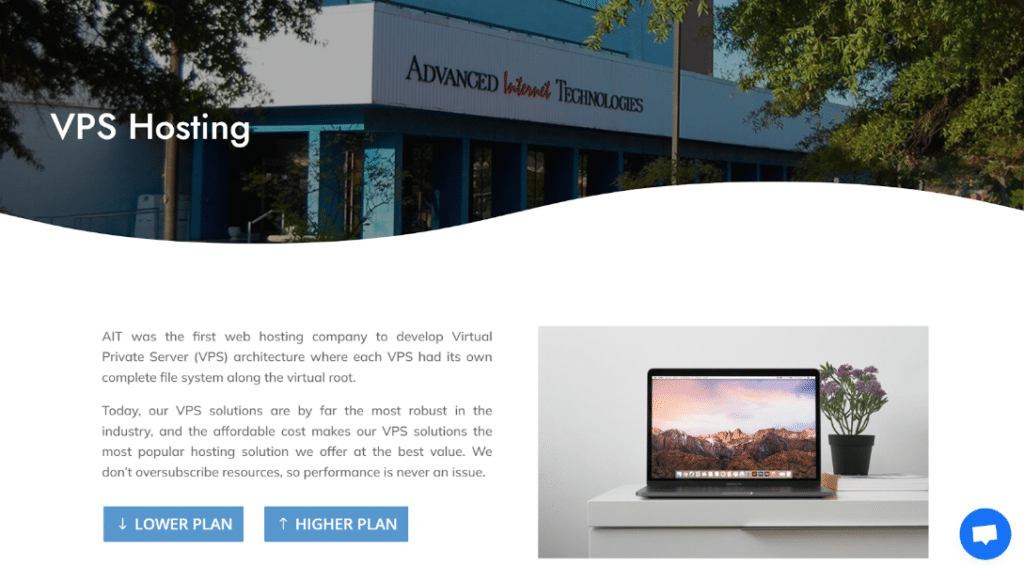
AIT is the best provider which offers a range of Virtual Private Servers at competitive prices. Each VPS has its own file system for better security and efficiency. Our plans are affordable, making AIT a top choice for web hosting. We ensure that performance is never compromised by not oversubscribing resources.
SSD VPS Plans
Choose from our diverse lineup of SSD VPS plans. Each plan includes free domain registration or transfer. You can select from options starting at $4.99 per month. Our plans range up to $44.99 per month, catering to various hosting needs.
Key Features
Every VPS plan comes with full root access and dedicated resources. We use enterprise-grade hardware like E5 Intel processors and Samsung SSDs. This ensures top performance and reliability. Our network connections are robust, keeping your server fast and responsive.
Dedicated Support
AIT provides phone and chat support with all VPS plans. This service ensures you get the help you need at any time. Whether it’s a technical issue or a query, our team is ready to assist you. With AIT, you’re never alone in managing your VPS.
Comparing AIT to Competitors
AIT’s VPS hosting stands out in the competitive market. For $44.99 per month, you get 12 cores, 8GB RAM, and 200GB disk space. Our competitors charge much more for less. AIT offers better value with high performance and unlimited bandwidth.
Multiple Uses
A VPS from AIT can serve many purposes. Use it as a backup server, database server, or web server. It’s perfect for hosting files, developing apps, or managing emails. Secure your hosting with a dedicated virtual firewall, ensuring safety and reliability.
2. Hostinger
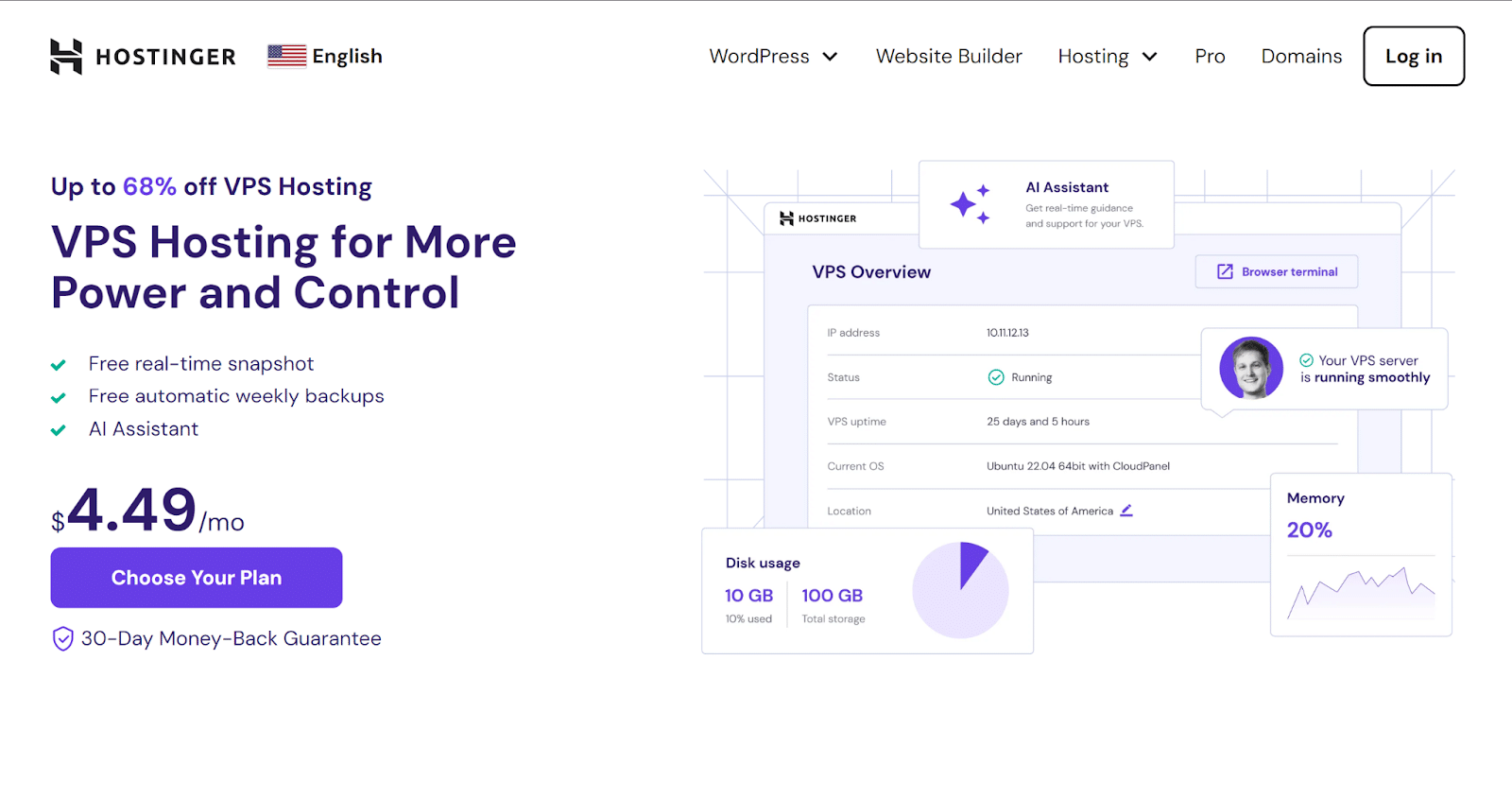
Hostinger offers cPanel VPS hosting starting at just $3.49 per month. This plan includes 1 GB of RAM and 20 GB of SSD storage. It is ideal for small websites or beginners starting their online journey.
User-Friendly Interface
The Hostinger user interface is designed for ease of use. Setting up is quick with their one-click installation feature. This makes it easier for you to launch your website without technical help.
Reliable Performance
Hostinger guarantees 99.9% uptime for all their hosting plans. This high reliability ensures your website remains accessible to your visitors. Fast page load times improve user experience and SEO rankings.
24/7 Technical Support
Support is available 24/7 through live chat with Hostinger’s technical team. They are ready to resolve issues and answer queries at any time. This continuous support ensures that you receive help whenever you need it.
3. IONOS
IONOS offers some of the most competitive cPanel VPS hosting plans. Starting at just $2 per month, these plans are among the cheapest available. They include one vCore, 1GB of RAM, and 10GB of storage.
Fast NVMe Storage
The provider uses NVMe storage to ensure fast loading speeds. This technology offers quicker data access and enhances your site’s performance. IONOS also guarantees an uptime of 99.9%, ensuring your website remains accessible.
Continuous Support
Customer support with IONOS is available around the clock. You can reach them via phone, email, or live chat anytime. This makes it easy to get help whenever you need it.
Scalable Plans
IONOS plans are scalable, allowing you to adjust resources as your needs grow. You can upgrade your plan anytime without service interruptions. This flexibility is ideal for growing businesses that anticipate changes in traffic.
4. Bluehost

Bluehost offers affordable managed cPanel VPS hosting that suits various needs. It provides a user-friendly platform for managing your server resources efficiently. With multiple cPanel hosting plans, you can find one that fits your budget and technical requirements.
Simplified Management
Bluehost ensures that all servers are managed in one place, simplifying your web hosting experience. This setup is ideal for both new users and experienced webmasters. The service includes various tools and scripts to enhance your website management.
Enhanced Performance
Each plan includes key features to improve website performance and reliability. Expect strong uptime and robust security measures to keep your site running smoothly. Bluehost’s commitment to quality service makes it a reliable choice for your hosting needs.
Reliable Hosting
Bluehost stands out for its affordability and comprehensive support. Explore the different cPanel VPS hosting plans they offer. Choose Bluehost to secure a hosting solution that balances cost and quality effectively.
5. GoDaddy
GoDaddy offers cPanel VPS hosting at a starting price of $4.99 per month. This plan is ideal if you’re looking for affordability and functionality. It includes 20GB of storage and unmetered bandwidth. The plan also provides 1GB of RAM for smooth operations.
User-Friendly Platform
With GoDaddy, you gain access to a user-friendly platform. Navigation through the hosting environment is simple. This makes setting up and managing websites quick and easy. Many users appreciate GoDaddy’s intuitive control panel setup.
Reliable Performance
GoDaddy’s VPS hosting ensures reliable performance. Data centers across the globe support your site’s speed and availability. This global presence helps deliver content quickly to your audience. It enhances the overall user experience on your site.
24/7 Customer Support
Customer support with GoDaddy is available 24/7. You can reach them through various channels for any queries. The support team is known for their quick and helpful responses. This consistent support is crucial for maintaining your site’s uptime and addressing issues promptly.
6. Namecheap
Namecheap offers competitive pricing for its VPS hosting. Their plans start at just $10.78 per month. This rate includes 2 CPU cores and 2 GB of RAM. You also get 40 GB SSD storage and 1000 GB bandwidth.
Reliable Performance
Expect solid performance with Namecheap’s VPS hosting. They use fast SSD storage to ensure speed. Their data centers are strategically located worldwide. This setup guarantees optimal site performance and reliability.
Easy Management with cPanel
Namecheap integrates cPanel for easy server management. This popular control panel simplifies website and server tasks. It allows you to manage domains, organize web files, and create email accounts. The interface is user-friendly, suitable for beginners and experts alike.
Comprehensive Customer Support
Namecheap is committed to providing excellent customer support. Their team is available 24/7 via live chat and ticket systems. They help resolve issues and answer hosting-related questions. You can rely on their knowledgeable support for assistance anytime.
7. HostGator

HostGator’s Hatchling plan starts at just $3.75 per month. This plan includes 10 GB SSD storage and unmetered bandwidth. It’s ideal for small websites or beginners. You get excellent value for a low monthly cost.
Core Features
Every plan comes with unlimited free email addresses. You also get free daily backups to secure your data. A free SSL certificate enhances your site’s security. These features support a strong online presence.
Limitations to Consider
The lowest price requires a three-year commitment. This plan limits you to hosting just one website. No free domain is included with this package. Also, data centers are only based in the US.
Overall Service Quality
HostGator is known for its comprehensive cPanel hosting. Their user interface is straightforward, making website management easy. Although there’s no uptime guarantee, many users report high reliability. This makes HostGator a strong contender for your hosting needs.
8. UltaHost
UltaHost ensures your server’s security and performance. Their team monitors your server 24/7. Any issues are addressed immediately, preventing potential downtime. This constant vigilance keeps your website running smoothly.
Auto-healing Servers
Your UltaHost server heals itself. It reduces the need for frequent maintenance and repairs. This feature ensures higher uptime and better reliability. It lets you focus more on your business, not on technical problems.
Flexible and Transparent Pricing
UltaHost offers a range of VPS hosting plans. Prices start at $24.50 per month for basic needs. More robust plans are available for growing businesses. Each plan comes with clear specifications and benefits, making your choice easier.
Staging Environment and More
UltaHost provides tools to perfect your site before going live. A staging environment lets you test changes without risk. Management features help streamline your website operations. These tools are designed to improve your overall web experience.
9. AccuWeb Hosting
AccuWeb Hosting offers a reliable cPanel VPS solution. It features high-speed storage and global infrastructure. Many customers appreciate the service and support they receive. When deciding, consider their features, pricing, and customer support.
Key Features of AccuWeb Hosting
AccuWeb Hosting provides user-friendly experience and strong performance. It offers scalability across various VPS plans. The company ensures high-speed data access and robust security measures. They focus on meeting the needs of diverse customer bases.
Pricing Plans
AccuWeb Hosting’s VPS options are competitively priced. They offer several plans to suit different budget and performance needs. Each plan is designed to provide value and efficiency. This makes it easier for you to choose based on your financial situation.
Customer Support and Reliability
AccuWeb Hosting is known for its dependable customer support. They offer assistance 24/7, addressing any issues promptly. This commitment to support enhances their reliability. Consider them if consistent access and support are priorities.
10. DreamHost

DreamHost stands out with a 100% uptime commitment. This guarantee means your site remains online constantly. Should an outage occur, compensation is promptly provided. Such reliability makes DreamHost a top choice for businesses.
Comprehensive Hosting Features
DreamHost offers rich, feature-packed hosting packages. Each plan includes a free SSL certificate for security. You also get unlimited bandwidth and storage with each package. These features support both growing and established sites.
User-Friendly Management
Managing your hosting with DreamHost is straightforward. Their control panel simplifies site management tasks. Setting up and maintaining your website is hassle-free. This makes DreamHost ideal for both novices and experienced users.
Strong Customer Support
DreamHost provides excellent customer support around the clock. Help is available via live chat, email, and phone. Quick responses ensure your issues are resolved fast. Dependable support enhances your hosting experience significantly.
Final Thoughts
Choosing the right cPanel VPS hosting provider can be challenging, but our guide offers a clear overview of the top options available in 2024. Each provider brings unique features and pricing, ensuring there’s a suitable option for every need and budget. By comparing these providers, you can confidently select a service that meets both your financial and technical requirements.
Consider AIT for your web hosting needs, as it stands out with competitive pricing and robust features. Explore AIT’s range of VPS hosting plans and start enhancing your online presence today.
FAQs
What is a VPS in the context of web hosting service?
A VPS stands for Virtual Private Server, used for web hosting services. It offers dedicated resources in a shared server environment. This setup provides a balance between cost and performance. Users can enjoy improved security and efficiency.
How does a VPS hosting plan affect a website or web app?
A VPS hosting plan provides dedicated resources to your website or web app. This ensures stable performance even under heavy traffic. The scalable nature of VPS allows for resource adjustment as needed. This flexibility helps maintain optimal website performance.
What are the benefits of a dedicated server in VPS hosting?
Dedicated server resources are a key feature of VPS hosting. They provide exclusive CPU, RAM, and storage for your web server environment. This exclusivity leads to higher reliability and performance. A dedicated server setup is ideal for demanding web applications.
Why consider scalable VPS hosting for a growing online presence?
Scalable VPS hosting adjusts resources as your website grows. This flexibility prevents performance bottlenecks during traffic spikes. It allows for cost-effective scaling without moving to a new server. This makes it a prudent choice for expanding businesses.
How do different RAM options, like 32 GB RAM, 16 GB RAM, and 8 GB RAM, influence VPS performance?
Options like 32 GB RAM, 16 GB RAM, and 8 GB RAM define server performance. More RAM supports more simultaneous processes and users. This is crucial for resource-intensive applications or large databases. Choosing the right RAM ensures efficient data handling and response times.
What factors should be considered when choosing a VPS hosting plan for a virtual dedicated server?
When selecting a VPS hosting plan, consider the virtual dedicated server’s needs. Assess the CPU, RAM, and storage requirements. Ensure the plan includes robust web server support and security features. A well-chosen plan enhances overall server efficiency and uptime.
How important is web server support in maintaining a VPS hosting environment?
Web server support is crucial in maintaining a VPS hosting environment. It ensures technical issues are addressed promptly. Good support minimizes downtime and maximizes server performance. 24/7 support availability is essential for business continuity.
What is the difference between dedicated hosting and virtual server hosting cost?
Dedicated hosting involves leasing an entire server, often at a higher cost. Virtual server hosting cost is typically lower as resources are virtualized. Both options provide root access, but VPS is more budget-friendly. Consider your needs and budget when choosing between them.
How can 4 GB RAM support your virtual private server needs?
4 GB RAM in a virtual private server suits small to medium websites. It supports basic applications and email services efficiently. For larger applications, more RAM may be needed. This setup is a starting point for those new to VPS hosting.
What advantages does fully managed VPS hosting offer over shared hosting?
Fully managed VPS hosting offers dedicated resources unlike shared hosting. It provides better control and customization through root access. Support from the web hosting company is comprehensive and continuous. This service is ideal for users not familiar with server management.
Why should businesses consider dedicated hosting services over VPS hosting services?
Dedicated hosting services provide a physical server solely for one client’s use. This ensures maximum performance and security compared to VPS hosting services. Dedicated resources allow for handling high traffic without sharing. It’s best for large-scale businesses with specific compliance requirements.
How do best VPS hosting services compare to dedicated server hosting in terms of cost?
Best VPS hosting services are typically more cost-effective than dedicated server hosting. They provide similar levels of independence and resource allocation. However, they do so without the high cost of a physical server. This makes VPS a preferable option for many small to medium-sized enterprises.
What is the significance of a day money back guarantee in VPS hosting secure plans?
A day money back guarantee provides assurance when choosing VPS hosting secure plans. It allows clients to test the service risk-free. This guarantee reflects the confidence of the web hosting providers in their product. It ensures customer satisfaction and trust in the service.
How can one choose VPS hosting that fits their specific needs?
To choose VPS hosting, assess your website’s resource demands. Consider the operating system compatibility and technical support. Evaluate scalability and security features of the VPS server. Compare these aspects among different VPS hosting companies to find the best fit.
What features make VPS web hosting preferable to reseller hosting for growing businesses?
VPS web hosting provides more robust and dedicated resources than reseller hosting. It allows for greater customization and control over the hosting environment. Businesses can install and manage multiple applications independently. VPS is scalable, catering to growing traffic and resource needs.
Why should developers and tech companies opt for VPS hosting service over traditional web hosting services?
VPS hosting service offers environment control similar to dedicated servers. It supports various operating systems, allowing developers flexibility. The service provides the ability to install custom applications and software. It’s ideal for development, testing, and deployment of projects.
In what scenarios is virtual private server hosting preferred over simple web hosting company offerings?
Virtual private server hosting is preferred for its enhanced security and performance capabilities. It supports complex applications and high-traffic websites. Unlike basic web hosting company offerings, it allows full root access. VPS is ideal for businesses requiring specific configurations.
What are the benefits of a VPS server in handling e-commerce websites compared to shared hosting?
A VPS server offers dedicated resources, crucial for e-commerce sites. It handles traffic surges better than shared hosting, ensuring site stability. Enhanced security features protect sensitive customer data. This makes the VPS server suitable for high-stake transactions.
How do dedicated hosting services enhance the functionality of high-traffic websites?
Dedicated hosting services provide exclusive use of server resources. This ensures high reliability and uptime for traffic-intensive sites. They allow for extensive customization and better security controls. Dedicated servers are optimal for businesses with specific performance needs.
]]>When searching for cPanel hosting, it’s important to find a service that’s affordable but still offers everything a business needs. The best providers offer great service, strong security, and reliable support. This guide focuses on the top 10 inexpensive cPanel hosting options for businesses, considering factors like cost, reliability, and features.
Let’s begin!
Why Choose cPanel Hosting for Your Business?
cPanel hosting is a great choice for businesses because it’s easy to use. It has a simple interface that lets you manage your website without needing technical skills. This means you can focus on growing your business, not on figuring out how to manage your website.
Another reason to choose cPanel hosting is the support and security it offers. Good hosting providers give you help whenever you need it. They also keep your website safe from hackers, which is very important for your business’s online safety.
Top 10 Inexpensive cPanel Hosting Providers for Businesses

Let’s explore the top inexpensive cPanel hosting providers for businesses that focus on features such as reliability, customer support, and security. Here, they are:
1. AIT
AIT offers affordable cPanel hosting plans tailored for businesses of all sizes. Starting at just $4.99 per month, their Basic plan includes a free domain registration or transfer, making it an attractive option for startups. With 150GB SSD storage and unmetered bandwidth, businesses can ensure fast and reliable access to their websites.
The Pro plan, at $8.07 per month, steps up the offerings with unlimited storage, email accounts, and subdomains. It’s designed for businesses ready to expand, providing the resources needed for multiple sites. Plus, a free 1-year SSL certificate enhances website security, building trust with visitors.
For businesses demanding the highest performance, AIT’s Ultimate plan at $11.18 per month offers unparalleled resources. This includes everything in the Pro plan, plus a free dedicated IP, catering to the needs of large-scale operations. The focus on speed and security makes it an ideal choice for businesses aiming for the top.
AIT stands out for its comprehensive customer support and commitment to reliability. Customers recommend AIT for its supportive, client-oriented approach, which is crucial for businesses navigating the online world. Whether starting out or scaling up, AIT provides the tools and support needed for success.
2. Bluehost
Bluehost is a leading provider in the cPanel hosting market, known for its seamless integration with WordPress. Their hosting plans are designed to make website management easy and efficient, combining the power of cPanel with Bluehost’s own user-friendly interface. This unique blend offers businesses the flexibility to grow their online presence without worrying about technical complexities.
One of the key features of Bluehost is its scalability. As businesses grow, their web hosting needs can change. Bluehost’s plans are built to accommodate this growth, allowing for easy upgrades and ensuring that websites continue to run smoothly as traffic increases.
In addition to scalability, Bluehost places a strong emphasis on customer support and reliability. They offer robust support options, including 24/7 access to knowledgeable staff. This ensures that businesses can get the help they need when they need it, keeping their websites up and running without interruption.
3. HostGator
HostGator is another top choice for businesses looking for cheap cPanel hosting. Their platform is user-friendly, making it simple for businesses to manage their websites, domains, and emails all in one place. HostGator’s cPanel dashboard has been customized for ease of use, ensuring that even beginners can navigate their hosting environment with ease.
One of the standout features of HostGator is their customer support. They provide round-the-clock assistance, so help is always available when you need it. This level of support is essential for businesses that rely on their website for operations and sales, ensuring minimal downtime.
HostGator also offers a range of shared hosting plans that include all the core essentials a business needs to get online. These plans come with features like unlimited bandwidth and free website transfers, making it easy for businesses to scale and grow. Their commitment to providing a reliable and scalable hosting solution makes HostGator a solid choice for any business looking to establish a strong online presence.
4. InMotion Hosting
InMotion Hosting stands out for its focus on VPS hosting, offering a clean and efficient cPanel experience. Their services are designed with speed and reliability in mind, which are critical for businesses looking to maintain a competitive edge online. With InMotion Hosting, companies can enjoy advanced features that support growth and scalability, ensuring that their website’s performance matches their business ambitions.
Their hosting plans are tailored to cater to a wide range of business needs, from startups to large enterprises. InMotion Hosting understands the importance of uptime for businesses, and they commit to providing dependable hosting solutions. This means businesses can count on their website to be accessible to customers and clients at all times, which is vital for maintaining trust and driving sales.
Furthermore, InMotion Hosting places a significant emphasis on customer support. They offer comprehensive support channels, including live chat, phone, and email, staffed by knowledgeable technicians. This ensures that businesses can get quick and effective solutions to any issues they might encounter, minimizing any potential impact on their operations.
5. InterServer
InterServer is recognized for its strong security features and flexible hosting plans, making it a robust choice for businesses of all sizes. They offer a standard plan that includes unlimited storage, websites, and databases, which is perfect for businesses looking to expand their online presence. With their focus on security, InterServer provides isolated accounts to protect your data, ensuring that your website remains safe from external threats.
One of the key advantages of choosing InterServer is their commitment to providing great value. Their plans come with a range of features at no extra cost, including free backups, which are crucial for data recovery. This approach allows businesses to enjoy high-quality hosting services without breaking the bank.
Additionally, InterServer’s customer support is top-notch, available 24/7 to assist with any queries or issues you might have. Their team is quick to respond and knowledgeable, helping to troubleshoot problems efficiently. This reliable support ensures that businesses can maintain their websites with minimal downtime, keeping their digital operations running smoothly.
6. SiteGround
SiteGround is highly recommended for businesses looking for top-notch cloud hosting services. Their servers are powered by Google Cloud, ensuring fast and reliable website performance. This makes SiteGround an excellent choice for businesses that prioritize speed and uptime for their online operations.
In addition to performance, SiteGround offers exceptional customer service. Their support team is available 24/7, ready to assist with any questions or issues that may arise. This level of service is especially beneficial for businesses that need quick responses to keep their websites running smoothly.
SiteGround also stands out for its commitment to security and easy WordPress integration. They offer free SSL certificates, CDN, and daily backups, enhancing website safety and user experience. For businesses using WordPress, SiteGround’s optimized hosting solutions provide an added advantage, making it easier to manage and scale their online presence.
7. A2 Hosting
A2 Hosting offers affordable cPanel hosting plans that are perfect for businesses looking for fast and reliable website performance. They are known for their superfast page loading speeds, which is a crucial factor for keeping visitors engaged and reducing bounce rates. With A2 Hosting, businesses can enjoy the benefits of SSD web hosting, which significantly improves the speed and efficiency of their websites.
Their cPanel hosting plans also come with free SSL certificates, ensuring that websites are secure and trusted by visitors. This is important for businesses that handle sensitive customer information or conduct transactions online. A2 Hosting supports multiple PHP editions, allowing for flexibility in web development and application compatibility.
In addition to speed and security, A2 Hosting is praised for its excellent uptime and customer support. Businesses can rely on A2 Hosting to keep their websites up and running smoothly, with minimal downtime. Their customer service team is available 24/7, ready to help with any issues or questions, making A2 Hosting a great choice for businesses looking for a cost-effective yet reliable cPanel hosting solution.
8. GoDaddy Hosting
GoDaddy is a well-known name in the web hosting industry, offering a range of affordable cPanel hosting plans that cater to businesses of all sizes. They provide free cPanel with their hosting plans, making it easy for businesses to manage their websites, domains, and emails all in one place. This convenience is a big plus for companies looking to streamline their online operations without spending a lot.
With GoDaddy, businesses benefit from a global network of data centers, ensuring fast and reliable access to their websites from anywhere in the world. Their scalable shared hosting plans are designed to grow with your business, allowing for easy upgrades as your website attracts more traffic. This scalability is crucial for businesses planning for long-term growth and success online.
Furthermore, GoDaddy’s customer support is available 24/7 to assist with any queries or issues, ensuring businesses have the help they need whenever they need it. This level of support, combined with their affordable and feature-rich cPanel hosting options, makes GoDaddy a strong choice for businesses looking to establish or expand their online presence. Their commitment to reliability and customer service helps businesses maintain a robust and effective online operation.
9. GreenGeeks
GreenGeeks stands out in the web hosting market with its eco-friendly approach, offering cheap cPanel hosting that’s as green as it is powerful. Their hosting plans come with free cPanel, making website management straightforward and efficient for businesses. This is a great fit for companies looking to make an environmental impact while ensuring their online operations run smoothly.
Their focus on sustainability doesn’t mean a compromise on performance. GreenGeeks ensures top-notch website speed and reliability, thanks to their cutting-edge technology and commitment to renewable energy. Businesses can enjoy fast loading times and consistent uptime, critical factors for a successful online presence.
Moreover, GreenGeeks offers excellent customer support, available around the clock to help with any issues or questions. This ensures businesses can get the assistance they need, whenever they need it, keeping their websites operational and secure. Choosing GreenGeeks means businesses not only get affordable and robust cPanel hosting but also contribute to a more sustainable and eco-friendly internet.
10. FastComet
FastComet shines in the web hosting space by offering affordable cPanel hosting solutions tailored for businesses seeking reliability and global reach. Their cheap cloud cPanel hosting plans are designed to provide businesses with the flexibility and scalability needed for growth. With FastComet, companies can manage their websites efficiently using the user-friendly cPanel interface, making it easier to handle daily operations and maintenance.
What sets FastComet apart is their commitment to exceptional customer service. They provide round-the-clock support, ensuring that businesses have access to knowledgeable assistance whenever needed. This high level of customer care is essential for businesses that rely on their website as a key part of their operations, guaranteeing minimal downtime and quick resolutions to any issues.
In addition to their affordable plans and stellar support, FastComet also prioritizes security and performance. Their hosting services include free daily backups and a free SSL certificate, enhancing the security of business websites. This focus on providing a secure and high-performing hosting environment makes FastComet an excellent choice for businesses looking for cost-effective yet reliable cPanel hosting solutions.
Final Thoughts
Choosing the right cPanel hosting provider is key for businesses looking to establish a strong online presence without breaking the bank. The top providers offer a mix of affordability, reliability, security, and customer support, ensuring that businesses can grow and scale effectively. By selecting a provider that aligns with their needs, businesses can enjoy a smooth, secure, and successful online operation.
If you are searching for the best cPanel Hosting solutions for your business, AIT is the ideal platform for you. Visit AIT now and get the best plans for inexpensive cPanel hosting for businesses.
FAQs
What is cPanel web hosting?
cPanel web hosting is a service that provides businesses with a user-friendly control panel for managing their websites. It simplifies tasks such as email management, database administration, and file management. Most web hosting providers offer cPanel due to its ease of use and comprehensive features.
Why should I choose cPanel hosting services for my business?
Choosing cPanel hosting services ensures you have access to an intuitive interface for website management, without needing technical skills. These services often include 24/7 support and strong security measures, essential for any business online. It allows you to focus more on growing your business rather than managing your website.
What should I look for in a hosting service?
When selecting a hosting service, consider factors like reliability, customer support, security features, and scalability. A good web hosting company will offer a range of plans to suit different business sizes and needs, ensuring your website remains accessible and secure as your business grows.
Are there different types of web hosting providers?
Yes, web hosting providers can offer various types of hosting such as shared, VPS, dedicated, and cloud hosting. Each type has its advantages, with dedicated hosting providing the most resources and control. Providers may also specialize in services like WordPress hosting for specific needs.
How do I choose the right web hosting company?
Choose a web hosting company that offers reliable uptime, excellent customer support, and a suite of features at an affordable price. Look for reviews and testimonials to gauge their service quality. Consider companies that provide cPanel for an easier management experience.
What is dedicated hosting and how is it different from shared hosting?
Dedicated hosting gives your business its own server, offering more control and resources than shared hosting, where multiple websites are hosted on the same server. This makes dedicated hosting ideal for large businesses with high traffic, requiring better performance and security.
Why are cPanel web hosting providers preferred by businesses?
Businesses prefer cPanel web hosting providers for their ease of use, robust security features, and efficient customer support. The cPanel control panel allows for straightforward website management, making it a favorite among businesses of all sizes.
What benefits does a cPanel control panel offer?
The cPanel control panel offers benefits like easy email and domain management, quick installation of web applications, and access to website analytics. It’s designed to simplify website administration, making it ideal for business owners without technical expertise.
How do I find the best cPanel host for my website?
To find the best cPanel host, compare web hosts based on their performance, security measures, customer service, and price. Look for providers with positive reviews and those that offer scalability options to accommodate your business growth.
Is WordPress hosting different from general web hosting?
WordPress hosting is a type of web hosting specifically optimized for WordPress websites, offering features like one-click installs and automatic updates. While many web hosting providers offer WordPress hosting as part of their services, it’s designed to enhance the performance and security of WordPress sites specifically.
]]>Let’s explore the different aspects of the best cPanel hosting for small businesses further!
What is cPanel Hosting?
cPanel hosting provides a dashboard for managing websites. It allows users to control web hosting settings easily. This is essential for businesses that need to make quick updates.
With cPanel, you can install applications, manage email accounts, and secure your website. These features support a business’s growth and online security. It’s a comprehensive tool that caters to all your website needs.
cPanel hosting is known for its user-friendly interface. It makes website management accessible to everyone. This is why it’s a popular choice among small business owners.
AIT’s exclusive package enhances the standard cPanel experience. It offers additional features and support tailored for small businesses. This ensures that businesses get the most out of their hosting.
Why Do Small Businesses Need cPanel Hosting?
Here are some of the major reasons for why best cPanel hosting for small businesses is needed. Let’s start!
Cost-Effectiveness and Time Savings
cPanel hosting is a budget-friendly option for small businesses. It’s designed to save time on website management. This allows business owners to concentrate on expanding their business instead of worrying about technical issues.
Versatility for Various Website Needs
cPanel hosting caters to a wide range of website types. Whether it’s a simple blog or a complex eCommerce platform, cPanel can handle it. Its flexibility is essential for small businesses aiming to grow in different directions.
Enhanced Security and Reliability
Online businesses need to be secure and reliable. cPanel hosting includes features that safeguard websites against online threats. For small business owners, knowing their site is protected offers peace of mind.
Easy to Use Interface
cPanel’s dashboard is simple and user-friendly. It lets owners make website changes quickly. This ease of use is great for those without much technical knowledge.
Scalability for Growing Businesses
cPanel hosting can grow with your business. You can easily upgrade your plan as your website needs more resources. This makes it a smart choice for businesses planning to expand.
Access to Essential Features
cPanel provides tools for email, security, and website files. These tools are easy to access and use. They help keep your website running smoothly.
Regular Backups for Data Safety
cPanel hosting often includes free, regular backups. This means your website data is kept safe in case of problems. Restoring your site is quick and easy.
Support When You Need It
Most cPanel hosting services offer dedicated support. This means help is always available, day or night. It’s reassuring for business owners who might need urgent assistance. Hence, this is another important aspect of best cPanel hosting for small businesses.
Affordable SSL Certificates
Securing your website with SSL is important. cPanel hosting makes it easy and affordable to add SSL certificates. This is crucial for protecting your visitors’ information.
One-Click Installs for Popular Apps
cPanel hosting offers one-click installs for many apps. This includes WordPress, Joomla, and more. It’s a fast way to add new features to your site.
AIT’s Exclusive cPanel Hosting Package for 2024
AIT’s exclusive package is designed with small businesses in mind. It offers advanced features at an affordable price. This makes it an ideal choice for best cPanel hosting for small businesses
Enhanced Features for Online Growth
The package boosts your website with increased storage, bandwidth, and security. These enhancements are crucial for smooth and secure website operations. They support the reliability of your business’s online presence.
Exceptional Customer Support
AIT stands out with its exceptional customer support. You get quick and efficient help whenever needed. This level of support is vital for small businesses navigating the online world.
Smart Choice for 2024
Opting for AIT’s cPanel hosting package is a strategic decision for this year. It simplifies website management while offering powerful tools. This ensures managing your online presence is easier and more efficient than ever.
Customizable Plans for Every Need
AIT offers three levels of cPanel hosting: Basic, Pro, and Ultimate. Each plan is designed to meet different needs, from single sites to unlimited resources. This flexibility ensures that small businesses can choose the best option for their online growth. Hence, AIT’s package is one of the best cPanel hosting for small businesses.
Seamless Domain Management
With AIT’s cPanel hosting, you get free domain registration or transfer. This simplifies managing your online presence by keeping your domain and hosting under one roof. It’s a hassle-free way to start or grow your business online.
Unmatched Security and Reliability
AIT’s hosting plans include features like free backups and SSL certificates (with Pro and Ultimate plans). These features protect your website and your visitors’ data. Ensuring your site is safe and available to your customers is AIT’s top priority.
Best Support and Assistance
AIT prides itself on offering responsive support to its customers. Whether you need help with setup, migration, or troubleshooting, AIT’s team is ready to assist. This dedicated support makes managing a website less stressful for business owners. This makes it among the best cPanel hosting for small businesses.
Enhanced Performance Features
AIT’s cPanel hosting plans come with unlimited bandwidth and up to unlimited storage. These features ensure your website runs smoothly, even during traffic spikes. Fast and reliable website performance is crucial for keeping visitors happy.
Final Thoughts
AIT’s exclusive best cPanel hosting for small businesses package is a standout choice in 2024. It offers a balance of advanced features and ease of use. This can help businesses grow their online presence efficiently.
Get started with AIT’s cPanel hosting with a 50% discount on a 36-month prepay plan – elevate your website with premium features today!
Frequently Asked Questions
1. What is a cPanel hosting provider?
A cPanel hosting provider is a company that offers services to manage your website easily. They give you a control panel to help with tasks like setting up emails and installing apps. This makes managing your website simple, even for beginners.
2. Why is web hosting important for small businesses?
Web hosting is crucial because it allows businesses to publish their website online. A good hosting service ensures your website is accessible and runs smoothly. It’s the foundation for a strong online presence, helping businesses reach more customers.
3. Can I get a free domain with cPanel hosting?
Yes, some cPanel hosting providers, like AIT, offer a free domain when you sign up for their hosting plans. This is a great way to save money while starting or growing your online business. It makes managing your website and domain together easier.
4. What are the benefits of a free SSL certificate with my hosting service?
A free SSL certificate secures your website, protecting your visitors’ information. It’s important for trust and safety online. Hosting services that offer free SSL certificates help you keep your site safe without extra costs.
5. What’s the difference between VPS hosting and shared hosting?
VPS hosting gives you a private section of a server with dedicated resources. Shared hosting has multiple websites on the same server sharing resources. VPS is more flexible and secure, while shared hosting is more budget-friendly.
6. How do I choose the best web hosting for my business?
Look for a web hosting provider that offers reliability, support, and the features you need, like cPanel for easy management. Consider the type of hosting, such as shared, VPS, or dedicated, based on your website’s size and traffic. Good customer support is also crucial.
7. What are cPanel web hosting plans?
cPanel web hosting plans include access to the cPanel control panel. This tool helps you manage your website’s hosting environment. Plans vary in storage, bandwidth, and additional features to suit different needs.
8. Why is cloud hosting considered innovative in the web hosting industry?
Cloud hosting uses multiple servers to host websites, offering more reliability and scalability. If one server has issues, others can take over, keeping your website online. It’s great for businesses that expect to grow or have fluctuating traffic.
9. What is Linux hosting, and how does it relate to cPanel?
Linux hosting uses the Linux operating system on its servers, which is compatible with cPanel. This combination is popular because it’s powerful, secure, and user-friendly. Many businesses prefer it for its stability and flexibility.
10. Can I host unlimited websites with cPanel web hosting?
Yes, some cPanel web hosting plans allow you to host unlimited websites. These plans are great for businesses looking to expand their online presence. They offer the flexibility to manage multiple sites easily through one control panel.
]]>