Understanding Modern Web Design
The world wide web has transformed dramatically since its inception. Today’s professionally designed websites must balance visual appeal with functionality, combining artistic elements with technical prowess. Web content needs to engage site visitors while also appeasing web crawlers for search engine visibility. This complexity explains why many web designers choose to either pursue formal education or partner with established professionals.
Essential Learning Resources for Aspiring Web Designers
Your journey into web design can begin with several foundational resources that experienced web designers consistently recommend. The interaction design foundation offers excellent introductory materials for understanding user interface principles. For hands-on practice, website builders like WordPress provide a practical starting point, though understanding the underlying programming languages remains crucial for professional development.
Core Technical Resources
For mastering technical fundamentals, consider these carefully curated learning paths:
freeCodeCamp.org provides comprehensive tutorials on HTML, CSS, and interactive elements, offering a structured approach to learning programming languages. Their curriculum builds from basic web page creation to complex responsive web design principles.
MDN Web Docs, maintained by Mozilla, serves as an invaluable reference for understanding everything from basic HTML to advanced JavaScript. Their documentation includes practical examples of design process implementation and interactive elements.
Frontend Masters offers in-depth courses on user interface design and the technical aspects of creating responsive layouts for mobile devices such as flexbox and grid systems.
Design Theory and Tools
Understanding design tools and principles forms another crucial aspect of web design education. Platforms like Figma and Adobe XD have become standard design tools in the industry. These applications help create mockups and prototypes while teaching fundamental principles of visual appeal and user experience.
For color theory and typography, Material Design’s documentation provides excellent guidance on creating visually cohesive designs. Their resources explain how different style sheets and design elements work together to create engaging user interfaces.
The Technical Foundation
Modern web design requires understanding several technical components that work together to create an effective online presence:
Programming and Structure
The foundation begins with HTML5 for structure, CSS3 for styling, and JavaScript for interactivity. These programming languages form the core of web development, but their application must be guided by solid design principles. Professional web designers understand how these elements work together to create seamless user experiences across different platforms and mobile devices.
Search Engine Optimization Integration
Search engine optimization extends beyond traditional keyword placement. Web crawlers now evaluate sites based on technical implementation, mobile responsiveness, and user engagement metrics. Understanding how to structure web content for both human readers and search engines has become a crucial skill for web designers.
Professional Tools and Workflows
Professional web designers rely on various design tools to streamline their workflow. Version control systems like Git help track changes, while preprocessors make CSS more maintainable. Design process automation tools help maintain consistency across large projects. Understanding these tools and workflows marks the difference between amateur and professional web design approaches.
Advanced Concepts for Growth
As you progress in your learning journey, several advanced concepts become crucial:
Interactive Design and User Experience
Creating effective user interfaces requires understanding both the technical implementation and psychological aspects of interaction design. This includes studying user behavior patterns, implementing accessibility standards, and creating intuitive navigation systems.
Responsive Design Implementation
With the proliferation of mobile devices, responsive web design has become non-negotiable. Understanding how to implement flexible layouts and optimize own images for different screen sizes ensures your websites perform well across all platforms.
The Role of Professional Services
While self-learning provides a strong foundation, many businesses benefit from working with professional web design services. Companies like AIT combine decades of experience with current best practices to create websites that excel in both form and function. Our web designers bring together technical expertise, design proficiency, and business acumen to deliver solutions that drive real results.
Learning Pathways and Resources
For those committed to learning web design, we recommend this structured approach to education:
Start with HTML and CSS fundamentals through interactive platforms like Codecademy or freeCodeCamp. These provide hands-on experience with core technologies.
Progress to user interface design principles through resources like Material Design guidelines and Google’s web design fundamentals documentation.
Practice responsive design techniques using frameworks like Bootstrap while learning about mobile-first design principles.
Study search engine optimization through Google’s own developer resources and Moz’s beginner’s guide to SEO.
Explore advanced concepts through platforms like Frontend Masters or Udacity’s web development courses.
Conclusion
While teaching yourself web design is possible, the journey requires dedication, structured learning, and continuous adaptation to new technologies. Whether you choose the self-learning path or opt for professional services, understanding these foundational elements helps make informed decisions about your web presence.
At AIT, we’ve spent over 25 years helping businesses navigate the complexities of web design. Our team combines technical expertise with creative excellence to deliver websites that don’t just look great – they perform excellently across all metrics that matter for your business success.
Need professional web design services? Contact AIT to learn how our experienced team can create a website that serves your business goals while providing an exceptional user experience for your visitors..
]]>Use AI-Powered Customization
Integrating AI into web design creates personalized experiences that cater directly to user needs. AI analyzes user behaviors, preferences, and patterns to customize content delivery effectively. This ensures that visitors find the information or services they value without unnecessary distractions.
AI-powered personalization improves engagement by adapting website layouts, recommendations, and features based on individual preferences. Dynamic content changes keep the interface relevant and engaging for returning users. Such innovations foster deeper connections, enhancing the user’s overall satisfaction with the platform.
Incorporating AI-driven chatbots adds an interactive element, providing instant responses to user inquiries. These chatbots simulate conversational interactions, guiding users to their desired outcomes efficiently. By integrating AI tools, businesses ensure their websites remain responsive and user-focused at all times.
Integrate 3D Experiences
Immersive 3D experiences enhance engagement by offering visually rich and interactive elements. WebGL and WebGPU provide tools to create lifelike models and animations for websites. These technologies add depth, making interactions more engaging and visually appealing for users.
Three-dimensional typography creates an added layer of visual intrigue for text elements. This approach blends aesthetics and functionality, drawing users’ attention to key messages. Incorporating depth improves readability while adding a modern touch to digital communication.
Augmented Reality (AR) transforms online interactions by enabling users to explore products in real-time. Integrating AR within e-commerce platforms enhances decision-making by simulating realistic product interactions. These experiences offer practical solutions while keeping audiences captivated and informed.
Prioritize Sustainable Design
Sustainable design prioritizes reducing environmental impact through energy-efficient practices and eco-friendly choices. Utilizing green hosting solutions minimizes carbon emissions, supporting environmentally conscious operations. Choosing lightweight code structures further enhances sustainability by optimizing resource consumption.
Incorporating renewable energy sources within your hosting provider helps support eco-conscious technological frameworks. Efficient coding practices ensure optimized website performance while conserving energy resources effectively. Such strategies align with the broader goal of creating environmentally responsible digital platforms.
Transparency in data collection fosters trust, enhancing user engagement while adhering to ethical standards. Sustainable design extends to choosing recyclable materials for hardware and reducing electronic waste. These practices create a balanced approach between technological innovation and environmental care.
Improve User Engagement with Micro-Interactions
Micro-interactions are essential tools for creating more intuitive and engaging user experiences. These subtle animations or design features provide feedback and make interactions feel natural. When used purposefully, they guide users toward desired actions while enhancing the interface’s appeal.
Strategically placing micro-interactions helps users understand functionalities without additional instructions or confusion. For example, a button that changes color on hover signals its interactivity clearly. Such enhancements build trust and encourage users to explore features with confidence.
Thoughtful animation timing is key to balancing engagement and performance in micro-interactions. Overusing or delaying animations can frustrate users and reduce the platform’s usability. Designers should ensure interactions remain smooth and aligned with the overall user experience objectives.
Add The Option of Dark Mode
Offering a dark mode option is essential to improve user comfort and reduce eye strain. Many users prefer darker interfaces, especially during prolonged usage or nighttime browsing. Prioritizing accessibility ensures users have a seamless experience in various lighting conditions.
Maintaining contrast and readability in dark mode is critical for functional and visually appealing interfaces. Well-balanced color schemes prevent strain and improve engagement while reflecting a modern aesthetic. Testing ensures compatibility across devices and platforms, enhancing usability.
Allowing users to switch between light and dark modes adds a layer of personalization and control. This approach accommodates diverse preferences while promoting inclusivity across varying user demographics. Implementing thoughtful toggles creates an adaptable experience without complicating functionality.
Utilize Custom and Personalized Illustrations
Custom illustrations create a unique visual identity that separates your website from competitors. They reflect your brand’s values through designs that resonate with your audience and message. This approach ensures your content becomes visually engaging and leaves a lasting impression.
Illustrations simplify complex ideas, making them understandable for diverse audiences across various industries. Graphics help convey information faster than text, encouraging users to stay engaged longer. Using visuals effectively ensures a balanced representation of information and aesthetics.
Optimized graphics improve performance by maintaining quality while reducing load times for improved user experiences. They support seamless functionality across devices, enhancing accessibility for diverse users. Integrating well-crafted illustrations enriches website interactions, creating connections with users through visual storytelling.
Implement Voice User Interfaces (VUI)
Voice User Interfaces (VUIs) allow users to interact with websites using spoken commands. They enhance accessibility by catering to individuals who prefer or require hands-free navigation. Integrating VUI into websites ensures inclusivity and meets the needs of a wider audience.
Optimizing websites for voice capabilities requires understanding user intent and designing intuitive interaction flows. Clear voice prompts and natural language recognition improve the overall user experience. These systems should be tested thoroughly to ensure seamless communication between users and the interface.
Incorporating VUI enhances usability by providing alternative methods to access key website features. It supports multi-tasking, making it suitable for busy users or specific scenarios. Implementing voice search functionality ensures that websites remain relevant in the rapidly advancing tech landscape.
Make Design Mobile-Friendly
Designing for mobile-first ensures websites adapt seamlessly to the growing dominance of mobile users. Creating layouts with flexible grids helps maintain consistency across various screen sizes and orientations. Incorporating touch-friendly elements supports user engagement, ensuring intuitive interaction on smaller devices.
Responsive design prioritizes fluidity, adapting web elements proportionally across desktops, tablets, and smartphones. Using scalable typography and dynamic images ensures readability without compromising visual appeal. Testing across devices guarantees a unified experience, fostering trust and usability.
Optimizing for mobile-first improves website performance, reducing bounce rates by enhancing accessibility across devices. Faster loading times and simplified navigation encourage longer visits, improving user satisfaction. Building with responsiveness in mind anticipates future device trends, ensuring lasting compatibility.
Integrate Scrolling Animations
Advanced scrolling animations create depth and enhance user interaction throughout the website experience. Parallax effects add layers of motion that engage visitors as they navigate through content. Such animations should align with the website’s purpose, ensuring seamless transitions between visual elements.
Scroll-triggered animations highlight important content as users explore, making information more dynamic and engaging. These animations direct attention strategically, improving content retention without overwhelming the viewer. Proper planning ensures that each effect complements the design while supporting usability goals.
Animations tied to scrolling should prioritize functionality and maintain optimal website performance for all devices. Thoughtfully implemented effects keep the focus on content while enhancing visual storytelling. Each animation must serve a purpose, ensuring the overall design remains cohesive and impactful.
Make The Perfect Web Design With AIT!
Create a professional website with AIT’s expert web design services. Transform ideas into impactful designs tailored to your business needs. Start today and elevate your online presence with confidence.
FAQs
1. How can web designers improve a website’s user interface?
Web designers focus on creating intuitive and functional user interface designs. This ensures seamless interactions and enhances usability across all web pages. Effective user interface design also increases user satisfaction and engagement.
2. Why is responsive web design essential for mobile devices?
Responsive web design ensures web pages adapt perfectly to mobile devices. It optimizes the website layout for all screen sizes, improving usability. This approach helps web designers cater to a growing mobile audience effectively.
3. How do cascading style sheets enhance visual design in web pages?
Cascading style sheets allow web designers to style web pages precisely. They control fonts, colors, and layout, ensuring consistent visual design. This makes web pages more appealing and aligned with the overall website layout.
4. Why should web designers prioritize web accessibility?
Web accessibility ensures all users can interact with web pages effortlessly. It considers users with disabilities, making the user interface design inclusive. This enhances the website’s usability and reputation within the web design industry.
5. How does search engine optimization benefit a website’s user interface?
Search engine optimization ensures web pages rank higher in search engines. A well-optimized user interface design attracts more visitors and reduces bounce rates. Web designers integrate SEO to improve visibility and user engagement effectively.
6. What role does visual design play in the web design industry?
Visual design creates an appealing first impression for visitors on web pages. Web designers use it to communicate brand values and engage users. This ensures the website layout remains consistent and visually pleasing.
7. How do web designers ensure consistent website layout across web pages?
Web designers use cascading style sheets to standardize the website layout. This keeps the user interface design uniform across all web pages. Consistency enhances navigation, making it easier for users to explore the website.
8. Why should a web designer focus on optimizing for search engines?
Search engines drive traffic by ranking user-friendly and optimized web pages. Web designers ensure the website layout supports search engine optimization goals effectively. This increases visibility and attracts the right audience to your site.
9. How does responsive web design improve user experience on mobile devices?
Responsive web design ensures web pages load quickly and look great. It adapts the user interface design to different mobile devices seamlessly. Web designers use this approach to enhance user satisfaction and accessibility.
10. How do web designers use cascading style sheets to improve web accessibility?
Cascading style sheets allow web designers to create accessible, readable web pages. They improve the user interface design by optimizing fonts and colors. This ensures all users, including those with disabilities, enjoy a better experience.
Creating a website blends art with practicality, bringing ideas to digital spaces. It involves using color, typography, and layout to convey information effectively. Whether for personal or professional use, understanding these elements can enhance user engagement.
PRO TIP: Bring Your Vision to Life – Start building a website that reflects your brand with AIT’s web design experts.
Planning Your Website
Planning a website starts with defining its purpose. Knowing the primary goal helps determine the content and layout that fit best. Whether it’s a portfolio, blog, or e-commerce site, clarity in purpose guides design choices seamlessly.
After purpose, site mapping is crucial. This process organizes how users interact with each page to enhance usability. Effective mapping involves placing related content together, allowing users to find information easily.
Basics of Visual Design
Visual design starts with layout, which structures your website’s visual flow. A well-organized layout guides viewers through your content naturally and efficiently. Patterns like the F-pattern or Z-pattern direct eyes towards key sections, creating a balanced flow.
Color selection is equally essential in visual design. The right color scheme establishes brand identity and affects user perception. Options like complementary or monochromatic schemes can create harmony and focus throughout your site’s design.
Typography completes the core of visual design. Font choices impact readability and reflect your brand’s voice and tone. A cohesive, readable typeface is crucial for keeping content engaging and accessible to visitors.
Core Web Design Principles
Simplicity is the foundation of effective web design. Keeping layouts clean and organized makes it easy for users to navigate through content. A streamlined design enhances usability, making it accessible and inviting for all visitors.
Consistency is another essential principle that ensures seamless user experiences. Repeating styles, colors, and fonts helps users intuitively understand how to interact with the website. Consistent design choices create a familiar environment that builds user trust and improves engagement.
Building with HTML and CSS
HTML and CSS are essential tools for creating a website. HTML provides the structure, defining elements like headings, paragraphs, and images on each page. CSS then adds style, allowing you to adjust fonts, colors, and layouts to enhance your site’s visual appeal.
Responsive design makes your website adaptable to any screen size. Using tools like CSS Grid and Flexbox, you can build flexible layouts that adjust seamlessly across devices. By understanding these tools, you can create sites that are both functional and visually engaging.
User Experience (UX) Design
User experience (UX) design centers on understanding the user’s needs and simplifying their journey. It’s about creating an intuitive flow, ensuring each step is logical and effortless. A well-crafted UX guides users smoothly, enabling them to accomplish tasks with minimal friction.
A good UX design prioritizes usability, focusing on visual hierarchy and clear navigation. Effective UX design employs straightforward layouts, reducing confusion and helping users find essential information fast. User feedback is valuable, as it reveals insights for refining the design and enhancing the experience.
Practical Web Design Tips
Images and graphics should be used thoughtfully in web design. They must complement the content, guiding visitors’ attention to key areas. Make sure images are high-quality, properly optimized, and visually aligned with your website’s theme.
Another practical tip is to use white space effectively to enhance readability. White space can make content feel more approachable by reducing clutter. It also draws attention to essential elements like calls-to-action, increasing user engagement and overall clarity.
Launching and Maintaining Your Website
It’s time to make your site live and accessible to users. Before launching, conduct thorough usability tests across various devices to catch any issues. Ensure accessibility compliance by checking for elements like alt text and keyboard navigation options.
Once your site is live, consistent maintenance is essential to keep it running smoothly. Regularly update content, check for broken links, and monitor loading speeds for optimal performance. Staying current with design trends helps keep your website engaging and aligned with user expectations.
Get Started with AIT today!
Transform your online presence with our expert web design services. Let us create a website that reflects your brand’s identity and meets your business needs. Contact us today to get started on building a dynamic digital experience.
FAQs
What does a web designer do?
A web designer creates the look and feel of web pages. They focus on visual elements, like colors and fonts, to attract users. Web designers use web design tools to craft layouts and styles. Working with professional web designers ensures a polished, user-friendly website.
Why is user interface important in web design?
User interface shapes how visitors interact with your web pages. A good user interface guides users seamlessly through key elements. It improves the overall experience by making navigation intuitive. A thoughtful user interface enhances both usability and satisfaction.
How can search engine optimization improve my website?
Search engine optimization helps your website rank better on search engines. Using SEO techniques ensures your web pages reach a broader audience. By optimizing for keywords, your site appears higher in search results. This boosts traffic and strengthens your online presence.
What role do visual elements play in web design?
Visual elements create the first impression visitors get from your site. They include color schemes, typography, and images that enhance your message. Good visual elements attract users and keep them engaged on your web page. Effective design elements reflect your brand identity and goals.
How does responsive web design improve user experience?
Responsive web design adapts your site to various mobile devices. It ensures your web pages look great on screens of all sizes. This improves accessibility and keeps users engaged across platforms. A responsive design caters to users on both desktop and mobile.
What are the benefits of hiring professional web designers?
Professional web designers bring expertise in crafting effective, appealing websites. They understand how to use web design tools for optimal results. With their help, you can create responsive web design that suits your brand. Professional designers ensure your site meets industry standards and goals.
How does web accessibility impact your web page design?
Web accessibility makes sure all users can navigate your site. It includes elements like alt text and keyboard navigation for better access. A focus on accessibility improves your site’s reach to diverse audiences. Incorporating these features ensures an inclusive, user-friendly experience.
What are the key elements of effective web design?
Effective web design combines layout, colors, and typography into cohesive pages. These key elements create a seamless flow that enhances user experience. They work together to ensure the design aligns with the website’s purpose. Consistent design elements improve user trust and engagement.
How do web design tools aid in building websites?
Web design tools help you structure, style, and optimize web pages. They offer features for creating layouts, adding visuals, and enhancing functionality. With these tools, you can craft responsive web design suited for mobile devices. Using the right tools makes designing both efficient and enjoyable.
What trends are shaping the web design industry today?
The web design industry now emphasizes minimalism, responsiveness, and SEO. Trends include focusing on mobile devices and search engine optimization. Professional web designers prioritize accessible layouts and engaging visual elements. Staying current with trends keeps your site appealing and effective.
]]>So, if you want to build a website with an eye-catching design, here are some winning strategies that you should consider.
1. User-Centered Design
User-centered design focuses on creating websites that meet users’ needs effectively. The design process starts with understanding the target audience’s behavior and preferences. This ensures that every element on the website aligns with user expectations.
A key aspect of user-centered design is easy navigation. Users should find what they need without effort, leading to a more pleasant experience. Intuitive menus, search options, and clear page layouts are vital in this process.
Accessibility plays a crucial role in user-centered design, ensuring everyone can use the site. Incorporating accessible features makes the website functional for users with various abilities. This creates an inclusive environment, enhancing user satisfaction.
Feedback is essential to improve the design continuously. Regular testing and user input help identify areas needing adjustments. By doing so, the website evolves to serve users better, creating a more refined experience.
2. Mobile Responsiveness
Mobile responsiveness is crucial in today’s web design. With increasing mobile users, websites need to adapt seamlessly to all screen sizes. Ensuring your design is mobile-friendly can improve user engagement and retention.
A responsive design adjusts automatically to different devices, including smartphones and tablets. This flexibility ensures users can access your content without difficulties, regardless of their device. Optimizing for mobile can help reduce bounce rates and improve overall user satisfaction.
Incorporating mobile responsiveness enhances the usability of websites across various platforms. Mobile-friendly features such as touch navigation and optimized images contribute to a smoother experience. Ensuring fast loading times on mobile devices is equally essential for keeping users engaged.
Additionally, mobile responsiveness impacts search engine rankings. Search engines prioritize mobile-optimized websites, improving their visibility in search results. Prioritizing mobile users can boost traffic and improve the site’s performance over time.
3. Fast Load Times
Fast load times are crucial for a website’s success. Users expect quick access to content, and delays can cause frustration. Optimizing images and reducing code size can greatly improve speed.
Search engines consider page speed when ranking websites. A fast site helps increase visibility, attracting more organic traffic. Prioritizing speed enhances both user experience and SEO performance.
Caching strategies can further boost load times. By storing commonly accessed data, sites load faster for returning users. This results in improved efficiency and reduced server load.
Mobile users expect fast loading on all devices. Optimizing mobile performance is essential in today’s digital landscape. Sites that perform well on mobile retain more visitors and reduce bounce rates.
4. Clear Call-to-Actions (CTAs)
Clear call-to-actions (CTAs) are essential for guiding users through a website. Effective CTAs encourage users to engage by clicking, subscribing, or purchasing. They must be strategically placed for users to find them easily.
CTAs should use concise, action-oriented language that prompts immediate engagement. Words like “Get Started” or “Sign Up” provide clarity about the next step. This approach ensures users understand what they will gain by clicking.
Design plays a crucial role in making CTAs stand out. Use contrasting colors to make them visually prominent without overwhelming the design. Positioning them in high-traffic areas ensures better visibility and interaction.
Finally, the placement and wording of CTAs should align with user intent. Ensure the action requested matches the user’s needs at that moment. This alignment leads to a better user experience and increased conversion rates.
5. Consistent Branding
Consistent branding helps establish a strong identity across your web design. Using the same colors, fonts, and logos creates visual recognition. It builds trust by maintaining a cohesive appearance throughout your site.
When users encounter familiar branding elements, they feel connected to your brand. This consistency improves recall and ensures a seamless experience across platforms. A well-maintained design leads to greater engagement and satisfaction.
Brand consistency also communicates professionalism and reliability to your audience. It conveys a unified message that strengthens your brand’s image. This approach enhances user confidence in your products and services.
By focusing on consistency, you avoid confusion and maintain clarity for your users. Each element should reinforce your brand’s core values and purpose. This uniformity helps establish a lasting presence in your visitors’ minds.
6. SEO-Optimized Content
SEO-optimized content plays a critical role in improving your website’s search engine visibility. It involves integrating relevant keywords throughout your website’s pages. This approach helps search engines rank your site higher, increasing your chances of reaching a broader audience.
Content should be structured with clear headings and subheadings that use primary keywords. These headings provide a roadmap for both users and search engines, making the content easier to navigate. Moreover, including keywords in the body text further supports the optimization process.
Another key aspect of SEO-optimized content is the use of meta tags and descriptions. These elements give search engines important information about your page’s content. Proper meta descriptions can enhance click-through rates, driving more traffic to your site.
Lastly, using alt text for images is vital for SEO. It allows search engines to understand the visual elements on your website. Alt text also improves accessibility, making your site more user-friendly for those with visual impairments.
7. Minimalistic Aesthetics
Minimalistic aesthetics in web design prioritize simplicity, enhancing user experience. By focusing on essential elements, designers avoid clutter, creating a clean and organized interface. This allows users to navigate the website effortlessly, finding key information without distractions.
Visual simplicity helps emphasize important content and actions, making them more noticeable. This approach avoids unnecessary graphics or features that might overwhelm or confuse users. The result is a more streamlined design that supports user engagement.
Minimalistic aesthetics reduce load times, as fewer elements are present. Faster websites improve overall user satisfaction and reduce the likelihood of visitors leaving. Keeping design minimal ensures a balance between aesthetics and functionality.
This approach also supports responsive design across devices. A minimal layout adapts well to different screen sizes without compromising clarity. It ensures users enjoy a consistent experience regardless of the device they use.
8. Visual Hierarchy
Visual hierarchy plays a key role in guiding users through a website’s content. By structuring elements clearly, designers can lead users to important sections. This approach ensures visitors find essential information without confusion or distraction.
Size, color, and spacing are the main tools for establishing visual hierarchy. Larger fonts draw attention to headlines, while smaller fonts emphasize supporting content. Effective spacing helps separate sections, creating a clear path for the reader.
Designers often use contrast to make important features stand out from the rest. Bright colors or bold fonts can highlight calls-to-action or key messages. These visual cues help users focus on what matters most on the page.
A well-thought-out visual hierarchy improves the overall user experience by reducing cognitive load. It allows users to process information easily and enhances engagement. This strategic layout boosts satisfaction and keeps visitors on the site longer.
9. Accessible Design
Accessible design ensures your website can be used by everyone, regardless of abilities. It focuses on creating a seamless experience for users with disabilities. Features like keyboard navigation and screen reader compatibility enhance usability and inclusion.
Incorporating accessible design improves user engagement and satisfaction. Visitors with visual, auditory, or physical impairments can interact with your site easily. This leads to a broader audience reach, fostering a positive experience for all users.
Consistency in accessibility standards ensures that essential functions are easily performed by users. Simple adjustments such as text alternatives for images and proper color contrast are crucial. These enhancements promote a user-friendly experience while meeting global accessibility guidelines.
Accessible design is not only beneficial but necessary in modern web development. Many users expect websites to cater to diverse needs without unnecessary barriers. Implementing these practices shows consideration for all visitors, encouraging continued interaction with your site.
10. Security Features
Security features in web design are essential for building user trust. A secure website prevents unauthorized access and data breaches. This protection is crucial for maintaining privacy and ensuring that users feel safe.
SSL certificates are vital in web security. They encrypt data between the user and the server, keeping sensitive information protected. Displaying a secure padlock icon reassures users their data is safe on your site.
Secure login methods also play a key role in web design. Multi-factor authentication adds an extra layer of security beyond passwords. This step helps prevent unauthorized access, keeping user accounts protected.
Encryption methods safeguard stored data from unauthorized access. Using advanced encryption algorithms secures sensitive information like payment details. This process ensures that critical data remains confidential and uncompromised.
Final Thoughts
Incorporating these strategies ensures a well-designed website that meets user expectations. A focus on user-centered design, speed, and mobile responsiveness enhances the overall experience. By maintaining consistency and accessibility, your website can achieve better engagement and lasting success.
Transform your website today – Partner with AIT for a professional web design that drives results. Get your custom design started now!
FAQs
What is the role of a web designer in creating a web page?
A web designer is responsible for creating the layout and visuals. They focus on the user interface to ensure it’s user-friendly. The web designer works closely with developers during website development. Their work ensures the web page meets the client’s expectations.
What is responsive web design, and why is it important?
Responsive web design adapts your web page to different screen sizes. It ensures your web page looks great on mobile, tablet, and desktop. This is crucial in the web design industry for enhancing user experience. A web designer ensures the site remains functional on all devices.
How does a web designer approach user interface design?
A web designer focuses on making the user interface easy to navigate. They use principles of user interface design to enhance usability. The web designer ensures that all elements of the page are accessible. This approach improves the overall interaction on a particular website.
What is web accessibility, and how does it affect your website?
Web accessibility ensures that everyone can use your web page. It focuses on making the site accessible for users with disabilities. Web developers implement features like screen readers to improve access. This makes the particular website more inclusive and user-friendly.
How does user interface design improve the user experience?
User interface design simplifies navigation, ensuring ease of use. A well-designed user interface makes interacting with your web page seamless. Web developers collaborate with web designers to refine the user interface. This ensures the particular website is both functional and visually appealing.
Why is the web design industry important for your business?
The web design industry helps businesses create professional, engaging web pages. A well-designed website improves your brand’s presence and credibility. Web designers and developers work together to ensure a successful project. Their expertise in website development helps attract and retain customers.
How do web developers and web designers collaborate on a project?
Web developers and designers work together to build a functional web page. The designer handles the user interface, while the developer manages the backend. They ensure the particular website meets technical and aesthetic standards. Collaboration ensures a seamless experience during website development.
What are the benefits of responsive web design for a website?
Responsive web design makes your web page adaptable to various devices. It improves user experience by making navigation smooth on all platforms. Web developers ensure the technical aspects support responsive design features. This approach keeps your particular website user-friendly and efficient.
How does web accessibility influence user satisfaction on a website?
Web accessibility ensures that users of all abilities can access the web page. Features like text alternatives and keyboard navigation enhance usability. Web developers incorporate these into the website development process. This leads to better user satisfaction and broader audience reach.
What role does website development play in creating a successful website?
Website development involves the coding and technical structure of a web page. It ensures that the site functions smoothly across different platforms. Web developers collaborate with designers to align functionality with the user interface. A well-executed development process creates a reliable, responsive website.
]]>PRO TIP: Transform your ideas into a professional website. Get started with us to create something great together!
1. Set Clear Goals
Setting clear goals is crucial when starting any web design project. These goals will shape how your website functions and appeals to visitors. Without well-defined objectives, it becomes challenging to create a coherent and effective design.
Clear goals help you prioritize design elements based on the needs of your audience. For instance, an e-commerce website may focus more on user-friendly navigation and faster loading times. Meanwhile, a blog may prioritize readability and easy access to articles.
Additionally, defining your goals early on will guide future decisions related to content and layout. A website aimed at building brand awareness might prioritize visual elements. On the other hand, if the goal is lead generation, calls-to-action and forms will take center stage.
2. Know Your Audience
Understanding your audience is essential for creating a website that meets their needs. Start by researching their preferences, behaviors, and expectations when browsing online. This helps ensure the design matches the user experience they anticipate.
Next, create user personas that reflect different segments of your audience. These personas can guide design decisions, such as layout, colors, and content structure. Aligning your design with user behavior improves engagement and site satisfaction.
Finally, test your design choices with real users to confirm usability. Their feedback will highlight areas where your design can be improved. This step ensures your website delivers a seamless experience for your target audience.
3. Plan the Layout
When planning your website layout, start by outlining your content. This process helps you determine the structure and flow of information. Prioritize important sections to ensure they are easily accessible to users.
Next, organize your content into logical sections for better readability. Group related items together and ensure each section serves a specific purpose. This makes your website more user-friendly and aesthetically pleasing.
Finally, consider how users will interact with your site. Think about where to place menus, buttons, and other interactive elements. Clear placement and consistency in design will enhance the overall user experience.
4. Learn UI/UX
Learning UI/UX is essential for building websites that offer a smooth user experience. UI (User Interface) focuses on how users interact with the website’s visual elements. UX (User Experience) ensures that the overall site design is functional and meets user expectations.
UI design includes creating interactive elements that are simple and easy to use. Consistency is key, with clear patterns guiding users through the interface. When users understand how to interact with the site, they find it more enjoyable to navigate.
UX design is more about the user’s overall journey through the website. It involves structuring content, simplifying flows, and ensuring information is easy to access. Together, UI and UX make websites that are both visually pleasing and practical.
5. Choose a Color Scheme
Choosing a color scheme is essential for establishing a cohesive brand identity. Colors evoke emotions, so select ones that resonate with your audience’s preferences. Consider using complementary colors to create visual contrast and maintain harmony across the site.
When picking colors, focus on readability and user experience, especially for text-heavy pages. Use a consistent color palette to keep the design unified across all sections. Ensure that background and text colors provide enough contrast to maintain accessibility.
Testing your color choices on multiple devices is crucial for a responsive design. Colors may appear differently on various screens, affecting the overall visual impact. By testing thoroughly, you can ensure that your chosen colors deliver a consistent experience.
6. Select Typography
Typography plays a vital role in web design, influencing both readability and the overall aesthetic. Selecting the right font can create a visual harmony, enhancing the user experience. When choosing a typeface, it’s essential to ensure it matches the tone of the website.
Consistency is key when working with typography. Using too many fonts can disrupt the flow and make the design feel disjointed. Sticking to a maximum of two or three complementary fonts keeps the design cohesive.
Font size and line spacing also impact the readability of your content. Properly spaced text ensures that your audience can easily scan and absorb information. Always consider readability alongside visual appeal when selecting your typography.
7. Make Navigation Easy
Clear and simple navigation is essential for a positive user experience on any website. Visitors should be able to find what they need with minimal effort. A well-organized navigation structure reduces frustration and keeps users engaged longer.
Designing navigation requires a logical layout that makes sense for the type of content. Group similar pages together and use labels that are easy to understand. Consistent placement of navigation menus ensures users know where to go next.
Responsive navigation is key to usability across different devices. Ensure your site adapts to mobile, tablet, and desktop screens smoothly. This helps visitors access content without struggling with complex menus or broken links.
8. Make the Design Responsive
Making your web design responsive ensures that it functions smoothly across all devices. With the variety of screen sizes available today, a responsive design adjusts to each format automatically. This flexibility is key to providing a consistent experience for users on desktops, tablets, and mobile phones.
Responsive design involves fluid grids, which allow page elements to resize proportionally. CSS media queries help tailor the design to different screen resolutions, enhancing usability. By optimizing layouts for multiple devices, you can reduce the need for horizontal scrolling and zooming.
Additionally, images and text should be optimized to load efficiently without losing quality on smaller screens. A responsive site enhances performance and improves user satisfaction by speeding up page load times. Regular testing ensures that your design remains functional across the latest devices and browsers.
9. Create Original High-Quality Content
Creating original, high-quality content is essential for engaging your website visitors and building trust. Start by ensuring that the content addresses your audience’s specific needs and interests. Use clear, concise language to keep their attention and provide valuable information that solves their problems.
Research plays a vital role in generating content that stands out. Gather relevant data and insights to make your content informative and credible. Incorporating a mix of facts and well-crafted storytelling will keep readers engaged and invested in your message.
It’s also important to maintain a consistent tone and structure across all pages. This enhances the user experience and reinforces your brand identity. Regularly updating content ensures it stays relevant and useful for both new and returning visitors.
10. Review and Improve
After creating your website, it’s crucial to review and improve its overall performance. Start by testing your site on various devices to ensure compatibility and a smooth experience. Evaluate the site’s speed, as loading times directly impact user retention and engagement.
Next, gather feedback from actual users to identify areas that need improvement. This process helps you understand how well your design serves the target audience’s needs. Focus on elements like navigation ease, visual appeal, and content clarity for a more refined user experience.
Finally, regularly analyze your site’s analytics to monitor traffic patterns and user behavior. Use this data to make adjustments that enhance usability and content engagement. Consistent updates and refinements ensure that your website remains functional and relevant to your audience’s needs.
Final Thoughts
Web design is a process that requires thoughtful planning and creativity. By focusing on essential elements like layout, responsiveness, and content quality, you can create a site that engages visitors. Regular updates and user feedback will keep your website relevant and functional over time.
Take your business to the next level with a professional website. Contact us to schedule an appointment.
FAQs
What is the role of a web designer?
A web designer focuses on creating the visual design of web pages. They ensure the user interface design is intuitive and user-friendly. Their work includes building layouts, color schemes, and typography. The designer also collaborates with developers for smooth website development.
How does user interface design impact a particular website?
User interface design ensures a particular website is easy to navigate. It helps users interact smoothly with web pages and find information quickly. Effective design enhances user satisfaction by making the site more intuitive. Good UI design also supports better engagement on mobile devices.
Why is search engine optimization important for web pages?
Search engine optimization helps web pages rank higher on search engines. It improves visibility, allowing more users to find your site easily. Well-optimized web pages drive organic traffic and boost website performance. SEO is crucial for maintaining competitiveness in the web design industry.
How do search engines influence website development?
Search engines play a key role in website development by dictating SEO strategies. Websites optimized for search engines reach more users through higher rankings. Developers implement technical SEO to ensure fast loading and smooth performance. Proper website development boosts a site’s visibility and user experience.
Can a website builder help with creating web pages?
Yes, a website builder simplifies creating web pages, even for beginners. It offers pre-designed templates to make website development faster and easier. A website builder also includes tools for customizing layouts, colors, and fonts. It’s useful for building responsive designs that work on mobile devices.
What is visual hierarchy in web design?
Visual hierarchy helps users understand the importance of elements on web pages. It organizes content so users can focus on key information first. Web designers use size, color, and spacing to create an effective hierarchy. A well-designed visual hierarchy enhances the user interface design.
Why is web accessibility essential for a particular website?
Web accessibility ensures a particular website is usable by all people. It includes features that support users with disabilities, improving inclusivity. Accessible web pages provide alternative text, keyboard navigation, and readable fonts. Incorporating accessibility is important in today’s web design industry.
What is the difference between web design and web development?
Web design focuses on the visual design and user interface of web pages. Web development handles the technical building and coding of the website. Both web design and web development are essential for a functional, appealing site. Together, they ensure the website looks good and works well on mobile devices.
How can mobile devices impact the design of a particular website?
Mobile devices require web pages to be responsive and adaptable to smaller screens. A responsive website adjusts its layout for a smooth experience on all devices. Web designers optimize visuals and text for mobile-friendly interaction. Ensuring compatibility with mobile devices is essential in modern website development.
Why is visual design important for search engine optimization?
Visual design can indirectly impact search engine optimization by improving user experience. Engaging and user-friendly web pages keep visitors on the site longer. Search engines favor websites that provide valuable, easy-to-navigate content. A strong visual design can boost your website’s SEO performance.
Explore more to find the perfect fit for enhancing your digital footprint and growing your small business.
1. AIT
AIT’s web design services are tailored to enhance digital presence and engagement of small businesses. The service starts with a collaborative meeting between the client and a project manager. This initial discussion ensures the web design aligns perfectly with the client’s business goals.
The company uses Google My Business to drive traffic to client websites effectively. This service optimizes local search visibility, crucial for attracting nearby customers. AIT’s expertise in integrating Google My Business ensures clients rank highly on relevant local searches.
AIT’s social media management is an integral part of its web design services. The team’s professionals transform social media platforms from inactive to vibrant and engaging. Their strategy not only enhances brand presence but also sustains audience interaction and growth.
Further, AIT provides continuous support through various maintenance plans that cater to different needs. These plans ensure websites remain updated, secure, and functional. AIT’s commitment to quality and customer satisfaction is evident in its comprehensive service offerings and dedicated support.
2. Wix
Wix stands out as a top choice for small businesses looking to establish a robust online presence. Its intuitive drag-and-drop interface makes it accessible even to those with minimal technical skills. The platform allows users to create aesthetically pleasing and functional websites without delving into coding.
The versatility of Wix is further enhanced by its rich array of features, including an AI-powered design assistant. This tool simplifies the process of setting up a new website by making personalized suggestions based on user input. Businesses can benefit from customized SEO plans that help improve their visibility online.
In addition to its core features, Wix offers various pricing plans, which include a free option perfect for startups on a tight budget. However, for more advanced features and removal of Wix branding, upgrading to a premium plan is necessary. These paid plans are competitively priced and provide value with additional capabilities like e-commerce tools and ad vouchers.
Wix also supports businesses with exceptional customer service, ensuring help is readily available. Users can access a comprehensive help center, participate in forums, or contact support directly. This level of assistance is crucial for small businesses that might need guidance in optimizing their website features.
3. Hostinger
Hostinger stands out as a top choice for small businesses looking for multiple website capabilities. Its affordable plans allow businesses to build up to 100 websites with each subscription. This makes Hostinger ideal for entrepreneurs who manage multiple ventures or freelance developers.
The platform integrates AI tools that simplify website creation, from automated content generation to SEO optimization. These features allow even beginners to craft professional-looking sites without deep technical knowledge. Additionally, Hostinger’s intuitive drag-and-drop interface ensures a seamless user experience.
For businesses looking to enter e-commerce, Hostinger provides robust solutions without transaction fees. The platform supports up to 500 product listings, making it suitable for growing online stores. Moreover, integration with major ad platforms like Google and Meta enhances marketing efforts.
Hostinger’s customer support is available 24/7, ensuring that help is always at hand. This reliability, combined with comprehensive security features like free SSL certificates, provides peace of mind for business owners. Hostinger not only supports business growth but also secures it.
4. Squarespace
Squarespace is highly regarded for its visually appealing templates and intuitive design capabilities. Its drag-and-drop functionality ensures that even beginners can create professional websites. This makes it a popular choice among artists and small businesses focusing on aesthetics.
This website builder integrates advanced e-commerce tools to streamline online store management. Payment processing, inventory tracking, and order fulfillment are seamlessly incorporated. These features cater to small businesses looking to enhance their online sales and customer interaction.
Squarespace also excels in content marketing with its robust blogging platform. Users can leverage built-in tools for social media sharing and email marketing. This is ideal for businesses aiming to expand their reach and engage with a broader audience.
Moreover, Squarespace’s commitment to providing a high-quality user experience is evident in its continuous updates and customer support. The platform offers detailed analytics to help users understand website performance. This support and insight help businesses optimize their digital strategies and grow their online presence.
5. Shopify
Shopify stands out as a top choice for small businesses focusing on e-commerce. Its user-friendly platform simplifies setting up an online store with a basic drag-and-drop editor. With Shopify, small businesses can quickly launch a professional-looking site.
The platform boasts an extensive repository of third-party apps to enhance functionality. These apps range from advanced marketing tools to inventory management solutions. However, it’s important to note that many apps may involve additional costs.
Shopify’s pricing structure is designed to accommodate various budgets and business sizes. Starting plans are affordable, allowing even the smallest businesses to begin selling online. Each plan includes essential features to help boost online sales and brand visibility.
Finally, Shopify offers a limited free trial, giving new users a risk-free opportunity to explore its features. After the trial, businesses can choose from several paid plans that offer more advanced capabilities. This flexibility makes Shopify a viable option for businesses scaling their operations.
6. WordPress
WordPress is widely recognized as an excellent platform for content-heavy sites, particularly valued by service providers and creative professionals. Its user-friendly interface allows easy site management, making it ideal for those who want a sophisticated website without extensive technical know-how. With WordPress, users can leverage a vast array of themes to ensure their website aligns with their brand identity.
The strength of WordPress lies in its robust plugin ecosystem, with WooCommerce being a standout for adding e-commerce functionality. This versatility allows businesses to expand their services by integrating features like product listings and cart functionality. WordPress supports these functionalities with a variety of hosting plans, often including domain names free for the first year.
Additionally, WordPress is renowned for its powerful blogging capabilities, making it a cornerstone for content marketing strategies. The platform facilitates detailed content management, which can enhance a site’s SEO and visitor engagement. Its active community continuously improves its features, ensuring the platform remains relevant and powerful.
For businesses looking for more than just a basic website, WordPress offers scalability and flexibility rarely matched by other platforms. This adaptability makes it suitable for almost any type of business needing a reliable and expansive online presence. With plans starting at a reasonable price, WordPress is accessible to new entrepreneurs and established businesses alike.
7. 10Web AI Builder
The 10Web AI Builder represents a revolution in website creation for small businesses. It uses artificial intelligence to simplify the process, making it accessible to everyone. Users can start with a blank slate or provide a URL for the AI to replicate.
This tool is particularly effective for business owners who prefer a hands-off approach. The AI handles design and layout, optimizing for speed and SEO without manual intervention. Plus, it integrates seamlessly with WordPress, enhancing its robust platform with advanced capabilities.
Accessibility extends to customization through over 50 premium WordPress plugins. These plugins allow users to enhance their sites further, from SEO improvements to visual customizations. This makes 10Web not just practical but also adaptable to various business needs.
Finally, the 10Web AI Builder is a cost-effective solution. Plans start at $20 per month, offering a balance between functionality and affordability. This pricing makes sophisticated web design achievable for businesses on a budget.
8. Pixpa
Pixpa is a versatile platform that caters especially to creative professionals. It combines tools for building online portfolios and e-commerce stores in one interface. This makes it a suitable choice for artists, photographers, and small business owners.
The service stands out by allowing users to sell physical products, digital files, and services directly. Pixpa supports popular payment gateways like PayPal and Stripe, simplifying the sales process. Additionally, the platform offers inventory and order management tools, which are crucial for running an online store smoothly.
With responsive design features, Pixpa ensures that websites look great on all devices. This is essential in today’s mobile-first world, where many users first encounter websites on their phones or tablets. Pixpa’s emphasis on design and functionality makes it a reliable tool for building a professional online presence.
Pixpa’s pricing structure is designed to be accessible, starting at just $10 per month. This affordability, combined with its rich set of features, provides great value for money. Overall, Pixpa is an excellent choice for creatives looking to showcase and monetize their work online.
9. Zyro
Zyro offers an accessible entry point for small business owners seeking to establish a professional online presence. Its user-friendly interface allows for rapid website creation without needing extensive technical knowledge. This makes it an ideal choice for entrepreneurs who wish to launch their businesses quickly and efficiently.
The platform provides a variety of responsive templates that ensure websites look great on any device. This flexibility is crucial for maintaining a positive user experience and retaining visitor engagement. Small businesses can benefit from Zyro’s streamlined design process, which simplifies the setup and customization of their websites.
In addition to basic website building, Zyro includes essential tools to enhance functionality. Features such as SEO tools and social media integrations help increase the visibility of new websites. These tools are especially valuable for small businesses aiming to expand their reach and attract more customers online.
Zyro’s affordability is a significant advantage for small businesses with limited budgets. The platform’s pricing structure is designed to accommodate the financial constraints of its users, offering a cost-effective solution for web design. With Zyro, small businesses can develop a strong online presence without compromising on quality or functionality.
10. Clay Global
Clay Global stands out as a top choice for small businesses looking for innovative web design. Their approach integrates advanced technologies with creative strategies to produce dynamic websites. This makes them especially appealing to startups and tech-focused companies that need scalable digital solutions.
The San Francisco-based team at Clay Global is led by experienced co-founders who directly oversee projects. This ensures that clients receive expert attention and that their web designs reflect the latest industry trends. Their work with high-profile clients like Google and Meta showcases their ability to handle complex web projects.
Clay Global specializes in creating web designs that are both visually appealing and functionally robust. They use a variety of programming languages and tools to cater to diverse business needs. This flexibility allows them to deliver customized solutions that truly reflect a company’s brand identity.
The agency is also noted for its commitment to future-proof digital experiences. They focus on long-term usability and adaptability in their designs, preparing businesses for future growth. Clients benefit from a partnership that emphasizes both immediate impact and ongoing relevance in a rapidly evolving digital landscape.
Final Thoughts
Choosing the right web design service can transform a small business’s online impact and growth trajectory. This compilation offers a range of options tailored to diverse needs, from beginners to tech-savvy entrepreneurs.
Ready to transform your business online? Get started with AIT’s web design services to create your customized web solution!
FAQs
- What does a web designer do for a small business?
A web designer creates visually appealing web pages for your business. They focus on layout, color scheme, and typography. This ensures your online presence is strong and professional. Their design helps attract and retain your site’s visitors.
- How important is website development for my business?
Website development is crucial for establishing your business online. It involves creating functional web pages that engage users. Good development ensures your site operates smoothly and securely. This is essential for maintaining credibility and customer trust.
- What should I look for in a user interface design?
Look for clarity and ease of use in user interface design. It should make navigating your web pages intuitive and straightforward. A good user interface enhances user satisfaction and engagement. This can lead to higher retention and conversion rates.
- Can a web design company improve my site’s traffic?
Yes, a skilled web design company can significantly increase your site’s traffic. They optimize your web design for search engines and user experience. Enhanced visibility and usability attract more visitors. More traffic can mean increased sales and visibility.
- What’s the difference between web design companies and web design agencies?
The difference often lies in the scope of services offered. Web design companies might focus more on the technical aspects. In contrast, web design agencies often provide comprehensive solutions, including digital marketing services. Choose based on your business needs and project scope.
- How can user interface design affect my business outcomes?
Effective user interface design directly impacts user experience and satisfaction. It makes your website easier and more enjoyable to use. This can reduce bounce rates and increase the time spent on your site. Ultimately, it helps convert visitors into customers.
- What are the first steps in a web design project?
The first step is usually a consultation with your web design agency. Here, you’ll define your goals, target audience, and desired functionalities. The agency will then create a project roadmap tailored to your needs. This ensures the project aligns with your business objectives.
- How does a web designer integrate software development into a site?
A web designer often collaborates with software developers. They ensure the site’s design supports its functionality. This integration is crucial for more complex features like e-commerce systems. Proper integration ensures a seamless user experience.
- Why is search engine optimization (SEO) vital for web pages?
SEO is essential because it helps your web pages rank higher in search engines. Higher rankings increase your visibility to potential customers. This leads to more traffic and, potentially, more sales. SEO involves optimizing content, keywords, and meta tags.
- What digital marketing services complement web design?
Several digital marketing services complement web design. These include content marketing, social media marketing, and email campaigns. These strategies help drive traffic to your new website. Combining these with strong web design maximizes your online impact.
]]>These ten principles guide designers in crafting experiences that are intuitive, consistent, and engaging for all users.
PRO TIP: Ready to take your website design to the next level? Start with AIT’s expert web design services today!
1. Simplicity
Simplicity in web design focuses on the inclusion of necessary elements only. It aims to reduce clutter and make the user experience more enjoyable and effective. By minimizing distractions, users can find what they need with ease.
This principle advocates for a clean layout where each component serves a clear purpose. Complex designs can confuse users, leading them to miss important information. A straightforward design ensures that visitors navigate the site without confusion.
Simplicity also involves using a consistent color scheme and typography. These elements should complement each other to enhance readability and user interaction. When these design elements are well-coordinated, they contribute to a cohesive user experience.
Ultimately, a simple design accelerates the speed at which a website loads. Faster loading times improve user satisfaction and can boost the site’s SEO ranking. This makes simplicity not just an aesthetic choice, but a practical one as well.
2. Consistency
Consistency in web design ensures users find familiarity and reliability in your interface. By using common UI elements and predictable behaviors, navigation becomes second nature to users. This approach minimizes confusion and enhances user satisfaction.
Maintaining consistency across your website involves more than just visual elements; it also covers functional consistency. Actions that require user input should behave consistently throughout the site. For example, if clicking a button leads to a particular action on one page, the same should apply on all others.
A coherent design language builds trust and professionalism. Fonts, color schemes, and layout structures should remain uniform across different pages. Such uniformity makes your website appear more organized and professional to visitors.
Finally, consistency aids in learning; once users understand how your site works, they can navigate it more efficiently. Reduced cognitive load leads to a better overall user experience. This design principle is crucial in keeping users engaged and ensuring they return.
3. Accessibility
Accessibility in web design ensures that all users have equal access to information and functionality. It involves designing web content that people with disabilities can use and understand. This approach includes using semantic HTML that supports screen readers and alternative input methods.
Consistent user experience is crucial for users with visual impairments or motor disabilities. Techniques such as keyboard-friendly navigation and ARIA roles are vital. These strategies make it easier for these users to interact with your site without barriers.
Color choices and contrast are also integral to creating accessible web designs. High contrast between text and background colors improves readability for users with vision impairments. Designers should also consider color blindness by avoiding color combinations that are difficult for affected users to distinguish.
Finally, providing text alternatives for non-text content is a foundational aspect of accessible web design. This means using alt text for images and providing captions or transcripts for videos. Implementing these elements ensures that all users have access to the same information, regardless of how they perceive your site.
4. Visual Hierarchy
Visual hierarchy is critical in guiding users through a website’s interface. It strategically uses size, color, and layout positioning to highlight important elements. This design approach ensures that visitors perceive the most vital information first.
Effective visual hierarchy makes the difference between a good and a great design. By organizing content according to its importance, it enhances user experience and engagement. For instance, larger fonts and contrasting colors draw attention to key headlines and calls to action.
Establishing a clear focal point on each page aids in navigation and usability. Users can effortlessly flow from one section to another, knowing instinctively where to look next. Such streamlined navigation reduces user effort and increases the efficiency of the website.
Moreover, a well-executed visual hierarchy can increase the overall aesthetic appeal of a website. It creates a balance between visual elements, making the website appear more professional and credible. This balance not only pleases the eye but also supports the functionality of the site, making it a pleasure to explore.
5. Navigation
Effective navigation ensures users find what they need on a website without confusion. Menus should be clearly structured, guiding users effortlessly through the site’s content. It is crucial for the menu labels to be descriptive and concise, providing clear direction.
The placement of navigation elements plays a key role in how intuitively users interact with a site. Common practices place primary navigation at the top or left of the page, where users expect to find it. This familiar layout helps in reducing the time it takes for a user to orient themselves.
Interactive elements within the navigation can enhance user experience significantly. Dropdowns and hover effects can reveal additional content without cluttering the main view. However, it’s essential that these features do not compromise the usability of the website on different devices.
A website’s navigation should adapt to various screen sizes and devices. Responsive design ensures that navigation elements are usable on mobile phones, tablets, and desktops. Testing navigation on multiple devices is vital to ensure that all users have a seamless experience.
6. Responsive Design
Responsive design is essential for creating a website that functions on any device. It adjusts content dynamically based on the screen size and orientation. This flexibility improves the user experience and accessibility for all.
A well-implemented responsive design avoids the need for multiple versions of a site. It uses a single code base that adapts to different environments. This approach not only simplifies development but also maintains consistency in design.
Optimizing for mobile devices is a priority in responsive design. Most users access the internet via smartphones and tablets. Ensuring your site is mobile-friendly boosts engagement and retention rates.
SEO benefits significantly from responsive design. Google prioritizes mobile-friendly websites in its search results. A responsive website is more likely to rank higher, driving more traffic and conversions.
7. Color Scheme
The color scheme of a website is crucial in defining its aesthetic and functional appeal. It influences user perception and impacts their overall experience on the site. A thoughtful color scheme can guide users intuitively through the interface.
Choosing the right colors involves understanding the emotional responses they evoke. Colors not only enhance visual harmony but also communicate the brand’s message. For example, blue often instills a sense of trust and stability, making it popular for business websites.
It is essential to maintain good contrast between background and text for readability. High contrast reduces eye strain and improves the legibility of content. This is especially important for users with visual impairments who rely on clear distinctions.
Lastly, consistency in color usage across the website creates a cohesive experience. It reinforces brand identity and ensures that navigation remains seamless. Using a limited color palette can help achieve this consistency and keep the design clean and organized.
8. Typography
Typography in web design serves as the backbone of visual communication and readability. Careful selection of fonts ensures that text is easy to read and visually appealing. The choice between serif and sans-serif fonts can impact the mood and clarity of the website.
Consistency in typography fosters a cohesive experience for users across different sections of the site. It is vital to maintain consistent font sizes, styles, and spacing. This consistency helps in creating a rhythm that guides users through the content effortlessly.
The size of the text should be optimized for readability on various devices. Larger text is used for headings to draw attention, while smaller text suits body content. Adequate spacing between lines and words enhances the overall readability and user comfort.
Color contrast in typography is crucial for ensuring that text stands out against background elements. High contrast between text and its background improves legibility and focuses user attention. This principle is especially important for users with visual impairments, making the website accessible to a broader audience.
9. Loading Time
Loading Time is crucial for maintaining user interest and satisfaction. A website that loads quickly retains visitors better than one that takes time. Slow loading can lead to a high bounce rate, where visitors leave before exploring.
Several factors contribute to website loading times. Large images and unoptimized code are common culprits that slow down a site. It is essential to optimize these elements to improve the loading speed.
Optimizing your website for faster loading involves several technical strategies. Minimizing the size of images and using modern file formats can drastically reduce load times. Similarly, reducing the number of HTTP requests by merging CSS and JavaScript files can help.
Finally, consider the hosting solution and server configuration as they play a significant role in loading times. A good hosting provider can offer faster data retrieval and better bandwidth. Ensuring your server is well-configured can also prevent delays in content delivery.
10. User Engagement
User engagement is a critical principle in web design that influences how visitors interact with a site. Interactive elements like buttons, forms, and transition effects can maintain user interest. These features should be intuitive and provide clear feedback to keep users engaged.
Calls-to-action (CTAs) play a vital role in guiding users towards desired actions. Effective CTAs are visually distinct and positioned prominently on the page. They should offer clear value to encourage users to click, such as free trials or downloads.
Engaging content is not only about what is presented but also how it is presented. Use of images, videos, and infographics helps explain complex information in an engaging way. This multimedia approach helps retain user attention and increases the likelihood of interaction.
Feedback mechanisms like comments, ratings, and social media shares allow users to interact with the content. Providing users with opportunities to give feedback makes them feel valued and part of a community. This can lead to higher retention rates and more frequent visits to the site.
Final Thoughts
The principles of web design are integral to building a successful online presence. By focusing on simplicity, consistency, accessibility, and user engagement, designers create websites that are both functional and appealing. Embracing these tenets ensures that your website not only looks great but also performs well, offering an optimal experience for all users.
Launch a website that meets your ambitions – partner with AIT’s web design specialists now!
FAQs
What should I look for in a great web designer?
You want a designer who understands visual design and user interface. They should balance aesthetic appeal with functional user interface design. Your chosen web designer should enhance your site’s overall usability.
How can web designers improve user interface design?
Web designers use color and layout to make the user interface intuitive. They focus on ease of navigation and responsive web design elements. The goal is to make web pages engaging and easy to use. This improves your experience on any device.
What is the role of user interface in website development?
User interface design is crucial in website development for user interaction. It ensures the web pages are aligned with the target audience’s needs. Good user interface design makes navigation seamless and straightforward. It keeps site visitors engaged and reduces bounce rates.
How does visual design impact a particular website?
Visual design dictates the first impression of a website. It uses elements like fonts and colors to convey the brand message. A well-thought-out visual design can direct site visitors to important content. This makes your interaction with the website more pleasant and effective.
What is the importance of search engine optimization in web development?
Search engine optimization enhances your website’s visibility on the World Wide Web. It involves optimizing web pages to rank well in search results. Effective SEO strategies draw more traffic to your site. This increases your chances of reaching a broader audience.
How do web developers ensure web accessibility?
Web developers create sites that everyone can use, regardless of ability. They follow standards to make web pages accessible to all users. This includes using proper HTML tags and ensuring keyboard navigability. Accessibility is a legal and ethical necessity in web development.
What does responsive web design entail?
Responsive web design adjusts content to fit different screen sizes. It ensures that your experience is consistent across all devices. This design approach is vital for mobile users. It helps in retaining site visitors by providing a seamless experience.
Can software development influence web page design?
Software development plays a critical role in implementing complex features. It supports the back-end of web pages to function smoothly. Developers work with designers to ensure the site meets all functional requirements. This collaboration ensures that the website operates efficiently.
Why should site visitors care about user interface design?
User interface design directly affects how site visitors interact with your website. A good design makes finding information easier and faster. It minimizes frustration and enhances the overall user experience. This can lead to increased visitor retention and satisfaction.
What should web pages provide to the target audience?
Web pages should offer content that is relevant and easy to access. They should meet the specific needs of the target audience effectively. The content should be organized logically and be easy to navigate. This ensures that your audience finds value in your website.
How do web developers contribute to user interface design?
Web developers implement the designs created by web designers. They ensure that every aspect of the user interface works seamlessly. Their work includes coding the interactive elements of web pages. Developers are crucial for turning design concepts into fully functional websites.
What techniques do web designers use to attract site visitors?
Web designers use engaging layouts and appealing visual elements. They optimize web pages for quick loading times and responsiveness. Attractive, user-friendly design is likely to retain visitors longer. This increases the likelihood of converting visits into actions.
Why is web accessibility considered important in web development?
Web accessibility ensures that all users have equal access to information. It removes barriers that might prevent interaction with web pages. By focusing on accessibility, developers create a more inclusive space. This commitment enhances your brand’s reputation and reach.
What is the advantage of using a website builder for web development?
A website builder simplifies the process of creating web pages. It provides templates and tools that make web development accessible. Even without deep software development knowledge, you can build a site. This tool is ideal for startups and individuals.
How does responsive web design cater to the needs of mobile users?
Responsive design ensures that web pages perform well on mobile devices. It adjusts the layout based on the device’s screen size. This makes navigation easier and improves the overall mobile experience. Mobile users benefit from this adaptability, staying longer on your site.
]]>PRO TIP: Contact us today to start transforming your digital footprint with our expert web design services!
The Fundamental Principles of Web Design
Aesthetics
Good web design captures your audience’s attention. Use colors and fonts that reflect your brand’s identity. Images and layouts should be pleasing and functional. These elements should work together to keep users engaged.
Consistency is key in maintaining professional aesthetics. Repeat visual elements like logos and color schemes. This helps reinforce your brand identity across all pages. A cohesive look builds trust and enhances user experience.
Usability
Your website must be easy to navigate. Clear menus and logical page structures guide users. They should find what they need with minimal effort. This reduces frustration and increases engagement.
Responsive design ensures your site works on all devices. Test your site on mobiles, tablets, and desktops. Users expect a smooth experience on any device. Adaptability increases the time they spend on your site.
Functionality
Every component of your site should work flawlessly. Broken links and slow loading times drive users away. Ensure that your backend supports your design choices. Regular updates and tests prevent performance issues.
Functionality also extends to the scalability of your site. As your business grows, your site should easily accommodate more traffic. Invest in robust hosting solutions and scalable design elements. Planning for growth avoids future overhauls.
Accessibility
Web accessibility means everyone can use your site, including disabled individuals. Use alt text for images and choose readable fonts. These adjustments make your site more inclusive. Accessibility improves user experience and broadens your audience.
Comply with legal standards like the ADA (Americans with Disabilities Act). This not only broadens your reach but also avoids legal issues. Tools and audits can help you maintain an accessible website. Ensuring accessibility shows commitment to all users.
Elements of Web Design
Layouts
Understanding the Structure: Your website’s layout is its foundation. It organizes content and guides the user’s eye. A good layout balances design elements symmetrically or asymmetrically. This balance helps users navigate your site more effortlessly.
Importance of the Grid System: Grid systems are essential for creating structured layouts. They consist of columns, gutters, and margins that align content. Using a grid system, you can maintain consistency across different pages. This consistency helps in building a user-friendly interface.
Responsive Design Considerations: Design your layout to adjust across different devices. Responsive layouts shift and resize based on screen dimensions. This adaptability ensures that your site is accessible on phones, tablets, and desktops. Always prioritize mobile users to improve their browsing experience.
Effective Use of Space: Space in web design includes margins, padding, and white space. Proper use of space can highlight important elements. It also makes your content easier to read and more appealing. Never underestimate the power of simplicity in layout design.
Typography
Choosing the Right Font: Select fonts that are easy to read and match your brand’s tone. Your choice of font can affect the user’s perception of your site. Stick to one or two fonts to keep your design cohesive. Consistency in typography enhances your site’s professionalism.
Hierarchy in Text: Use different font sizes to establish a clear hierarchy. Larger fonts attract attention to headings and key points. Smaller fonts work well for body text or secondary information. This hierarchy guides users through your content logically.
The Role of Typeface Personality: Each typeface carries a different personality and emotion. Serif fonts often convey tradition and reliability. Sans-serif fonts are seen as modern and clean. Choose a typeface that reflects the character of your brand or message.
Readability and Accessibility: Ensure your text is legible across all devices and user capabilities. High contrast between text and background improves readability. Consider users with visual impairments by using accessible design practices. Always test your typography choices on various devices.
Color Theory
Basics of Color Selection: Colors significantly impact user experience and branding. Choose a palette that reflects your brand’s identity. Colors can evoke emotions and actions from users. Be strategic with color choices to guide users’ attention.
Contrast and Complementarity: Using contrasting colors can make important elements stand out. Complementary colors are opposite each other on the color wheel. These colors work well together and enhance visual harmony. Use contrast effectively to improve usability and accessibility.
Psychology of Colors: Different colors can trigger different psychological responses. Blue can evoke trust and security, often used by banks. Green is associated with health and tranquility. Understand the psychology behind colors to use them effectively.
Color Consistency Across Platforms: Ensure your colors look consistent across all devices and materials. Screen calibrations can affect how colors are displayed. Testing your design on multiple devices ensures a uniform experience. Consistency in color enhances brand recognition.
Images and Icons
Choosing Appropriate Imagery: Select images that complement your content and brand. Images should be high quality and relevant. They can communicate complex messages quickly. Always ensure your images enhance the overall design without overwhelming it.
The Function of Icons: Icons are powerful tools for improving user navigation. They should be intuitive and easily recognizable. Use icons to save space and clarify actions. Consistency in icon style keeps your user interface clean and organized.
Impact of Visual Content: Visual content can increase engagement and retention. Images and icons break up text and add interest. They help users remember information more effectively. Always balance visuals and text to keep pages from being too dense.
Optimization for Performance: Optimize your images and icons for quick loading. Large image files can slow down your website. Use the correct file formats and compression techniques. Faster loading times improve user satisfaction and SEO rankings.
Designing for Different Devices
Responsive Design
Adapting Layouts for Different Screens: When designing, think about how your layout adapts across devices. Start with a flexible grid that reshapes based on screen size. This ensures that elements like text and images scale correctly. Your layout should provide a seamless experience, whether on a desktop or smartphone.
Prioritizing Mobile Users: Focus on a mobile-first approach because many access websites via phones. This means designing for smaller screens first and then scaling up. Consider touch interactions and minimize text input to enhance usability. Remember, a good mobile design improves your site’s accessibility and user retention.
Adaptive Design
Creating Device-Specific Experiences: Adaptive design involves creating distinct layouts for different devices. This approach can cater specifically to desktop, tablet, or mobile users. Each version is optimized for the best performance on its respective device. However, this might mean more work as you are essentially designing multiple versions.
Managing Multiple Layouts: While adaptive design offers customization, it requires careful management. Ensure that updates are consistent across all versions. Testing becomes crucial to maintain functionality and style across devices. Consider user feedback to refine each version for better performance.
Mobile-First Strategy
Starting with Mobile Constraints: Begin your design process with mobile constraints in mind. Mobile users expect fast, accessible, and easy-to-navigate interfaces. Designing with these constraints first ensures you address the most critical usability issues. It also prepares your site for optimal performance on larger screens.
Scaling Up to Larger Devices: Once your mobile design is set, scale up to tablets and desktops. Enhance features and interactions that are suited for larger screens. This could include adding hover effects or more complex graphics that are impractical on mobile. Always ensure that these enhancements do not compromise the mobile user’s experience.
Final Thoughts
As you embrace web design in 2024, remember the importance of adapting your site for all devices. Start with a mobile-first approach, ensuring your site is accessible and functional on the smallest screens. Then, expand your design to accommodate tablets and desktops, enhancing features where needed. By focusing on responsive and adaptive designs, you ensure a seamless user experience across all platforms.
If you want to get the best web design services for your business, AIT is an excellent choice. Choose our web design services today and take your website to the next level!
FAQs
1. What does web design refer to?
Web design refers to creating and arranging web pages. It aims to improve user experience and functionality. This process includes visuals, layouts, and usability. It helps your web page look and work better.
2. Why is user interface design important?
User interface design makes websites easy to use. It ensures users find what they need quickly. Good design keeps visitors on your site longer. It combines aesthetics with functionality for better interaction.
3. How do web designers enhance website development?
Web designers plan and create the look of web pages. They focus on visual design to attract and retain users. Their designs make websites functional and appealing. Effective design is key to successful website development.
4. What role does visual design play in web design?
Visual design focuses on the look and feel of a site. It uses color, typography, and images to convey a brand. Good visual design attracts and engages users. It is crucial for making a web page appealing.
5. How does responsive design support mobile devices?
Responsive design adapts to different mobile devices. It ensures your site looks great on phones and tablets. This design improves user experience across all screens. Every web page adjusts automatically to the device.
6. What is the importance of search engine optimization in web design?
Search engine optimization helps your site rank higher. It makes your web pages more visible on search engines. SEO attracts more visitors by improving your site’s relevance. High rankings lead to more traffic and potential customers.
7. Why should web designers consider the web design industry trends?
Following web design industry trends keeps your site modern. Trends can influence user expectations and preferences. Designers use these insights to enhance user experience. Staying updated helps in creating competitive and relevant web pages.
8. How does targeting a target audience influence web development?
Targeting a target audience tailors your website’s design. It ensures your content and design meet their specific needs. Understanding your audience improves engagement and satisfaction. This approach helps in developing more effective web pages.
9. What factors should be considered in website layout for better usability?
A good website layout organizes content logically. It guides users to important information easily. Layouts should be intuitive and straightforward. Well-planned layouts enhance the overall user experience.
10. How do web designers use search engines to improve site visibility?
Web designers optimize sites for better search engine rankings. They ensure content is searchable and relevant. Better visibility increases website traffic. High search rankings are essential for online success.
]]>Let’s jump right into the top 10 secrets that you need to know for an outstanding web design.
PRO TIP: Create a compelling website design that captivates your audience with AIT.
1. Responsive Design
Responsive design ensures your website works on all devices. It adapts the layout to different screen sizes. This means your site looks great on phones and tablets. Users will have a smooth experience everywhere.
Mobile-first design is key to responsive websites. Start by designing for smaller screens. Then scale up for larger devices. This method guarantees all users can access your content easily.
Responsive design also boosts your site’s SEO. Search engines prefer mobile-friendly sites. They rank higher in search results. This means more visibility and visitors for your website.
2. Minimalism
Minimalism in web design means keeping things simple and clear. You use clean lines and lots of white space. This approach helps users focus on the content. It also makes the website look modern and professional.
When you use minimalism, your site loads faster. Fewer elements mean quicker load times. This improves user experience and reduces bounce rates. Visitors enjoy a smooth and efficient browsing experience.
Simple navigation is a key part of minimalism. Clear menus guide users easily. They can find what they need without frustration. This leads to higher user satisfaction and better engagement.
3. Bold Typography
Using bold typography is crucial for effective web design. It grabs users’ attention instantly. You can highlight important information with it. This makes your content easy to scan.
Bold fonts can improve readability. They help users find key points quickly. You should choose fonts that match your brand. Consistent font use creates a cohesive look.
Large, bold text enhances visual appeal. It creates a strong first impression. Use bold headers to guide users. This improves the overall user experience.
4. Microinteractions
Microinteractions are small, engaging responses to user actions. They can be hover effects, button animations, or loading indicators. These elements provide instant feedback, making the site feel responsive. Users appreciate knowing their actions have immediate effects.
Using microinteractions can significantly improve user engagement. They guide users through tasks by showing progress or success. This reduces confusion and keeps users on your site longer. An engaging site can lead to better user satisfaction.
Designing effective microinteractions requires simplicity and clarity. Avoid overly complex animations that distract users. Keep the interactions subtle yet noticeable. This balance ensures a seamless and enjoyable user experience.
5. AI-Driven Personalization
AI-driven personalization tailors your website to each user. It adjusts content based on user data. This creates a unique experience for every visitor. Personalized sites increase user engagement and satisfaction.
AI can predict user needs and preferences. It uses past behavior to suggest relevant content. This keeps users interested and coming back. Personalization makes your site more engaging.
Implementing AI-driven personalization boosts conversion rates. Users find what they need faster. This leads to higher satisfaction and loyalty. Your website becomes more effective and user-friendly.
6. Skeuomorphic Elements
Skeuomorphic design mimics real-world objects in digital form. Buttons look like physical buttons. Switches resemble actual switches. This familiarity helps users interact easily.
You can use skeuomorphic elements to guide users. They recognize these elements quickly. Interaction feels intuitive and seamless. It bridges the gap between physical and digital.
Adding skeuomorphic elements makes your website engaging. Users feel more connected. This design style is visually appealing and functional. It creates a better user experience.
7. Sustainability
Sustainability in web design goes beyond aesthetic choices. It involves creating websites that consume less energy. By optimizing images and using efficient code, your site loads faster. This not only enhances user experience but also reduces energy use.
Your design choices can promote sustainability. Consider using minimalistic layouts that require fewer resources. This approach not only speeds up your website but also lowers its carbon footprint. Simple designs are effective and eco-friendly.
Lastly, choosing the right hosting can impact sustainability. Opt for hosting services that use renewable energy. This choice helps reduce the overall environmental impact of your digital presence. Your website can be powerful and planet-friendly.
8. Interactive Design
Interactive design transforms your website into an engaging experience. By integrating elements like parallax scrolling, you draw users deeper into the content. Each scroll or mouse movement triggers visual changes, maintaining interest. This dynamic interaction keeps users on your site longer.
Interactive elements also guide visitors through your digital story. Use animations to highlight important information or features. These visual cues lead users naturally from one section to another. They make your website not just informative but also enjoyable to explore.
Furthermore, interactive design can reflect your brand’s creativity. It allows you to stand out in a crowded digital space. Engaging users with interactive elements often leads to better conversion rates. Your website becomes a memorable part of their online journey, encouraging return visits.
9. Visible Grids
Visible grids in web design are not just aesthetic choices; they guide your viewers through your content effectively. By structuring your page with visible grids, you make it easier for users to navigate. This visual method helps focus your audience’s attention on what matters most. Grids provide a clean, organized way to layout your page elements.
When you employ visible grids, you enhance the usability of your website. This setup breaks the content into manageable blocks, making it less overwhelming for visitors. It’s perfect for complex sites with lots of information. Each section is clearly defined, which helps users find what they need quickly.
Moreover, visible grids are versatile across various design styles. Whether your site is modern or traditional, grids can be adapted to fit the aesthetic. They are also useful for responsive design, ensuring your site looks good on any device. Using grids, you maintain consistency and balance in your design, appealing to a wide audience.
10. Retro and Nostalgic Design
Incorporating retro elements gives your website a unique charm. This approach appeals to users’ fondness for the past. Use vintage fonts and color schemes to evoke nostalgia. These design elements remind users of simpler, familiar times.
When you integrate old-school textures or cartoon-style illustrations, it enhances the website’s visual appeal. These elements work best when they reflect your brand’s identity. They make your website stand out in a sea of modern designs. Simple shapes and unique linework can also be effective.
Retro design isn’t just about aesthetics; it connects on an emotional level. It can transform your site into more than just a digital space. By appealing to emotions, you make users more likely to engage. Ensure other design features like menus remain clear and intuitive.
Final Thoughts
As you apply these web design secrets, your site will attract and retain more users. Remember, effective design translates into a seamless user experience. Keep refining your approach to meet the evolving preferences of your audience. Your dedication to improvement will ensure your website’s success and growth.
If you are looking to design your website in just a few clicks, AIT is the right option for you. Check out our design services and create a website that attracts customers!
FAQs
What does web design refer to?
Web design refers to creating web pages. It combines visual elements for aesthetics. User experience is greatly prioritized.
Why is responsive design important for mobile devices?
Responsive design fits web pages to all devices. It enhances the user interface on mobile devices. This boosts user satisfaction significantly. Your website becomes easier to navigate.
What role do web designers play in website development?
Web designers create the website layout. They focus on visual design and functionality. Their work ensures web accessibility. They enhance the overall user experience.
How does user interface design impact a web page?
User interface design makes web pages intuitive. It helps users navigate your website easily. Good design retains users longer. It impacts overall satisfaction positively.
What is the importance of visual hierarchy in web design?
Visual hierarchy organizes content on web pages. It guides users through the website efficiently. Important information stands out more. This makes finding things easier and quicker.
Can web developers improve search engine optimization?
Web developers optimize web pages for search engines. They ensure sites are mobile-friendly. Faster load times boost search engine optimization. This attracts more visitors to your site.
What defines a great web designer in the web design industry?
A great web designer masters visual and technical aspects. They balance functionality with visual appeal. Their designs enhance user interactions. They stay updated with industry trends.
How does visual design contribute to user interface design?
Visual design enhances the user interface significantly. It makes web pages appealing and functional. Users find visually appealing sites more trustworthy. This increases engagement and satisfaction.
Why is website layout crucial in web development?
Website layout organizes content effectively. It enhances web accessibility and usability. Good layout improves user experiences. It helps maintain consistency across web pages.
How does website development differ from web design?
Website development involves coding web pages. Web design focuses on aesthetic and usability. Both are crucial for a successful website. They work together to enhance functionality.
What visual elements are key in user interface design?
Key visual elements include colors and typography. Layout and spacing are also crucial. These elements improve navigation and readability. They make the user interface engaging.
Why is web accessibility important in web design?
Web accessibility allows everyone to use the web. It includes people with disabilities. Accessible design is a key professional standard. It ensures no user is left behind.
What trends are shaping the web design industry?
AI-driven personalization is a growing trend. Responsive design remains crucial. Minimalism is gaining popularity. These trends shape modern web experiences.
How do particular website features enhance user experience?
Particular website features like microinteractions delight users. They provide immediate feedback on actions. This makes browsing interactive and enjoyable. It significantly enhances user engagement.
What should you look for in web developers?
Look for web developers skilled in various technologies. They should understand both front-end and back-end development. Experience in responsive design is essential. Developers should focus on creating efficient, accessible websites.
]]>Stay tuned for this blog post! We’re going to delve deeper into the fundamental principles of web design. We’ll also explore the latest trends and technologies in the field. As well as provide actionable tips to help you become a great web designer.
PRO TIP: While you are still learning, you can begin your web design journey with AIT. Here is where innovation meets excellence. Wherein every click brings you closer to mastering the art of web design.
What is Web Design?
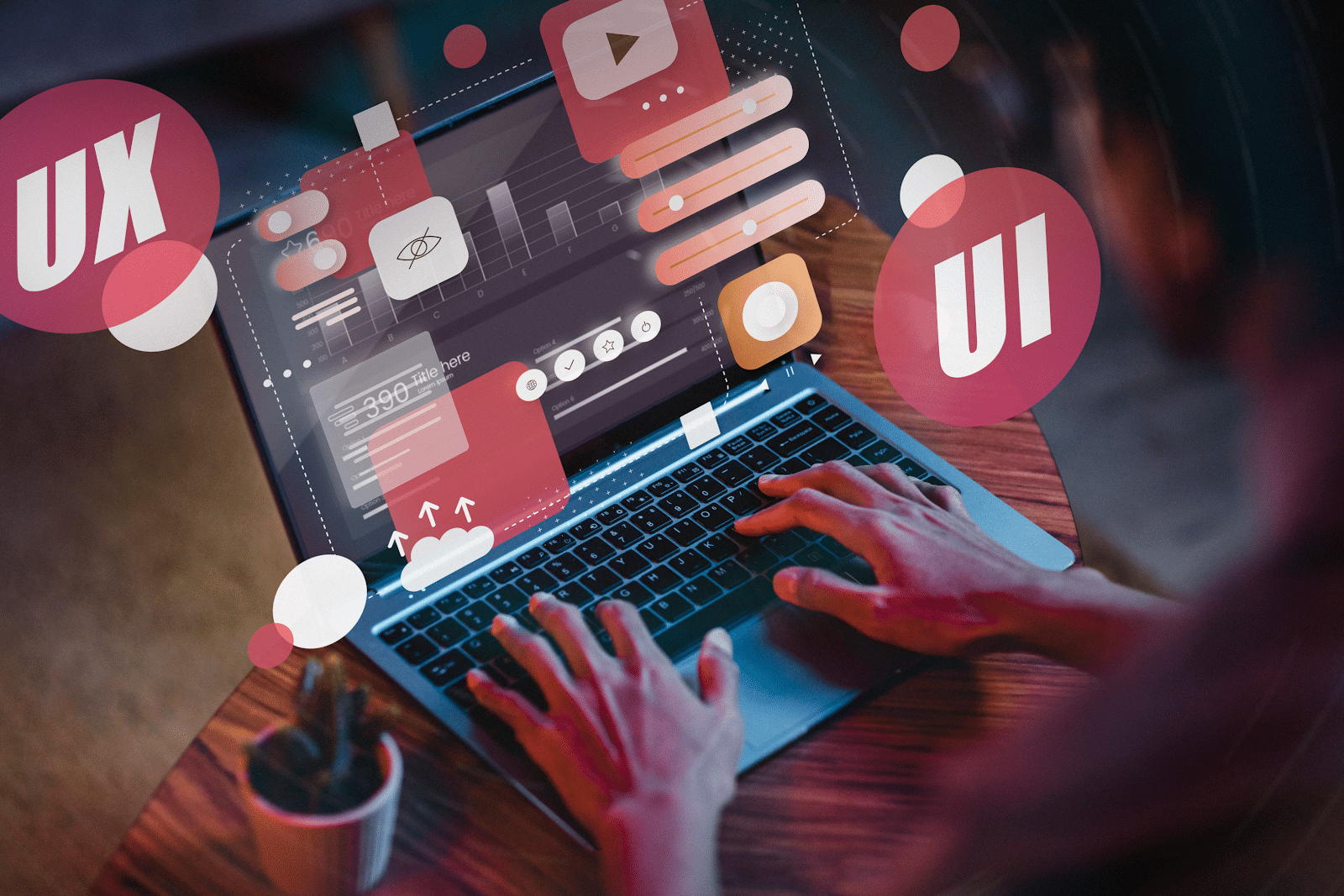
Web design refers to the process of designing a particular website. It involves choosing colors, layout design, and graphic elements. User interface design is a crucial aspect of web design. It focuses on how users interact with the website.
Web design encompasses creating and arranging web pages. It also involves organizing visual and written content for optimal user interaction. A great web designer focuses on user experience. They ensure that websites are visually appealing and easy to navigate.
Responsive design ensures websites adapt to different screen sizes. It’s essential for catering to users on mobile devices. Design principles guide web designers in creating effective websites. They emphasize usability, accessibility, and visual hierarchy.
Understanding web design enhances website traffic and engagement. It enables businesses to reach their target audience effectively.
What Skills Do You Need to Design a Website?

Embarking on a career as a young designer can be both exhilarating and overwhelming. Especially when it comes to mastering the necessary skills. Let’s take a closer look at the skills every young web designer should prioritize.
- Firstly, color theory is an essential skill that young web designers must master.
Different color combinations can evoke varying emotions and perceptions. This makes it a critical component of website design. Designers should understand color principles and create effective color schemes. This will enhance the visual appeal and impact of websites.
- Next, basic coding knowledge is also advantageous for web designers.
Particularly, in HTML and CSS. This allows designers to collaborate effectively with developers. It also helps them implement design concepts accurately.
- Another one is proficiency in layout design is indispensable.
Layout design involves arranging text, images, and other elements on web pages. These are used to create a cohesive and visually appealing user experience. It plays a pivotal role in determining the overall appearance. As well as the message flow of a website. This maximizes performance and user engagement.
- Furthermore, interaction design is integral to creating engaging and intuitive user interfaces.
This involves designing interfaces with well-thought-out behaviors and interactions. These include creating design strategies and identifying key wireframe interactions. There should be a strong grasp of interaction design principles. This will enable designers to create user-friendly experiences that resonate with their audience.
- In addition, proficiency in using prototyping and design tools is essential for young web designers.
These tools offer a range of features that facilitate efficient website creation. They also validate design ideas within minutes.
- Understanding the basics of visual design is paramount.
Visual design is the process of enhancing the user interface (UI) and user experience (UX). Often, through the strategic use of visual elements such as colors, typography, and layouts. Mastery of fundamental principles is crucial for driving engagement and increasing usability. These principles include scale, visual hierarchy, balance, and contrast.
- Expertise in the company’s product and target audience is crucial.
This is important for creating designs. Specifically, one that aligns with customer needs and product value. This way, designers can create designs that effectively communicate the value of the product or business.
Can I learn Web Design On My Own?
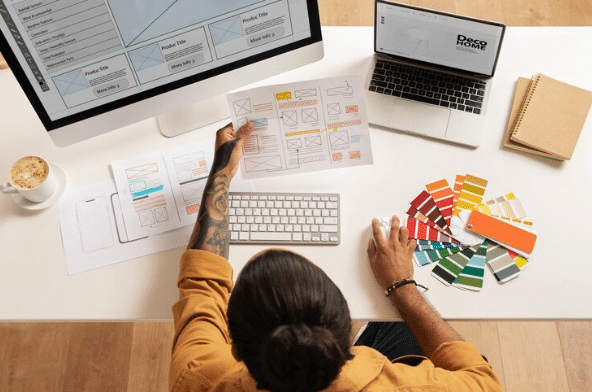
Contemplating the journey of self-learning web design? Let’s delve deeper into this topic!
Indeed, self-learning web design is entirely achievable nowadays. A multitude of online resources are available, offering tutorials, courses, and guides. They are all tailored to different skill levels.
There are platforms like Udemy, Coursera, and the Interaction Design Foundation. They provide an abundance of learning materials covering a wide range of topics in web design. They offer different UI/UX courses for responsive web design. These courses ensure a comprehensive education in the field.
Practicing is paramount to mastering web design skills. Utilize design tools like Adobe Creative Suite and Sketch. That, alongside coding languages such as HTML, CSS, and JavaScript, can refine your abilities. Hands-on experience is invaluable. Especially, in grasping design elements, layout principles, and user interaction.
Persistence and dedication are key in the journey of self-learning web design. Embrace challenges, seek feedback, and continuously strive for improvement. Remember, web design is a dynamic field. It’s constantly evolving with advancements in technology and user preferences. Commit to lifelong learning and staying updated on industry trends. This way, you can cultivate the skills necessary to excel as a proficient web designer.
Does Web Design Need Coding?
Having basic coding knowledge can be advantageous in web design. However, it is not always a prerequisite. Intuitive website builders and design tools can create visually stunning websites. They do not require designers to delve into complex coding languages.
Platforms like Wix, WordPress, and Squarespace offer user-friendly interfaces and ready-made templates. They enable users to design websites without writing a single line of code. These website builders cater to a wide range of users. Even from novice designers to seasoned professionals. They make web design accessible to all.
However, understanding HTML and CSS can significantly enhance a designer’s capabilities. These coding languages form the backbone of web development. Both allow designers to customize layouts, styles, and functionalities to suit their preferences. Mastering HTML and CSS unlocks a wealth of customization options for designers. This then helps create unique web experiences for users.
Moreover, having coding skills fosters collaboration between designers and developers. Designers who understand coding principles can effectively communicate their design ideas to developers. It ensures seamless implementation and troubleshooting. This collaboration streamlines the web development process and results in cohesive websites.
10 Easy Steps to Design a Website From the Beginning
Embarking on website design involves a series of pivotal steps. Let’s delve into these fundamental stages. These will help you craft a compelling online presence.
1. Website’s Purpose
Defining the purpose of your website is paramount. It is also important to identify your target audience. Understanding these aspects lays the foundation for effective web design. One that will be tailored to your specific goals and audience preferences.
2. Website Building Platform
Next, selecting the appropriate website-building platform is crucial. There’s a plethora of options available. These include user-friendly website builders and customizable platforms like WordPress. Choosing the right one ensures seamless development and management of your site.
3. Brand Elements
Gathering essential brand elements plays a vital role. They shape the visual identity of your website. These elements include colors, fonts, and imagery. They contribute to creating a cohesive and engaging user experience. It helps your website design to resonate with your brand identity.
4. Template
Choosing a suitable template or theme further refines the aesthetic. It also elevates the functional aspects of your website. You can opt for pre-designed templates or customized themes. Specifically, those that will align with your brand. This step sets the visual tone for your online presence.
5. Site Map
Mapping out the structure and pages of your website provides a roadmap for content organization and navigation. This step involves outlining essential pages. These include the homepage, product/service pages, about section, blog, and contact page. This ensures a comprehensive and user-friendly site layout.
6. Site Element Design
Designing each site element enhances usability and visual appeal. This includes menus, headers, footers, and additional features. Customizing these elements to reflect your brand identity and user preferences ensures a cohesive and engaging website interface.
7. Web Pages Customization
When it comes to web design, customizing your website pages is essential. This ensures they meet your site’s specific goals. As well as cater to your target audience’s needs. Let’s delve into the key web pages every website should include:
- Homepage: As the first point of contact for visitors, your homepage plays a crucial role. It makes a strong first impression. It should feature your logo, business name, and a clear navigation menu. This is to guide users through your site seamlessly.
- Product or Service Page: This page serves as a virtual storefront. It should showcase your offerings in detail. This page should provide comprehensive information on your products or services. It should also facilitate easy purchasing for visitors.
- About Page: This page offers an opportunity to connect with your audience on a personal level. Share your story, mission, values, and what sets your brand apart. It also helps you establish a strong rapport with visitors.
- Blog Page: A blog is a powerful tool for engaging visitors. It also helps drive organic traffic to your site. Use this page to share valuable insights, industry news, and updates. This page should entice users to explore more of your content.
- Contact Page: Facilitating communication with your audience is vital. Specifically, for building trust and fostering relationships. Make it easy for visitors to get in touch. You can provide multiple contact options, such as email, phone, and social media links.
In addition to these core pages, consider adding the following:
- Custom 404 Page: When users encounter a broken link or page error, a custom 404 page can help retain their interest. This can help guide them back to relevant content.
- FAQ Page: Anticipating and addressing common user queries can enhance the browsing experience. As well as alleviate customer concerns.
- Testimonials: Showcase positive feedback from satisfied customers. This will build credibility and reassure potential clients of your expertise. As well as increase your reliability in the field.
8. Testing
Thorough testing of your website for performance, responsiveness, and user experience is essential before launch. Gather feedback from users and stakeholders. This will help identify and address any issues or areas for improvement.
9. Launching
After thoroughly testing your website and it’s now free from any issue, go ahead and publish your site. Also, keep updating your website based on its performance, trends, and current business operations.
10. Content Optimization
Finally, optimize your content. Specifically, for mobile responsiveness, internet linking, media, and SEO. This ensures maximum visibility and accessibility online. Adhering to these optimization practices can enhance your website’s reach. As well as its effectiveness in engaging with your target audience.
Should You Design a Website or Hire a Designer?
Deciding between DIY and hiring a web designer can be tough. Website builders offer customizable options and simplify the process. Your choice depends on budget, skills, and project complexity.
Professional designers are great for complex projects or time constraints. They bring expertise and efficiency, resulting in polished websites. Website builders suit hands-on individuals, offering user-friendly interfaces and creative control.
Ultimately, it’s about your preferences, resources, and project needs. Whether DIY or hiring, aim for captivating, user-friendly sites. Evaluate options carefully to make an informed decision.
Top 7 Web Design Blogs to Get Inspired
Looking for valuable resources to enhance your web design skills? Here are five top-notch blogs that offer insightful content and practical tips:
- Smashing Magazine
Renowned for its comprehensive coverage of web design topics. Smashing Magazine provides articles on user experience, design trends, coding techniques, and more. Whether you’re a beginner or an experienced designer, you’ll find plenty of valuable insights to level up your skills. - Webdesigner Depot
They are one of the most popular design blogs globally. Webdesigner Depot serves as a go-to hub for tech tips, industry news, and thought-provoking articles. Stay updated on the latest design trends, and explore innovative coding systems. Discover inspiring resources to fuel your creativity. - Mockplus Blog
They mostly offer insightful articles. Mockplus provides a robust design platform for prototyping, collaboration, and workflow optimization. Delve into their blog for practical design tips, industry insights, and useful resources curated to support designers at every stage of their journey. - Web Design Ledger
Known for its well-organized content and diverse range of topics. Web Design Ledger caters to the needs of web designers across various domains. They have content from portfolio building to mobile design and business development. Here, you’ll find a wealth of information to sharpen your skills and stay ahead of the curve. - Web Design Library
This blog offers a treasure trove of resources for both novice and seasoned designers. Explore informative articles, tutorials, and freebies. They are designed to help you refine your craft and create stunning web experiences. Whether you’re looking for design inspiration or practical advice, Web Design Library has you covered. - A List Apart
A List Apart is a reputable online magazine. They focus on web design, development, and content strategy. They have a diverse range of articles written by industry experts. This blog covers topics such as responsive design, accessibility, and user experience. You’ll find valuable insights to elevate your skills and stay updated on the latest trends. - CSS-Tricks
CSS-Tricks is a treasure trove of resources for web designers and developers alike. They have tutorials and code snippets for in-depth articles and video screencasts. This blog covers everything related to CSS, HTML, and front-end development. Explore topics like layout design, browser compatibility, and CSS animations. This will level up your coding skills and create visually stunning websites.
Best Coding Resources for Web Designers
Looking for coding resources to enhance your web design skills? Here are some top platforms:
- W3Schools: W3Schools offers comprehensive tutorials on web development topics. Examples of these are HTML, CSS, JavaScript, SQL, PHP, and ASP.NET. It’s a valuable resource for beginners and experienced developers alike.
- Codecademy: Codecademy provides free coding courses for beginners. It aims to empower learners to make an impact in the coding world. It’s a great starting point for those new to coding.
- Udemy: Udemy offers a wide range of programming courses. They can be for both beginners and advanced programmers. You can find courses in various languages and frameworks to suit your learning needs.
- freeCodeCamp: freeCodeCamp is a free platform where you can learn coding skills. Examples of these are JavaScript, HTML5, and CSS3. It also offers opportunities to work on real-life projects for nonprofits. This way, you can gain practical experience along the way.
- edX: edX offers university-level courses in computer science disciplines. They have courses in Python, front-end development, and blockchain. While courses are free to audit, you can opt for a verified certificate for a fee.
Final Thoughts
Mastering web design is essential for building successful websites. Remember to focus on user interface design and visual elements. The comprehensive design and visual elements create engaging experiences for users. Utilize responsive design and adhere to web standards for optimal results.
For those looking to hire a designer, consider AIT’s web design products. If you’re a beginner, we can help you create a stunning website. One that will attract and engage your target audience. Don’t miss out on the opportunity to elevate your website with AIT!
Frequently Asked Questions (FAQs)
What is Web Design?
Web design involves creating and arranging web pages. It focuses on visual and written content, user interface, and user experience.
Why is Web Design Important?
Good web design enhances user experience, boosts engagement, and increases website traffic. It also improves search engine optimization (SEO) and attracts target audiences effectively.
What Skills Do You Need for Web Design?
Essential skills include color theory, basic coding knowledge (HTML, CSS), layout design, interaction design, proficiency in design tools, visual design basics, and understanding the target audience.
Can I Learn Web Design On My Own?
Yes, you can. Numerous online resources offer tutorials, courses, and guides tailored to different skill levels. Practice, persistence, and dedication are crucial for self-learning success.
Does Web Design Require Coding?
While basic coding knowledge is advantageous, it’s not always necessary. Website builders and design tools provide options for creating websites without extensive coding. However, understanding HTML and CSS can significantly enhance a designer’s capabilities.
How Can I Design a Website From Scratch?
Start by defining your website’s purpose and target audience. Choose a website-building platform, gather brand elements, select a template, and map out your site structure. Customize web pages, test thoroughly, and optimize content before launching.
Should I Design a Website Myself or Hire a Designer?
It depends on your preferences, resources, and project complexity. Website builders suit hands-on individuals, while professional designers are beneficial for intricate projects. Carefully evaluate options to make an informed decision.
Where Can I Find Inspiration and Resources for Web Design?
Explore reputable web design blogs like Smashing Magazine, Webdesigner Depot, Mockplus Blog, Web Design Ledger, Web Design Library, A List Apart, and CSS-Tricks. These platforms offer valuable insights, trends, and practical tips.
What Are Some Coding Resources for Web Designers?
Platforms like W3Schools, Codecademy, Udemy, freeCodeCamp, and edX offer coding tutorials and courses. They cover HTML, CSS, JavaScript, and other programming languages. These resources cater to beginners and advanced learners alike.
]]>