Notice: Function _load_textdomain_just_in_time was called incorrectly. Translation loading for the wp-expand-tabs-free domain was triggered too early. This is usually an indicator for some code in the plugin or theme running too early. Translations should be loaded at the init action or later. Please see Debugging in WordPress for more information. (This message was added in version 6.7.0.) in /home/websitedevait/public_html/wp-includes/functions.php on line 6131
How Do I Set-Up Email Auto-Responders in SMT6? | Advanced Internet Technologies

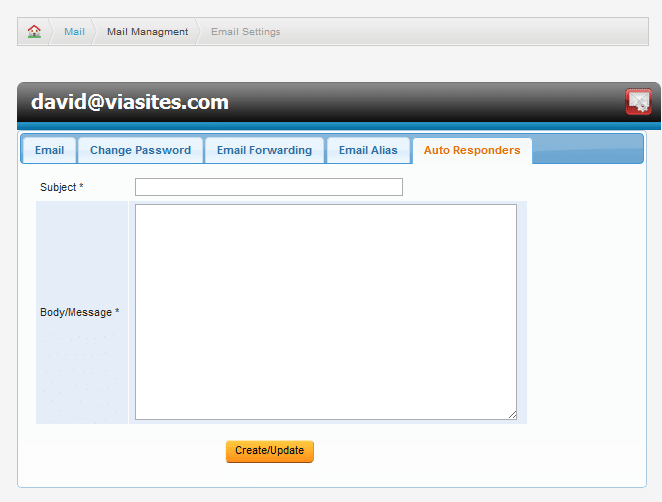
To access the advanced email functions for an email account, select the checkbox next to the mail account you wish to modify, and click Modify Email Account.   This will bring you to the Email Settings  page.

To create an auto-responder, select Auto-Responders from the Email Settings page.  Here , enter the subject and body that you would like sent out as an automatic reply to any email you receive.  This is perfect for notifying clients of pending vacation or current support issues.