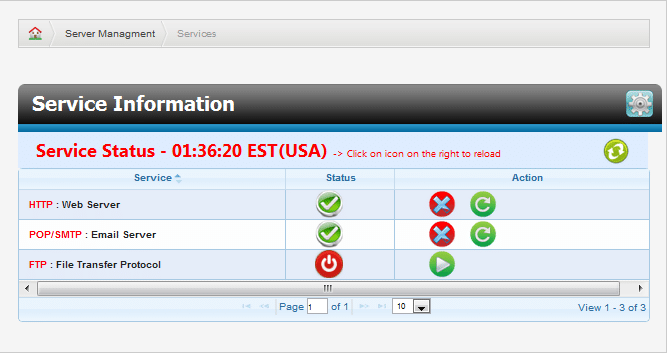
Services To manage the services running on your server, click on Server Management from the main SMT interface and then click Services. The services panel (Figure 2.1) will display a list of services. A green checkmark under status indicates the service is currently running, while the red power icon indicates it is turned off. You can start, stop, or restart services using the icons under Action. The red X will stop the current service, the green icon with a circular arrow will restart the service, and the green play icon will start a service that is not running. Use the refresh icon in the top right to refresh the service table.